Search the Community
Showing results for tags 'scroll'.


-
Note: The issue only occurs on Safari. I wanted the user to see a large logo across the entire width of the screen upon entering my website, and after moving the cursor lower, I wanted the logo to shrink and move to the logo's location. Sometimes (I don't know what it depends on) there is an error like in the attached video. The problem seems to me to be that GSAP is unable to handle the change from width:100% to width: auto and therefore, instead of a smooth transition, it stops at some strange height of the logo. Here you can find video that present my problem: https://youtu.be/GbFOv4NCgrk Here you can find my website: https://melon.studio Here you can find JS code that animate my logo <script> let mm = gsap.matchMedia(); // use a script tag or an external JS file document.addEventListener("DOMContentLoaded", (event) => { gsap.registerPlugin(ScrollTrigger) // Animate From $("header").each(function (index) { let triggerElement = $(this); let targetElement = $(".menu-logo"); let targetElement2 = $(".menu-logo svg"); let tl = gsap.timeline({ scrollTrigger: { trigger: triggerElement, // trigger element - viewport start: "bottom top", end: "bottom bottom", scrub: 1.5 } }); mm.add("(min-width: 53rem) and (min-height: 930px)", () => { tl.fromTo(targetElement, { y: "0%", width: "100%", margin: "50px 0 0 0", duration: 1 }, { width: "auto", margin: "0" }); }); }); }); ScrollTrigger.defaults({ markers: false }); </script> I tried to add different values in my GSAP script but nothing really helps :/ It looks like GSAP can't go from 100% to auto and stops when he is trying to calculate that.
-
I saw this codepen where when you scroll down on a page the 3D picture moves with the page as it scrolls down. It also grows and rotates depending on which section in. I Copied the code and change it so it would work on a div element in html. When I tried it, the div would only move in the first section, not the rest. How would I be able to move a div element along the page as I scroll to the bottom, the EXACT way as the codepen below? This code does not use the motion path plugin only the scroll Trigger plugin which is okay since its free. The animation I want: Custom Keyboard Landing Page with Spline 3D and GSAP Scroll Animations (codepen.io) The animation I made: Relocate on Scroll (codepen.io)
-
Hi everyone. I'd like to create an animation that plays in a loop and also plays when I scroll. Animation: animates the css clip-path property of the images according to the current index. Currently, when the component is mounted, the animation plays correctly but remains stuck on the last image of the array. And when I scroll, nothing happens. Does anyone have a solution or know where to find the bug ? Thank you in advance Demo link : https://stackblitz.com/edit/gsap-react-basic-f48716-ebgh4d?file=src%2FApp.js I was inspired by the following examples: https://codepen.io/GreenSock/pen/wvZjeGN?editors=1010 https://codepen.io/GreenSock/pen/XWzRraJ?editors=1010
-
Hello everyone!😁 I'm new on GSAP so it's possible that my problem is "normal" but I'm currently preparing my portfolio and for the "about" part I wanted to put a text animation on the scroll! In order to reveal the text when scrolling... But unfortunately since today the GSAP animation doesn't work... I tried to go back to previous versions of my site but nothing... Strangely enough, since yesterday everything was working properly on any support or browser, but since today... I've been having major problems even though I haven't really touched anything. I'm putting the code here and I'd like to thank you very much for your help, as I have the impression that it's a bug linked to the CDN...is there a way of correcting the bug or should I wait? https://codepen.io/GreenSock/pen/aYYOdN <script src="https://unpkg.com/split-type"></script> <script src="https://cdnjs.cloudflare.com/ajax/libs/gsap/3.11.4/gsap.min.js"></script> <script src="https://cdnjs.cloudflare.com/ajax/libs/gsap/3.11.4/ScrollTrigger.min.js"></script> <script> let typeSplit = new SplitType('[animate]', { types: 'lines, words, chars', tagName: 'span' }) gsap.from('[animate] .word', { opacity: 0.3, duration: 0.03, ease: 'power1.in', stagger: 0.03, scrollTrigger: { trigger: '[animate]', start: 'top 120%', end: 'bottom 110%', scrub: true, } }) </script>
-
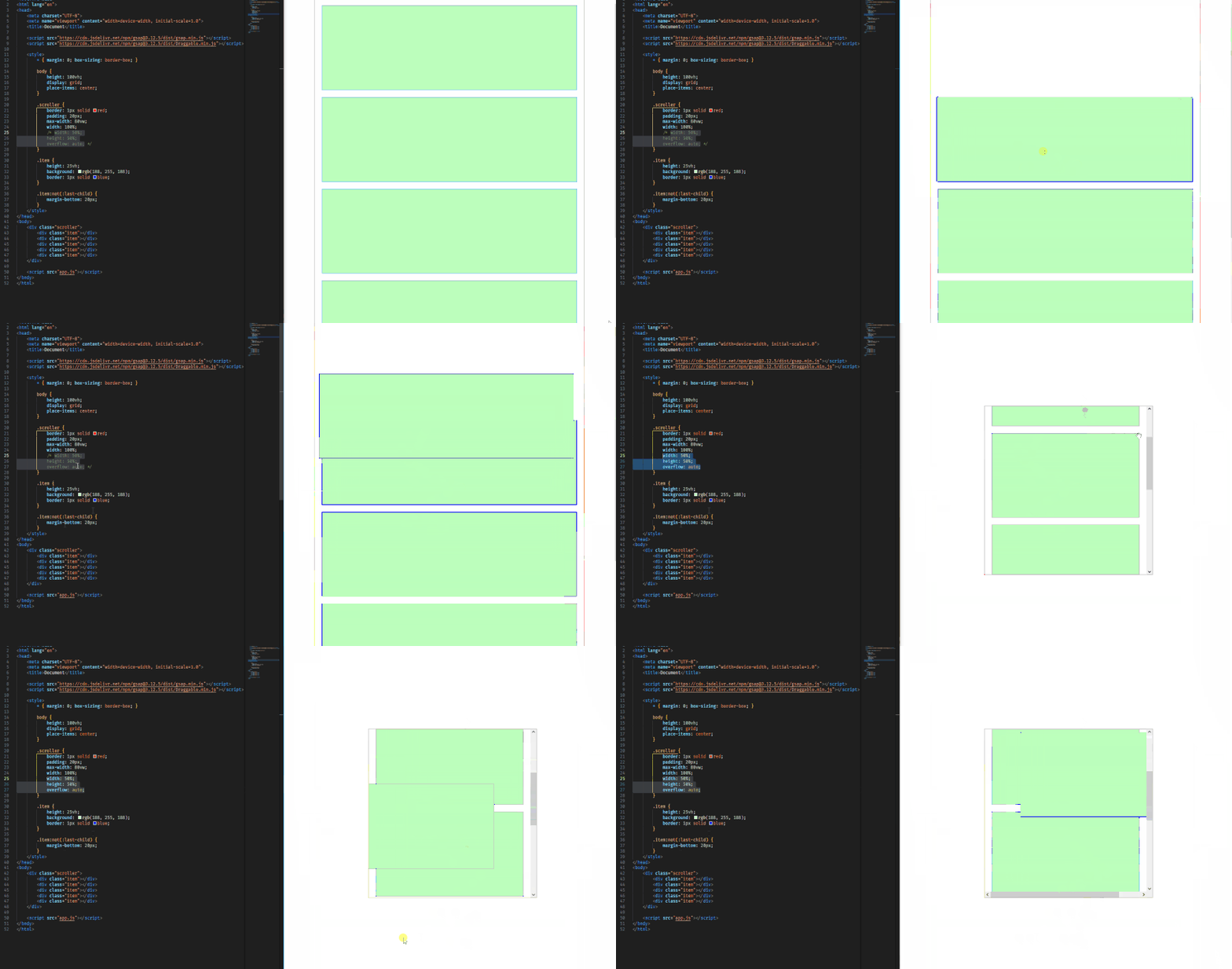
First of all, i forked the codepen demo template, but i couldn't get it to work, even though it's exactly the same code as on my local machine. I attached a gif to this post which showcases the following problem: I'm using the Draggable plugin, but noticed an issue when scrolling. The item i was dragging wouldn't scroll down with me. This only seems to happen when the item i'm dragging is in a different scrollable container. Is there a way to set a different scrolling parent on the Draggable instance? I couldn't seem to find anything in the Draggable docs either. TIA, Jens
-
Hello, my client is telling me that whenever he uses the sidebar from safari (for bookmarks) he couldnt scroll the page anymore and gets stuck at the top. I couldnt recreate the problem myself and i never had this complainment before and this is also the first website i have ever used gsap on. I was hoping someone here knows about the problem and could maybe help me to fix it. When im checking the console in the browser it is showing me this error that i havent seen before: [Violation] Added non-passive event listener to a scroll-blocking 'touchstart' event. Consider marking event handler as 'passive' to make the page more responsive. Maybe this has something to do with the problem that's occurring? Website: https://pscaring.de/
-
Hello community. I'm trying to implement an animation that has been talked about here more than once from the site https://lenis.darkroom.engineering where Enter Lenis is approaching us in the screen. I implemented the same "backing" and it worked fine until I started testing it in Safari browser and on mobile devices The issue is that as I get closer, the edges of my shape (SVG) start to blur and I can see the outlines are not clear. I tried to implement my shape as a normal text, but I faced the same problem, my outlines during the animation process become not clearly visible. I also tried to add will-change property, but with this property my edges become blurred even in Google Chrome browser where everything was fine before. What could be the problem? Thanks! Demo: https://codesandbox.io/p/sandbox/scale-problem-tx8s3m?file=%2Fsrc%2FApp.tsx%3A32,11 Lenis Website: https://lenis.darkroom.engineering
-
Hello community. I am facing a problem that I am trying to make oppositional content scroll on my page. The idea is that when I scroll down, my content on the left side scrolls down with normal behavior and the content on the right side from the last block to the first block. But the scrolling in my example is out of sync, my content on the right side scrolls like twice as fast as the content on the left side https://codesandbox.io/p/sandbox/opposite-gsap-9p4yh7?file=%2Fsrc%2FApp.tsx
-
 Hi everyone, I'm experiencing an issue with my animation. I've searched through existing topics, but couldn't find a solution that matches my problem. To provide some context, I've created a dynamic page for displaying project details. It consists of a description section on the left and an image section on the right. The description is scrollable, and the image changes based on the current description. The issue like i start from project/1 i show all there descriptions all good but when i go to the project/2 or project/^n the scroll still in the register or some where that affect to my animation (the scroll affect to the first image because the scroll still ) ,However, everything works fine if I refresh the page like what i want , So, I'm looking for a solution to reset the ScrollTrigger and resizing functionality dynamically. (methods or props in the useGSAP) Thanks for your help, and I apologize for the lengthy explanation. I just wanted to ensure the context is clear. gsap.registerPlugin(ScrollTrigger); const workInfoItemsRef = useRef(); let imageRefs = useRef([]); const ParrentRef = useRef(); useGSAP( () => { // initialise the imageRefs if ( workInfoItemsRef.current && imageRefs.current.length > 0 && NumberOfFeature > 1 ) { // N2aficti ZIndex directly lrefs: imageRefs.current.forEach((item, index) => { item.style.zIndex = imageRefs.current.length - index; }); // nInitialiser clip-path b refs: gsap.set(imageRefs.current, { clipPath: function () { return "inset(0px)"; }, }); // nCriyi l'animation : const animation = gsap.to( imageRefs.current, // fiha ta last child ! rd lball { clipPath: function (i) { return i != imageRefs.current.length - 1 ? "inset(0px 0px 100% 0px)" : "inset(0px)"; }, stagger: 2, ease: "none", } ); // nCriyi ScrollTrigger l Parrent ref: ScrollTrigger.create({ trigger: ParrentRef.current, start: "top bottom", // markers:true, animation: animation, scrub: 1, }); } }, { dependencies: [CurrentProject], scope: ParrentRef, revertOnUpdate: true } );
-
Hi everyone, I'm writing here for the first time as I see that your community is quite developed, it's cool, thank you. I don't have more experience with GSAP, but I'm trying to realize this effect I have a page where the first block always takes 100vh, and as soon as I initiate a scroll event (any, strong or weak) my block automatically scrolls (I can't interrupt this event) and when it reaches the start of the second block, the effect turns and I can safely scroll the page. I'm trying to implement this, but I keep running into various bugs, I used to write it via Framer Motion, but now I'm trying to rewrite it on GSAP as I think this solution is more suitable for this effect. Does anyone have similar cases or maybe a demo to share some advice? Thank you very much I mean, in a nutshell. The point is that you can't scroll partially through the first block, only always the whole block. And then the page starts to work like normal scrolling in the browser on the next blocks https://codesandbox.io/p/devbox/scroll-sections-txdh67?file=%2Fsrc%2FApp.tsx cut5.mov
-
Hi, I'm quite frustrated, and I might did something wrong with my whole code.. I am trying to make a scrollytelling project, and I wanted to trigger certain animations by clicking a button, and make all the other elements of the rest of the website appear on the bottom part of the whole page, depending on which button got clicked (2 buttons, you can select from) My problem here is, that you click the button, the whole thing doesn't fire directly 1. you need to be at the very end of the document, which makes sense to me, but the bigger issue here:, 2. if you wait more than 3 sec before you click on one of the buttons, the whole thing doesn't animate, it just appears. 3. I thought, I could make the other elements appear, by clicking the button, so by scrolling it behaves like the things before. Instead, it just fires everything at once. Or animate it without the need of scrolling. I tried to use only gsap.to();, but the problem here is, that it doesn't revert by scrubbing. Also by defining the ScrollTrigger with the scrubbing, it doesn't make any difference, which value I use and the markers don't show up either..
-
Hi, i have made some animation with gsap, i used gsap.from for made the animation, but when i refresh with (CTRL+R) for F5 the animation on my bottom page don't play... i upload video for you can see what i talk .. my code : https://codepen.io/arkunis/pen/zYXKKLx video for you can see Thx for your help !
-
Hello! I have a strange behavior in mobile scrolling. On desktop the website is ideal for me. The problem occurs on Android devices. I have tested this with Google Pixel 6 and on one noname Android tablet. Both devices don't have any performance problem with another websites or something else. From time to time, the page hangs and I can't scroll at all. Then I noticed that I can't scroll with one finger, but I can with two! Another thing I've noticed is that I can't refresh the page by dragging it down. Maybe someone is familiar with this misbehavior? Sometimes scrolling is possible, but then the animations no longer work. They start to run and then they break at one or another point. There is just empty space where they should have appeared otherwise. I have removed all errors shown by W3 Validator in the html. I have tried to exclude various scripts or parts of my code to find the error. At the end i have removed all my other scripts, I have removed jQuery. Only GSAP scripts remained (and bootstrap). The problem is also, I can only test this badly - if I simulate the page as mobile in Chrome Developer Tools, there is no misbehavior and no error messages. You can view the pages here: /// I have now removed the links /// Perhaps someone will recognize the problem immediately, because it has already been seen? I can of course proceed as usual, with a minimal demo, but as mentioned it is complicated to test - i can't reproduce the problem on the desktop in the Chrome Developer Tools, only mobile devices. Thank you very much in advance!
-
Hi, i am starting a new project where a slider has already been set up with swiper js. Now i was wondering if its possible to add a cool animation when i drag or scroll through the slider like on this website: http://manifesto.clapat.com/index-showcase-carousel.html the images seem to be cut on the sides and seem to have more depth also they skew in the direction they are dragged. I was just wondering if someone could give me some direction on how to approach this kind of effect with GSAP or if there is a tutorial that someone could point me to. So no debugging for now^^. Also i wanted to know, if this effect is possible with a slider made with swiper JS or if there are any complications. Additionally i would like to implement the transition effect when clicking on the slider images. I saw that it can be made with the FLIP plugin, i just hope it works within Swiper JS. Thanks
-
Hello, I did what I wanted to do, at least partially, but I could not make it work as I wanted. When I scroll to the next section, I cannot change the number, but I could not go back to the previous section and did not change the numbers in the buttons. Can you help me?
-
When the screen width is smaller than a certain width, the content of the menu cannot be scrolled to see all the content. When the markers are deleted, the scrollbar will disappear and not work. When I add content and use ScrollTrigger, it will conflict with the ScrollTrigger used by the menu. How can I separate the ScrollTrigger of the menu and the page content so that they can work separately? This is a minimal demo URL: https://stackblitz.com/edit/nuxt-starter-gnsxip?file=app.vue,components%2FmenuModal.vue,.gitignore This demo uses Nuxt 3.
-
Hey everyone, I'm new to GSAP and trying to learn. I've hit a roadblock. I'm trying to make something scroll immediately after it's pinned, but it's not behaving as I want. When it gets pinned, I need it to jump to 25% right away, and then jump again to the next 25% each time I scroll. Even though I tried adding snap, it's not happening instantly. I don't want it to stop scrolling at any point except every 25%. Something like this but I want it in GSAP: https://codepen.io/Fahad-Aameer/pen/YzgmeGY
-
 Greetings all! I'm a scripting noob-uh that needs some guidance. I have the animation up and running for all-black text on a white background. I need to do the same for white text on a black background. Below is what I have so far. Any help in understanding the script needed to make this work is greatly appreciated. The website. gsap.registerPlugin(ScrollTrigger); const splitTypes = document.querySelectorAll(".text-split"); splitTypes.forEach((char, i) => { const bg = "#F1F1F1"; const fg = "#000000"; const text = new SplitType(char, { types: "chars" }); // Update on window resize let windowWidth = $(window).innerWidth(); window.addEventListener("resize", function () { if (windowWidth !== $(window).innerWidth()) { windowWidth = $(window).innerWidth(); typeSplit.revert(); runSplit(); } }); gsap.fromTo( text.chars, { color: bg }, { color: fg, duration: 1, stagger: 1, opacity: 1, scrollTrigger: { trigger: char, start: "top 80%", end: "top 35%", scrub: true, markers: false, toggleActions: "play play reverse reverse" } } ); });
 -
I have been struggling to find a way to center a select number of groups from an svg in their respective container. For some reason, the groups are always a little off. The "navyDots" all need to be vertically center at the end of the timeline.
-
 Please Help Me recreate The awesome animation In React https://www.nathansmith.design Im stuck at infinite vertical scrolling and also the scrollup effect on main text 😓 I tried to understand with context of this post but it was too hard to do so because im new to the concept : Please do help me out
 -
So First off I am new to GSAP and dang excited to use it! However I am running into an issue where I am getting a lot of whitespace after my footer. It seems to me that once the pin container stops it adds a transform:translate(); to the element div. So in this case adding 5366px to it. I don't want that to happen I want to stop at my footer and not have a whole ton of whitespace after. You can see in my Pen that I have pinSpacing: False, and a min-height of the trigger div. Yet it still applies the transform:translate(0px, 5366px) to the div. What am I doing wrong here?
-
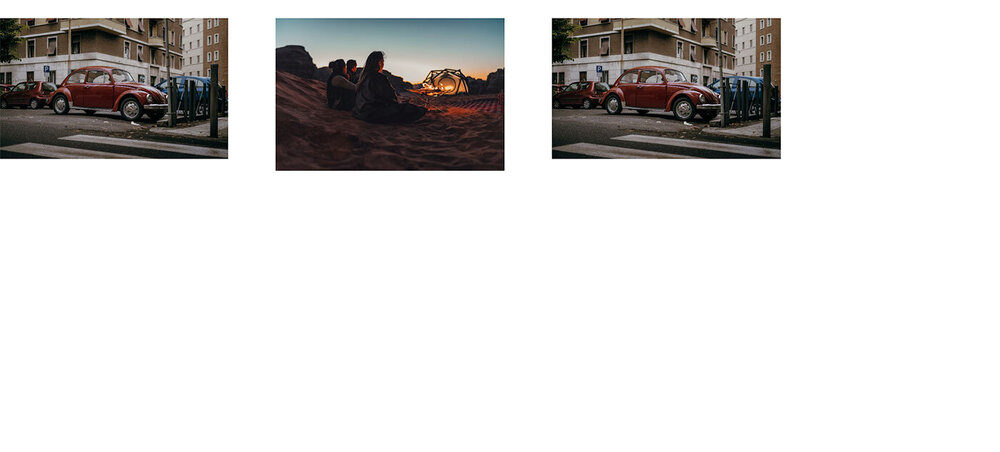
Hello, I've created something with infinite draggable scroll, but there's a gap forming after the last item, leaving some space between it and the first item. Also, there seems to be a slight jitter in the slider. I am sharing the error image in the attachment. Can you help me with this?
-
Hey there, I'd like to move an element horizontally using wheel and/or drag on desktop and touch and/scroll on mobile. I've set up Draggable for easiest possible scrolling with inertia, and Observer for wheel events. I can sort of update a target value for the element to tween to, but the back-and-forth of the respective x values won't quite work. Any tips? Best regards Constantin
-
Hello, I made a horizontal scroll animation, but I wanted it to be like the example here "https://www.brooklyneditions.com". With the scroll, the left atrium remains fixed, the content belonging to each scroll remains and the next one comes. Can you help me?
-
Hi, I have tried this in simple gsap now I want to do it using react gsap. Kindly guide me, how can I do that what I have to import