Search the Community
Showing results for tags 'tweenlite'.


-
I am trying to develop an infinite canvas animation which show cases a number of clickable images on it. On moving the cursor the images will move in the opposite direction, I tried this with div now, is it possible to use Canvas for an infinite scroll effect. Plugins used: TweenMax, TweenLinte, ScrollToPlugin, Draggable
-
Hello! I am trying to accomplish this effect https://greensock.com/docs/v2/Plugins/DirectionalRotationPlugin on a 3d scene. So basically i want the camera to transition to the point selected and not jump to it as it is right now. How can i do that?
-
Hello, I'm sorry if this question is being discussed already, i couldn't find anything in the documentation or the forum. Basically i have a button with which I'm triggering a background-position animation on a DOM element with lets say 240px. Everything is working fine there. The problem is if i click the trigger button while the animation is active, its start again and the background is moved 240+ pxls, depends how quickly I have clicked the second time. Is it possible to ignore clicks on the trigger while animation is running ? I've tried the following with no luck: var tl = TweenLite.to(element, 0.5, {backgroundPosition: newPosition + "px 0px", ease: Cubic.easeInOut}); if(tl.isActive()){ return false; } Thanks in advance! M. Gorchev
-
//this right here is a code inside a function which gets called multiple times and responsible to animate multiple objects from its initial position to targeted position(object and position changes after every iteration). //Also a progress bar is implemented which is responsible to show the progress of the animation. this.tween = new TimelineMax({ onUpdate: showProgress.bind(this)}); this.tween.to(from, { duration: 10, x: to.x, y: to.y, z: to.z ,}); this.tween.from(".red", this.tween.duration(), { scaleX: 0, transformOrigin: "0px 0px", ease: Linear.easeNone }, 0); function showProgress() { this.progress= new TweenLite.set(progress, { scaleX: this.tween.progress(), transformOrigin: "0px 0px" }); duration.innerHTML = "Progress:" + parseInt(this.tween.time() * 10) + "%"; } } //i want to create a function which gets all the animating objects(15) in the scene and apply pause to all of them //right now what happens is pause is being applied to only one object not all the objects. //please help pauseAnimation: function() { this.tween.pause() }
-
#updating gsap from 2.1.3 to latest version resolved the issue When I try to move an <g> element to desired position, it works as expected within react storybook component. However, when export to an app, it adds css transform which is not what I wanted. TweenLite.set(target, { css: { x: 264, y: 12, opacity: 1 } }); react storybook element; correct behavior <g class="abc" id="abcd" data-svg-origin="315 305" transform="matrix(1,0,0,1,264,12)" style="z-index: 1000; opacity: 1; cursor: pointer; touch-action: none; user-select: none;"> <foreignObject width="1" height="1" x="362" y="331"> <div id="selectableItem-0"> <div style="height: 1px; width: 1px;"></div> </div> </foreignObject> <path cursor="grabbing" stroke="#4C5D65" stroke-width="1" d=" M 350, 340 m -35, 0 a 35,35 0 1,0 70,0 a 35,35 0 1,0 -70,0" fill="#00B6F1"></path> </g> exported component in an App; incorrect behavior <g class="abc" id="abcd" data-svg-origin="315 305" transform="matrix(1,0,0,1,264,12)" style="z-index: 1001; transform: matrix3d(1, 0, 0, 0, 0, 1, 0, 0, 0, 0, 1, 0, 284.979, 7.31769, 0, 1); opacity: 1; cursor: pointer; touch-action: none; user-select: none;"> <foreignObject width="1" height="1" x="362" y="331"> <div id="selectableItem-0"> <div style="height: 1px; width: 1px;"></div> </div> </foreignObject> <path cursor="grabbing" stroke="#4C5D65" stroke-width="1" d=" M 350, 340 m -35, 0 a 35,35 0 1,0 70,0 a 35,35 0 1,0 -70,0" fill="#00B6F1"></path> </g> the difference is inside style attr transform: matrix3d(1, 0, 0, 0, 0, 1, 0, 0, 0, 0, 1, 0, 284.979, 7.31769, 0, 1) no idea, what causes this. will appreciate if you can give me some hints these do not help either TweenLite.to(target, 0,{ x: 264, y: 12, opacity: 1 }); TweenLite.set(target, { css: { transform: `matrix(1, 0, 0, 1, ${moveToX}, ${moveToY})`, opacity: 1 } });
-
Hello, I'm doing something in React.js and I don't know why the scrollTo doesn't work. Basically what I'm trying to do is something similar to what Mikel did : https://codepen.io/e1668058/pen/XWbBGPz?editors=0010 but without the buttons. I'm just trying to figure out how to do it just with the mousescroll. just a little extra, I've also thought of adding an onStart and onComplete for the TweenMax so that when it starts I lock the mousewheel with : window.addEventListener("wheel", function(e){e.preventDefault();}, {passive: false} ); and when it completes I unlock the mouse with passive: true. Thank you. Heres my code pen.
-
 Note: TweenLite has been deprecated in GSAP 3 in favor of the streamlined gsap object. It has 50+ new features and is almost <strong>half the size!</strong> GSAP 3 is backward compatible with the vast majority of GSAP 2 features including TweenLite. Please see the Migration Guide for details. The information below covers the older version 2... TweenLite is an extremely fast, lightweight, and flexible animation tool that serves as the foundation of the GreenSock Animation Platform (GSAP). A TweenLite instance handles tweening one or more properties of any object (or array of objects) over time. TweenLite can be used on its own to accomplish most animation chores with minimal file size or it can be used in conjunction with advanced sequencing tools like TimelineLite or TimelineMax to make complex tasks much simpler. Basic Usage The most basic use of TweenLite would be to tween a numeric property of a generic JavaScript object. var demo = {score:0}, scoreDisplay = document.getElementById("scoreDisplay"); //create a tween that changes the value of the score property of the demo object from 0 to 100 over the course of 20 seconds. //each time the tween updates call the function showScore() which will handle displaying the value of demo.score. var tween = TweenLite.to(demo, 20, {score:100, onUpdate:showScore}) function showScore() { scoreDisplay.innerHTML = demo.score.toFixed(2); } See the Pen TweenLite Tween Numeric Property by GreenSock (@GreenSock) on CodePen. note: Click on the "Result" tab to see the value of score animate. Animate CSS Properties For most HTML5 projects you will probably want to animate DOM elements. No problem. Once you load CSSPlugin TweenLite can easily animate CSS properties of DOM elements. /*external js http://cdnjs.cloudflare.com/ajax/libs/gsap/2.1.3/TweenLite.min.js http://cdnjs.cloudflare.com/ajax/libs/gsap/2.1.3/plugins/CSSPlugin.min.js */ window.onload = function() { var logo = document.getElementById("logo"); TweenLite.to(logo, 2, {left:"542px", backgroundColor:"black", borderBottomColor:"#90e500", color:"white"}); } See the Pen Animate Multiple Properties by GreenSock (@GreenSock) on CodePen. note: Click on the "Result" tab to see the animation. TweenLite isn't limited to animating DOM elements, in fact it isn't tied to any rendering layer. It works great with canvas and WebGL too! Control TweenLite is packed with methods that give you precise control over every tween. Play, pause, reverse, and adjust the timeScale (speed) whenever you need to. The demo below shows the power of just a handful of TweenLite's methods. See the Pen Control Playback by GreenSock (@GreenSock) on CodePen. note: Click on the "JS" tab to see detailed comments about what each button does. To see more of TweenLite in action visit our extensive CodePen collections. And so much more TweenLite is loaded with even more features allowing you to: kill tweens find active tweens specify how overwriting of tweens should be handled get/set the time, duration and progress of a tween delay tweens pass arguments into event callback functions specify values to tween from The best place to get all the juicy details on what TweenLite can do is in the TimelineLite documentation. Need even more tweening power? Be sure to check out TweenLite's beefy big brother TweenMax.
 -
Hi there! I'm very new here. Sorry if I ask dumb questions. I'm trying to create a simple single web page displaying an animation that works exactly like the blue paper (not the white one) animation featured on this website (which is by the way a very beautiful and creative site). But without the text, images only. I'm not trying to rip this website off, the concept is gonna be completely different. I noticed the creator of this website used Tweenlite but for the moment I'm too unexperienced to build it on my own. Anyone here has got a similar Codepen (or whatever) I could use and modify or some useful tricks for a newbie like me? Would be so great! Thank you so much in advance. Cheers from Belgium!
-
To implement a smooth scroll I used TweenLite.set{.. within my code. Serving the project works fine without any errors. But as soon as I try to build the project using ng build, it throws following error: How so? import { TweenLite } from 'gsap'; ... TweenLite.set(this.scroller.target, { rotation: 0.01, force3D: true }); "dependencies": { "@angular/animations": "~8.1.2", "@angular/common": "~8.1.2", "@angular/compiler": "~8.1.2", "@angular/core": "~8.1.2", "@angular/fire": "^5.2.3", "@angular/forms": "~8.1.2", "@angular/platform-browser": "~8.1.2", "@angular/platform-browser-dynamic": "~8.1.2", "@angular/router": "~8.1.2", "@types/gsap": "^1.20.2", "bootstrap": "^4.4.1", "firebase": "^7.6.1", "gsap": "^3.1.1", "rxjs": "~6.4.0", "tslib": "^1.9.0", "zone.js": "~0.9.1" }
-
I wrote a simple module to demonstrate the use of a progress bar for downloading files or other server side events. Everything works as expected except for the timing of the "onComplete" callback attached to the tween. It appears to execute the callback at the beginning of the animation instead of the end. I'm sure the issue is with my code but I do not understand why it is happening. To view the issue, press any of the buttons on the codepen page. I attached an alert at the very end of the progress bar (100%) that freezes the animation. Note the values of the header text, footer text and bar text.
-
Greetings Greensock community I have a "simple" question, which i cannot for the life of me figure out on my own. In Angular, i have several methods in my component, it could be "closeEverything()", normally i call such function with "this.closeEverything()". Now, when i try to call such method in a TweenLite.to onComplete callback, it says undefined function. So far so good. Greensock does not know anything about the Angular scope, and i reckon Angular does now know anything about the Greensock scope. Now from what i have read, i might be able to change the scope Greensock uses in the onCompleteScope property, but i have not been able to make it work. Does anyone have an example, where out-of-scope functions are being called in Tween callbacks? What is it i am missing, i feel like a complete newbie again, trying to implement this otherwise awesome library into my existing Angular application. /Balslev
-
Hello! I've got a problem with the new gsap 3.0 library. I have a website which uses gsap 2 with member-only plugins ThrowPropsPlugin and ColorPropsPlugin. I'm trying to migrate to gsap 3 now, but I just found out that these plugins are no longer available in the library. Question #1: Can I use these old plugins with the new gsap 3? Question #2: Why JS is looking for TweenLite file if I'm not using it? I'm importing all js files as ES6 modules, like this: import { gsap, Draggable, ScrollToPlugin, DrawSVGPlugin } from "./gsap/all.js"; import { ColorPropsPlugin } from "./gsap/old-plugins/ColorPropsPlugin.js"; import { ThrowPropsPlugin } from "./gsap/old-plugins/ThrowPropsPlugin.js"; gsap.registerPlugin( Draggable, ScrollToPlugin, DrawSVGPlugin, ColorPropsPlugin, ThrowPropsPlugin); Thank you in advance!
-

-

-
Note: This page was created for GSAP version 2. We have since released GSAP 3 with many improvements. While it is backward compatible with most GSAP 2 features, some parts may need to be updated to work properly. Please see the GSAP 3 release notes for details. New DirectionalRotationPlugin Have you ever tweened rotation to a particular value but wished that you could control which direction it traveled (clockwise or counter-clockwise)? For example, if the current rotation is 170 and you tween to -170, normally that would travel counter-clockwise -340 degrees but what if you prefer rotating 20 degrees clockwise instead? Or maybe you just want it to go in the shortest direction to that new position (20 degrees in this case). This is all possible now with the DirectionalRotationPlugin. Previously, shortRotation was available in CSSPlugin, but there were three shortcomings (pardon the pun): It always went in the shortest direction - it wasn't possible to define a particular direction (clockwise or counter-clockwise). It required using a different property name ("shortRotation" or "shortRotationX" or "shortRotationY") instead of the regular property name ("rotation" or "rotationX" or "rotationY"). It only worked on DOM elements. What if you have a generic object or an EaselJS Shape (or whatever)? The new DirectionalRotationPlugin solves all of these issues. First of all, its functionality is baked into CSSPlugin, so you don't even need to load the DirectionalRotationPlugin if you're only animating DOM elements. The plugin is also included in TweenMax, so there's no need to load a separate plugin there either. Use the new syntax to get the desired behavior - add one of the following suffixes to the value: "_cw" for clockwise, "_ccw" for counter-clockwise, and "_short" to go whichever direction is shortest. Here are some examples: //tweens to the 270 position in a counter-clockwise direction (notice the value is in quotes) TweenMax.to(element, 1, {rotation:"270_ccw"}); //tweens to the -45 position in a clockwise direction TweenMax.to(element, 1, {rotation:"-45_cw"}); //tweens 1.5 radians more than the current rotationX value, and travels in the shortest direction TweenMax.to(element, 1, {rotationX:"+=1.5rad_short"}); If you're tweening a more generic object (anything that's not a DOM element), you can use the DirectionalRotationPlugin. If you pass in a simple value, it will assume you're attempting to tween the target's "rotation" property but you can tween ANY rotational properties of any name by passing in an object with the appropriate properties. Here are some examples: //start with a generic object with various rotation values var obj = {rotation:45, rotationX:0, rotationY:110}; //tweens rotation to 270 in a clockwise direction TweenLite.to(obj, 1, {directionalRotation:"270_cw"}); //tweens rotationX to -45 in a counter-clockwise direction and rotationY to 200 in a clockwise direction: TweenLite.to(obj, 1, {directionalRotation:{rotationX:"-45_ccw", rotationY:"200_cw"}}); As of 1.9.0, shortRotation is deprecated in favor of this new (more flexible and concise) syntax. New AttrPlugin This plugin allows you to tween any numeric attribute of a DOM element. For example, let's say your DOM element looks like this: <rect id="rect" fill="none" x="0" y="0" width="500" height="400"></rect> You could tween the "x", "y", "width", or "height" attributes using AttrPlugin like this: //tuck any attributes you want to tween into an attr:{} object TweenMax.to("#rect", 1, {attr:{x:100, y:50, width:100, height:100}, ease:Linear.easeNone}); You can tween an unlimited number of attributes simultaneously. Just use the associated property name inside the attr:{} object. The AttrPlugin is included inside the TweenMax JS file, so you don't need to load the plugin separately if you're using TweenMax. New TextPlugin This plugin allows you to tween the text content of a DOM element, replacing it one character at a time (or one word at a time if you set the delimiter to " " (a space) or you can even use a custom delimiter). So when the tween is finished, the DOM element's text has been completely replaced. This also means that if you rewind/restart the tween, the text will be reverted to what it was originally. Here is a simple example of replacing the text in yourElement: //replaces yourElement's text with "This is the new text" over the course of 2 seconds TweenMax.to(yourElement, 2, {text:"This is the new text", ease:Linear.easeNone}); If you'd like to use a different delimiter so that instead of replacing character-by-character, it gets replaced word-by-word, just pass an object with configuration properties like this: //replaces word-by-word because the delimiter is " " (a space) TweenMax.to(yourElement, 2, {text:{value:"This is the new text", delimiter:" "}, ease:Linear.easeNone}); Sometimes it's useful to have the new text differentiated visually from the old text, so TextPlugin allows you to assign a css class to the new and/or old content, like this: //wraps the old text in <span class="class1"></span> and the new text in a <span class="class2"></span> TweenLite.to(yourElement, 2, {text:{value:"This is the new text", newClass:"class2", oldClass:"class1"}, ease:Power2.easeIn}); As indicated, defining a newClass and/or oldClass will result in wrapping a <span> tag around the associated text. The TextPlugin is NOT included inside TweenMax, so you'll need to load it separately. Other updates and enhancements in 1.9.0: Added support for hsl() and hsla() colors in CSSPlugin and ColorPropsPlugin Implemented a new (more concise and clear) way to register plugins. Old plugins will still work fine, but most of the new ones in 1.9.0 use the new style of registering which won't work with old versions of TweenLite/TweenMax. Please just make sure all your files are updated. Fixed issue that caused className to be ignored by the autoCSS feature that creates the css:{} wrapper internally. Fixed issue that could cause em not to be translated to px accurately, causing a jump when the start and end units for the tween don't match (like px to em or visa-versa) Fixed backfaceVisibility so that it is properly prefixed when necessary Now setting "float" on a DOM element will work across browsers including Firefox and IE. Worked around issue that caused x/y/z transforms not to work properly if they exceeded 21,474 (or -21,474). Fixed issue that caused values not to be interpreted correctly if a negative number had a relative prefix, like "+=-50px" or "-=-50px" Fixed issue in EaselPlugin that prevented ColorMatrixFilter tweens from working correctly when the starting matrix wasn't an identity matrix Now fromTo() and staggerFromTo() methods have immediateRender set to true by default, just like from() and staggerFrom() always did. This seems like the preferred behavior for most developers, but you can certainly set immediateRender:false on any tween if you prefer that behavior. Now fromTo() and staggerFromTo() tweens that have immediateRender:false will record their pre-tween values (before even implementing the "from" part of the tween) so that if their parent timeline rewinds past the beginning of the tween, it restores values to their originals. Get it now Download the latest version of GSAP using the fancy new download screen, and notice that everything is also available as CDN links as well. The docs have been updated to reflect all these changes. Questions? Swing by the forums to get your questions answered.
-
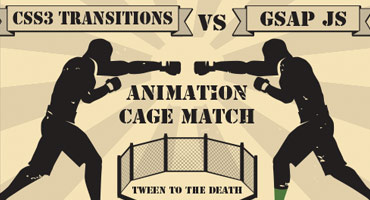 Note: This page was created for GSAP version 2. We have since released GSAP 3 with many improvements. While it is backward compatible with most GSAP 2 features, some parts may need to be updated to work properly. Please see the GSAP 3 release notes for details. Update: don't miss our guest post on css-tricks.com, Myth Busting: CSS Animations vs. JavaScript which provides some additional data, visual examples, and a speed test focused on this topic. Ever since CSS3 "transitions" and "animations" were introduced, they have been widely lauded as the future of animation on the web. It often seems like all the "cool kids" are talking about them. Should you jump on the bandwagon? Is JavaScript animation headed for extinction? How does the new GreenSock Animation Platform (GSAP) fare when it steps into the ring and faces off against the hyped-up tag-team of CSS3 transitions & animations? Does GSAP have the chops to hold its own? Let's find out. Ready...FIGHT! Performance One of the most common arguments in favor of CSS3 animations has been that they're hardware accelerated, thus outperform any JavaScript-based equivalent. The theory is that if you define your transitions/animations directly in css, the browser can worry about all the calculations behind the scenes and tap into hardware and native code to execute them. Sounds awesome. Unfortunately it's not quite that clean. Only certain properties are hardware-accelerated (like 3D transforms and opacity - mostly ones that don't affect document flow) and different browsers handle things differently. Plus every comparison we saw on the web pitted CSS3 transitions against jQuery, but GSAP is up to 20 times faster than jQuery. In our real-world tests, we saw drastic differences in performance among the various browsers and when tested head-to-head against GSAP, CSS3 animations were usually slower! Weird. As expected, however, 3D transforms were indeed faster under heavy stress although in most situations you'd never notice a difference. GSAP is extremely optimized. UPDATE (2015-01-05): There are some interesting (and surprising) performance implications of using CSS animations that aren't widely known. Here's a screencast that shows how Dev Tools doesn't report the overhead involved with CSS animations, some synchronization problems, and how they can drag down the main thread performance more than JS. To see a simple comparison for yourself, select the "Zepto" engine in the speed comparison because it uses CSS3 transitions for its animations, and then compare it to GSAP. Beware that the fps (frames per second) counter in the lower right corner isn't always accurate in some browsers (like recent versions of Safari) when using CSS3 transitions because requestAnimationFrame events [incorrectly] get dispatched even when the screen is clearly not being updated. So the animation may actually be running at a very jerky 10fps, yet 50+ requestAnimationFrame cycles are being triggered by the browser! This exposes another flaw in CSS3 transitions - there's no way to know when updates truly occur. There's only a "complete" event fired at the end of the transition/animation. If anyone knows how to get a more accurate fps counter in Safari while using CSS3 transitions, please let us know. Another performance issue to note in the speed comparison is the clumping that occurs with many engines (including Zepto) under heavy stress, where the stars begin pulsing out in rings instead of a nicely dispersed field. Even though GSAP was faster than CSS3 transitions in the majority of our real-world tests, it's still true that 3D transforms and opacity tweens are faster with CSS3 transitions and it's possible that browsers will be able to further tap into hardware acceleration in the future, so we'll call this round a tie. Feel free to build your own tests to see how things compare in your workflow. Performance winner: TIE Controls This is one of the major weak spots for CSS transitions (its "glass jaw" of sorts). Let's say you invest the time in writing a bunch of css for a whiz-bang animation and then you need to control the whole thing - good luck with that. It is virtually impossible. GSAP's object oriented architecture allows you to pause, resume, reverse, restart, or seek to any spot in any tween. Even adjust timeScale on the fly for slow motion or fastforward effects. Place tweens in a timeline with precise scheduling (including overlaps or gaps) and then control the whole thing just like it's a single tween. All of the easing and effects remain perfectly intact as you reverse, adjust timeScale, etc. (with CSS transitions, easing flip-flops upon reverse). You can even kill individual portions of a tween anytime (like if a tween is controlling both "top" and "left" properties, you can kill "left" while "top" continues). Put labels in a timeline to mark important spots and seek() to them anytime. Imagine trying to build the example below using CSS transitions. It would be virtually impossible. With GSAP, it's easy. In fact, all of the animation is done with 2 lines of code. Drag the scrubber, click the buttons below, and see how easy it is to control the sequenced animation. Controls winner: GSAP Tweenable Properties Both competitors can animate transforms (2D and 3D), colors, borderRadius, boxShadow, and pretty much every important property, but there's one key shortcoming of CSS - you cannot animate individual transforms distinctly! For example, try rotating an object and then halfway through that animation, start scaling it with a different ease and finish at a different time. Since all transforms (scaleX, scaleY, rotation, rotationX, rotationY, skewX, skewY, x, y, and z) are all mashed into one "transform" property, it's virtually impossible to handle them distinctly. GSAP not only works around this limitation, but it also allows you to do advanced things like animate along Bezier paths or do momentum-based motion (with ThrowPropsPlugin) or relative tweens or animate the scroll position or do directional rotation or physics-based motion, etc. Plus GSAP can animate any numeric property of any object, not just DOM elements. Do you really want to use one toolset (CSS) for animating DOM elements and then have to switch to a completely different toolset and syntax when you do canvas-based animation? GSAP handles both consistently. CSS transitions and animations just can't compete here. Tweenable properties winner: GSAP Workflow When you're creating fun and interesting animations, workflow is critical. You need to be able to quickly build sequences, stagger start times, overlap tweens, experiment with eases, leverage various callbacks and labels, and create concise code. It would be great to modularize your code by creating functions that each spit back an animation object (tween or timeline) which can be inserted into another timeline at a precise time. You need a flexible, powerful system that lets you experiment without wasting hours. GSAP wipes the floor with CSS transitions in this round. Anyone who has attempted an ambitious project with CSS3 transitions/animations will attest to the fact that they tend to get very cumbersome and verbose. Experimenting with timing and fine-tuning details can get extremely tedious especially when dealing with all the browser prefixes. GSAP CSS3 transitions = supported = unsupported Flexible object-oriented architecture that allows animations to be nested inside other animations as deeply as you want Supported Unsupported Concise code that doesn't require vendor prefixes Supported Unsupported Create sequences (even with overlapping animations) that auto-adjust as you insert/remove/change intermediate pieces of animation (makes experimenting MUCH easier) Supported Unsupported Accommodate virtually any ease including Bounce, Elastic, SlowMo, RoughEase, SteppedEase, etc. Supported Unsupported Animate things into place (backwards) with convenience methods like from() and staggerFrom() Supported Unsupported Callbacks for when an animation starts, updates, completes, repeats, and finishes reversing, plus optionally pass any number of parameters to those callbacks Supported Unsupported Place labels at specific times in a sequence so that you can seek() there (and/or insert animations there) Supported Unsupported Animate any numeric property of any JavaScript object, not just DOM elements (great for canvas-based animation). Supported Unsupported Workflow winner: GSAP Compatibility CSS transitions simply don't work in older browsers, even Internet Explorer 9. GSAP works in all browsers (although some particular features may be disabled, like 3D transforms in IE8). Once again, this round was no contest. GSAP can even do 2D transforms like rotation, scaleX, scaleY, x, y, skewX, and skewY all the way back to IE6 including transformOrigin functionality! Plus it works around scores of other browser issues so that you can focus on the important stuff. Safari's 3D transformOrigin bug? No problem. Firefox's flashing 3D elements bug? No worries. Inconsistency in IE's backgroundPosition values? GSAP has you covered. Vendor prefixes? Nah, GSAP adds 'em for you when necessary. Compatibility winner: GSAP Popularity CSS3 transitions have been talked about (and used) for years all over the web whereas GSAP is relatively new. It can't match CSS3 transitions' popularity. As clients start pushing for more aggressive animations and HTML5 games proliferate and operating systems become very JavaScript-friendly, the balance may very well shift quickly. For now, though, this round goes squarely to CSS transitions. Popularity winner: CSS3 transitions Conflict management What happens if a particular set of properties (like "left" and "top") are animating and then you need to redirect one of those to a different value (like "left" to 100px instead of 300px) using a different ease and duration? With CSS transitions, it's a very complex process. With GSAP, it's simple and automatic. In fact, there are several overwrite modes you can choose from. Conflict management winner: GSAP Support There are numerous places on the web where you can ask the community your CSS transitions-related questions, but GSAP has dedicated support forums where there's rarely a question that remains unanswered for more than 24 hours. GreenSock's forums are manned by paid staff (including the author of the platform), so you're quite likely to get solid answers there. Add to that the fact that GreenSock has a track record of being much more agile in terms of squashing bugs and releasing updates than browsers do for CSS3 transitions, so GSAP gets the upper hand here. Support winner: GSAP Expandability GSAP employs a plugin architecture, making it relatively easy to add features and custom animation properties but CSS transitions have no such equivalent. You're stuck with what the browsers decide to offer. In addition to CSSPlugin, GSAP already has plugins like ScrollToPlugin for scrolling to specific window or div scroll positions, BezierPlugin for animating along Bezier curves, ThrowPropsPlugin for momentum-based motion, and RaphaelPlugin, EaselPlugin, and KineticPlugin for those libraries (Raphael, EaselJS, and KineticJS). Plus there are physics-based plugins like Phyics2DPlugin and PhysicsPropsPlugin as well as a fun ScrambleTextPlugin for Club GreenSock members. More plugins are on their way, and you can create your own too. Expandability winner: GSAP Learning resources Again, the popularity of CSS3 transitions trumps anything GSAP could throw at it right now. There are lots of tutorials, videos, and articles about CSS3 transitions whereas GSAP is new to the game. GreenSock is being aggressive about putting together solid resources (like the Jump Start tour) and the community is crankin' out some great articles and videos too, but CSS3 transitions score the win in this round. Learning resources winner: CSS3 TRANSITIONS Price & license Both CSS3 transitions and GSAP are completely free for almost every type of usage. GSAP allows you to edit the raw source code to fix bugs (if that's something you need to do), but there's no way to edit the source code that drives CSS3 transitions. Then again, there's no special license required to use them either. If you plan to use GSAP in a product/app/site/game for which a fee is collected from multiple customers, you need the commercial license that comes with "Business Green" Club GreenSock memberships (one-off commercial projects don't require the special license). It's actually a more business-friendly license in many ways than a typical open source license that offers no warranties or backing of any kind or imposes code sharing or credit requirements. GreenSock's licensing model provides a small funding mechanism that benefits the entire user base because it empowers continued innovation and support, keeping it free for the vast majority of users. See the licensing page for details. Although there are some clear benefits of GreenSock's model, we'll give this round to CSS3 transitions because using them is technically "free" in more scenarios than GSAP. Price & license winner: CSS3 TRANSITIONS File size This is a tricky round indeed because GSAP requires inclusion of at least 1 JavaScript file whereas CSS3 transitions leverage native code in the browser, but the code you'd have to write to accomplish the same thing in CSS3 animations or transitions is often far more verbose, offsetting the kb savings. For example, let's take a relatively simple sequenced animation (see codepen or jsfiddle? GSAP code: var tl = new TimelineLite(); tl.staggerFrom('.box', 0.5, {opacity:0, scale:0, rotation:-180}, 0.3) .staggerTo('.box', 0.3, {scale:0.8}, 0.3, 0.7); This type of thing is impossible with CSS3 transitions, but it can be done with CSS3 animations as long as we give each element its own class name or ID. Let's take a look at the CSS code (see codepen or jsfiddle? Equivalent CSS3 Animation: .animated { -webkit-animation-fill-mode: both; -moz-animation-fill-mode: both; animation-fill-mode: both; -webkit-animation-duration: 1s; -moz-animation-duration: 1s; animation-duration: 1s; } @-webkit-keyframes introAnimation { 0% { -webkit-transform: scale(0) rotate(-180deg) ; opacity: 0; } 50% { -webkit-transform: scale(1) rotate(0deg) ; opacity: 1; } 70% { -webkit-transform: scale(1) rotate(0deg); } 100% { -webkit-transform: scale(0.8) rotate(0deg); } } @-moz-keyframes introAnimation { 0% { -moz-transform: scale(0) rotate(-180deg); opacity: 0; } 50% { -moz-transform: scale(1) rotate(0deg); opacity: 1; } 70%{ -moz-transform: scale(1) rotate(0deg); } 100% { -moz-transform: scale(0.8) rotate(0deg); } } @keyframes introAnimation { 00% { transform: scale(0) rotate(-180deg); opacity: 0; } 50% { transform: scale(1) rotate(0deg); opacity: 1; } 70%{ transform: scale(1) rotate(0deg); } 100% { transform: scale(0.8) rotate(0deg); } } .introAnimation { -webkit-backface-visibility: visible !important; -webkit-animation-name: introAnimation; -moz-backface-visibility: visible !important; -moz-animation-name: introAnimation; backface-visibility: visible !important; animation-name: introAnimation; } .two { -webkit-animation-delay: 0.3s; -moz-animation-delay: 0.3s; animation-delay: 0.3s; } .three { -webkit-animation-delay: 0.6s; -moz-animation-delay: 0.6s; animation-delay: 0.6s; } .four { -webkit-animation-delay: 0.9s; -moz-animation-delay: 0.9s; animation-delay: 0.9s; } .five { -webkit-animation-delay: 1.2s; -moz-animation-delay: 1.2s; animation-delay: 1.2s; } .six { -webkit-animation-delay: 1.5s; -moz-animation-delay: 1.5s; animation-delay: 1.5s; } .seven { -webkit-animation-delay: 1.8s; -moz-animation-delay: 1.8s; animation-delay: 1.8s; } .eight { -webkit-animation-delay: 2.1s; -moz-animation-delay: 2.1s; animation-delay: 2.1s; } .nine { -webkit-animation-delay: 2.4s; -moz-animation-delay: 2.4s; animation-delay: 2.4s; } As you can see, the CSS3 code is more than 10 times longer! And what if you want to have the entire sequence repeat 3 times? Good luck with that in CSS - you can set an animation-iteration-count but it only applies to each individual element, so it doesn't give us the effect we're after. And what if you want to experiment with the easing or offsets/delays or rotational values? It is quite cumbersome to say the least, even if you use sass or something like that. With GSAP, it's simple. If you only need very simple animations/transitions, CSS3 would deliver smaller file sizes, but once you start getting more aggressive and expressive with your animations, the scales shift quickly and GSAP becomes more economical. The other thing to keep in mind is that GSAP's JS file(s) are typically cached by the browser, so the savings page-to-page is much larger since the code you write on each page is far more concise. In other words, think of how much js/css the browser must actually request from the server over the course of your users' multi-page visit to your site. File size winner: TIE Flexibility Let's face it: basic tweening is pretty straightforward for any system, but it's really the details and advanced features that make a robust platform shine. GSAP crushes CSS3 transitions and animations when it comes to delivering a refined, professional-grade tool set that's truly flexible. Here are just a few of the conveniences baked into GSAP: Tween any numeric property of any object. Optionally round values to the nearest integer to make sure they're always landing on whole pixels/values. Animate along Bezier curves, even rotating along with the path or plotting a smoothly curved Bezier through a set of points you provide (including 3D!). GSAP's Bezier system is super flexible in that it's not just for x/y/z coordinates - it can handle ANY set of properties. Plus it will automatically adjust the movement so that it's correctly proportioned the entire way, avoiding a common problem that plagues Bezier animation systems. You can define Bezier data as Cubic or Quadratic or raw anchor points. Animate any color property of any JavaScript object (not just DOM elements). Define colors in any of the common formats like #F00 or #FF0000 or rgb(255,0,0) or rgba(255,0,0,1) or hsl(30, 50%, 80%) or hsla(30, 50%, 80%, 0.5) or "red". Set a custom fps (frames per second) for the entire engine (the default is 60fps). All tweens are perfectly synchronized (unlike many other tweening engines). Use the modern requestAnimationFrame API to drive refreshes or a standard setTimeout (the default is requestAnimationFrame with a fallback to setTimeout) Tons of easing options including proprietary SlowMo, RoughEase, and SteppedEase along with all the industry standards Animate css style sheet rules themselves with CSSRulePlugin Animate the rotation of an object in a specific direction (clockwise, counter-clockwise, or whichever is shortest) by appending "_cw", "_ccw", and "_short" to the value. You can tween getter/setter methods, not just properties. For example, myObject.getProp() and myObject.setProp() can be tweened like TweenLite.to(myObject, 1, {setProp:10}); and it will automatically recognize that it's a method and call getProp() to get the current value when the tween starts. Same for jQuery-style getters/setters that use a shared method like myObject.prop(). You can even tween another tween or timeline! For example, TweenLite.to(otherTween, 1, {timeScale:0.5}) would animate otherTween.timeScale to 0.5 over the course of 1 second. You can even scrub the virtual playhead of one tween/timeine with another tween by animating its "time". Flexibility winner: GSAP Conclusion Despite the hype surrounding CSS3 transitions and animations, they just aren't well-suited for professional-grade animation tasks. They did manage to win a few rounds in this match but ultimately GSAP man-handled them, sending them running from the ring like scared sissies. Of course we're slightly biased, but check out the facts for yourself. Kick the tires. Audition GSAP on your next project. See how it feels once you get past the initial learning curve. If you only need simple fades or very basic animation in modern browsers, CSS3 transitions are probably just fine. However, what happens when your client wants to do something more expressive? What if browser compatibility becomes an issue? Why not build on a solid foundation to begin with so that you don't find yourself having to rewrite all your animation code? If you want professional-grade scripted animation, look no further. To get started fast, check out our Jump Start tour. Recommended reading: Main GSAP JS page Why GSAP? A practical guide for developers Jump Start: GSAP JS jQuery vs GSAP: cage match 3D Transforms & More CSS3 Goodies Arrive in GSAP JS Speed comparison Explanation of CSS3 transitions, transforms and animations P.S. A rant about where animation logic belongs: We can't put this post to bed without mentioning a beef we've got with the whole concept of putting all your animation logic in css. Ever since the <blink> tag, there has been this tendency for browser vendors to offer developers these nifty "conveniences" that end up encouraging them to mix markup and/or style rules with behavioral logic. Is that really a good idea? One of the wonderful things about the modern web is that we've got this lovely separation between markup, presentation/styling, and behavioral logic (at least that's the goal). Should we be blurring the line like this? Isn't JavaScript the logic layer that should be handling state changes, application logic, reaction to user interaction (which often includes animation), etc.? Some may claim "But putting animation in css is great because that way if the user has JavaScript disabled, the animations still work!" Do you really think users of the modern web can turn off JavaScript and expect to browse the web with great results? Is that who you're targeting for a rich experience? And if they turned off JavaScript, might they have done so specifically to avoid annoying animations? Is it really helping to shift animation logic into css where they can't turn it off? In the web of yesteryear, animations were quite simplistic; fade this, slide that. Done. Anything more aggressive was relegated to a plugin like Flash which afforded incredible richness and complexity in terms of animation. But today, clients want that sort of expressiveness directly in the browser. It needs to work on mobile devices. It's no longer about simple fade-ins or sliding an image across the screen. CSS3 transitions fit the old mentality well, but not the new one. CSS3 animations technically provide more flexibility but they fall miserably short and they still force behavioral logic into the style layer. And to use them effectively, we still need JavaScript to at least swap classes and trigger things. From a development and debugging standpoint, when I apply a class to an element how would I know if that will trigger an animation or transition or neither? Should I have to keep bouncing back and forth between css and JS to manage behavioral logic related to animations? Maybe we're just ill-informed and there are some fantastic reasons for putting behavioral logic like animation into the css layer, but one thing seems pretty clear: the current way that developers have to build all but the simplest css animation leaves a LOT to be desired. The API is terribly limiting and clunky. Let's move the web forward. Let's make animation fun and flexible. Let's keep behavioral logic and style rules distinct. Let's leverage the incredible flexibility of JavaScript. If we've misrepresented anything here or if you want to weigh in with your opinion about where behavioral logic like animation belongs, feel free to post your comment below. If you're someone who has attempted an aggressive animation task with CSS3 transitions/animations as well as GSAP, we'd love to hear how you felt they compared.
 -
 Note: This page was created for GSAP version 2. We have since released GSAP 3 with many improvements. While it is backward compatible with most GSAP 2 features, some parts may need to be updated to work properly. Please see the GSAP 3 release notes for details. Update: don't miss our guest post on css-tricks.com, Myth Busting: CSS Animations vs. JavaScript which provides some additional data, visual examples, and a speed test focused on this topic. jQuery is the 700-pound gorilla that has been driving lots of animation on the web for years, but let's see how it fares when it steps into the ring with the feisty GSAP (GreenSock Animation Platform) which gained its fame in the Flash world and is now flexing its greased-up muscles in JavaScript. Before we put the gloves on, we need to make it clear that we've got the utmost respect for jQuery, its authors, and its community of users (to which we belong). It's a fantastic tool that we highly recommend for non-animation tasks. This tongue-in-cheek "cage match" is solely focused on animation. Performance Performance is paramount, especially on mobile devices with sluggish processors. Silky smooth animation is the hallmark of any animation platform worth its weight. This round wasn't even close. GSAP was up to 20 TIMES faster than jQuery under heavy stress. See a speed comparison for yourself or make your own. Performance winner: GSAP Controls With jQuery, you can stop an animation but that's about it. Some 3rd party plugins add resume capability, but jQuery takes a pounding in this round. GSAP's object oriented architecture allows you to pause, resume, reverse, restart, or jump to any spot in any tween. Even adjust timeScale on the fly for slow motion or fastforward effects. Place tweens in a timeline with precise scheduling (including overlaps or gaps) and then control the whole thing just like it's a single tween. All of the easing and effects remain perfectly intact as you reverse, pause, adjust timeScale, etc. And you can even kill individual portions of a tween anytime (like if a tween is controlling both "top" and "left" properties, you can kill "left" while "top" continues). Put labels in a timeline to mark important spots and seek() to them anytime. Imagine trying to build the example below using jQuery. It would be virtually impossible. With GSAP, it's easy. In fact, all of the animation is done with 2 lines of code. Drag the slider, click the buttons below, and see how easy it is to control the sequenced animation. See the Pen Impossible with jQuery: controls (used in jquery cagematch) by GreenSock (@GreenSock) on CodePen. Controls winner: GSAP Tweenable Properties jQuery.animate() works with basic numeric properties, but that's about it. If you want to do more, you'll need to rely on lots of 3rd party plugins which may have spotty support or unresolved bugs. GSAP's CSSPlugin handles almost anything you throw at it while protecting you from various browser bugs and prefix requirements. GSAP jQuery = supported = supported with 3rd party plugins = partially supported with 3rd party plugins Basic numeric css properties like left, top, opacity, fontSize, etc. Supported Supported Colors like backgroundColor, borderColor, etc. Supported Supported with 3rd party plugins backgroundPosition Supported Supported with 3rd party plugins boxShadow Supported Supported with 3rd party plugins clip Supported Supported with 3rd party plugins textShadow (including multiple text shadows) Supported Partially supported with 3rd party plugins 2D transforms like rotation, scaleX, scaleY, x, y, skewX, and skewY, including 2D transformOrigin and directional rotation functionality Supported Partially supported with 3rd party plugins 3D transforms like rotationY rotationX, z, and perspective, including 3D transformOrigin and directional rotation functionality Supported Partially supported wiht 3rd party plugins borderRadius (without the need to define each corner and use browser prefixes) Supported Partially supported with 3rd party plugins className allows you to define a className (or use "+=" or "-=" to add/remove a class) and have the engine figure out which properties are different and animate the differences using whatever ease and duration you want. Supported Partially supported with 3rd party plugins Tweenable properties winner: GSAP Workflow When you're creating fun and interesting animations, workflow is critical. You need to be able to quickly build sequences, stagger start times, overlap tweens, experiment with eases, leverage various callbacks and labels, and create concise code. You need to be able to modularize your code by creating functions that each spit back an animation object (tween or timeline) which can be inserted into another timeline at a precise time. You need a flexible, powerful system that lets you experiment without wasting hours wrestling with a limited tool set. jQuery has some nice simple convenience methods like show(), hide(), fadeIn(), and fadeOut(), but GSAP bloodies its nose in this round: GSAP jQuery = supported = unsupported Easily create sequences (even with overlapping animations) that can be controlled as a whole Supported Unupported Flexible object-oriented architecture that allows animations to be nested inside other animations as deeply as you want Supported Unupported Animate things into place (backwards) with convenience methods like from() and staggerFrom() Supported Unupported Accommodate virtually any ease including Bounce, Elastic, SlowMo, RoughEase, SteppedEase, etc. Supported Unupported Create a staggered animation effect for an array of objects using one method call (like staggerTo(), staggerFrom(), or staggerFromTo()) Supported Unupported Easily repeat and/or yoyo a tween a specific number of times (or indefinitely) without resorting to callbacks or redundant code Supported Unupported Callbacks for when a tween or timeline starts, updates, completes, repeats, and finishes reversing, plus optionally pass any number of parameters to those callbacks Supported Unupported Place labels at specific times in a sequence so that you can seek() to them and/or insert animations there. Supported Unupported Animate any numeric property of any JavaScript object, not just DOM elements Supported Unupported Call a function whenever the entire platform finishes updating on each frame (like for a game loop) Supported Unupported Workflow winner: GSAP Compatibility Browser inconsistencies and bugs are the bane of our existence as developers. Whether it's the way Internet Explorer 8 implements opacity or Safari's transformOrigin bug that wreaks havok on 3D transforms or the fact that browser prefixes are required to enable many of the more modern browser features, you want your animations to "just work" without having to learn all the annoying hacks. jQuery does a great job of delivering cross-browser consistency overall, but when it comes to animation it falls a bit short mainly because it doesn't even attempt to handle the more modern CSS properties. No JavaScript framework can work miracles and suddenly make IE8 do fluid 3D transforms, for example, but GSAP implements a bunch of workarounds under the hood to solve problems wherever possible. It can do 2D transforms like rotation, scaleX, scaleY, x, y, skewX, and skewY all the way back to IE6 including transformOrigin and directional rotation functionality! Plus it works around scores of other browser issues so that you can focus on the important stuff. Compatibility winner: GSAP Popularity jQuery has been around for a long time and has gained incredible popularity because it does many things well. It's like the Swiss Army knife of JavaScript. There probably isn't a single JavaScript tool that's more popular than jQuery, and GSAP is no exception. As the new kid on the block, GSAP is gonna have to prove itself in the JavaScript community just like it did in the Flash community before it's crowned the undisputed champion. Popularity winner: jQuery Conflict management What happens if there's already a tween running that's controlling a particular object's property and a competing tween begins? jQuery does nothing to manage the conflict - the original tween keeps running. For example, let's say you're animating an element's "top" to 100px and that tween still has 2 seconds left before it's done, and another tween starts running that animates the same element's "top" to 0px over the course of 1 second. It would tween to 0px and then immediately jump to almost 100px and finish that [first] tween. Yuck. GSAP automatically senses these conflicts and handles them behind the scenes. In this case, it would kill the "top" portion of the first tween as soon as the second tween begins. Plus there are several other overwrite modes you can choose from if that's not the behavior you want. Conflict management winner: GSAP Support Both jQuery and GSAP have thriving support forums, but since right now jQuery has a massive user base, you're very likely to find someone with an answer to your question. Even though the GreenSock forums rarely have a question that remains unanswered for more than 24 hours, jQuery's pervasiveness gives it an edge here. On the other hand, GreenSock's forums are manned by paid staff (including the author of the platform), so you're quite likely to get solid answers there. Add to that the fact that GreenSock has a track record of being much more agile in terms of squashing bugs and releasing updates than jQuery, so we'll call this round a tie. Support winner: tie Expandability jQuery and GSAP both offer a plugin architecture, but since jQuery has been out much longer and gained so much popularity, there are numerous plugins available. Some are good, some are not, but there is a thriving community of plugin developers out there. Even though technically they're both equally expandable, the sheer number of plugins currently available for jQuery give it the advantage in this round. Expandability winner: jQuery Learning resources Again, jQuery's popularity trumps anything GSAP could throw at it right now. There are lots of tutorials, videos, and articles about jQuery whereas GSAP is new to the game. GreenSock is being aggressive about putting together solid resources (like the Jump Start tour) and the community is crankin' out some great articles and videos too, but jQuery scores the win in this round. Learning resources winner: jQuery Price & license Both jQuery and GSAP are completely free for almost every type of usage and both allow you to edit the raw source code to fix bugs (if that's something you need to do). If you plan to use GSAP in a product/app/site/game for which a fee is collected from multiple customers, you need the commercial license that comes with "Business Green" Club GreenSock memberships (one-off commercial projects don't need the special license). It's actually a more business-friendly license in many ways than a typical open source license that offers no warranties or backing of any kind or imposes code sharing or credit requirements. GreenSock's licensing model provides a small funding mechanism that benefits the entire user base because it empowers continued innovation and support, keeping it free for the vast majority of users. See the licensing page for details. jQuery employs an MIT license and is free for virtually all uses. As much as we all like "free" software, there's always a cost somewhere. jQuery has a few large corporate sponsors that have helped keep it viable. Both jQuery and GreenSock have long track records of delivering updates, bug fixes, and new features (GreenSock is newer to JavaScript, but served the Flash community since around 2006). Both count some of the largest companies in the world among their user base. Although there are some clear benefits of GreenSocks' license over jQuery's, we'll give this round to jQuery because it is technically "free" in more scenarios than GSAP. Price & license winner: jQuery File size jQuery weighs in at about 32kb gzipped and minified whereas GSAP's TweenLite and CSSPlugin are about half that combined. So in half the size, you're getting significantly more animation capabilities and speed. GSAP is built in a modular fashion that allows you to use just the parts that you need. Of course jQuery serves many other purposes beyond animation, but in this cage match we're focused on animation. Even if you add up TweenLite, TimelineLite, TimelineMax, TweenMax, EasePack, CSSPlugin, BezierPlugin, AttrPlugin, DirectionalRotationPlugin, and RoundPropsPlugin, it's still almost 20% less than jQuery. File size winner: GSAP Flexibility Let's face it: any tweening engine can handle the basics of animating one value to another, but it's really the details and advanced features that make a robust platform shine. GSAP crushes jQuery when it comes to delivering a refined, professional-grade tool set that's truly flexible. All these conveniences are baked into GSAP (no 3rd party plugins required): Tween any numeric property of any object. Optionally round values to the nearest integer to make sure they're always landing on whole pixels/values. Animate along Bezier curves, even rotating along with the path or plotting a smoothly curved Bezier through a set of points you provide (including 3D!). GSAP's Bezier system is super flexible in that it's not just for x/y/z coordinates - it can handle ANY set of properties. Plus it will automatically adjust the movement so that it's correctly proportioned the entire way, avoiding a common problem that plagues Bezier animation systems. You can define Bezier data as Cubic or Quadratic or raw anchor points. Animate any color property of any JavaScript object (not just DOM elements). Define colors in any of the common formats like #F00 or #FF0000 or rgb(255,0,0) or rgba(255,0,0,1) or hsl(30, 50%, 80%) or hsla(30, 50%, 80%, 0.5) or "red". Set a custom fps (frames per second) for the entire engine. The default is 60fps. All tweens are perfectly synchronized (unlike many other tweening engines). Use the modern requestAnimationFrame API to drive refreshes or a standard setTimeout (default is requestAnimationFrame with a fallback to setTimeout) Tons of easing options including proprietary SlowMo, RoughEase and SteppedEase along with all the industry standards Animate css style sheet rules themselves with CSSRulePlugin Animate the rotation of an object in a specific direction (clockwise, counter-clockwise, or whichever is shortest) by appending "_cw", "_ccw", and "_short" to the value. You can tween getter/setter methods, not just properties. For example, myObject.getProp() and myObject.setProp() can be tweened like TweenLite.to(myObject, 1, {setProp:10}); and it will automatically recognize that it's a method and call getProp() to get the current value when the tween starts. Same for jQuery-style getters/setters that use a shared method like myObject.prop(). You can even tween another tween or timeline! For example, TweenLite.to(otherTween, 1, {timeScale:0.5}) would animate otherTween.timeScale to 0.5 over the course of 1 second. You can even scrub the virtual playhead of one tween/timeine with another tween by animating its "time". Use plugins like ThrowPropsPlugin for momentum-based motion, and RaphaelPlugin, EaselPlugin, and KineticPlugin for those [canvas or svg] libraries (Raphael, EaselJS, and KineticJS). Plus there are physics-based plugins like Phyics2DPlugin and PhysicsPropsPlugin as well as a fun ScrambleTextPlugin for Club GreenSock members. Flexibility winner: GSAP Conclusion jQuery eeked out a few decent rounds, but ultimately GSAP left it lying on the mat in a pool of its own blood. Of course we're slightly biased, but check out the facts for yourself. Kick the tires. Audition GSAP on your next project. See how it feels. If you only need simple fades or very basic animation, jQuery is probably just fine. In fact, its fadeIn() and fadeOut() methods are quite convenient. However, what happens when your client wants to do something more expressive? Or what if they start complaining that animation isn't smooth on mobile devices? Why not build on a solid foundation to begin with so that you don't find yourself having to rewrite all your animation code? If you want professional-grade scripted animation, look no further. To get started fast, check out our Jump Start tour. Update: there's now a jquery.gsap.js plugin that allows you to continue using jQuery.animate() but have GSAP drive the animations under the hood, thus delivering much better speed plus a bunch of new properties that you can tween (like colors, 2D and 3D transforms, boxShadow, textShadow, borderRadius, clip, etc.). Read more about the plugin here. Recommended reading: Main GSAP JS page jQuery.animate() with GSAP: get the jquery.gsap.js plugin! Why GSAP? A practical guide for developers Jump Start: GSAP JS CSS3 transitions vs GSAP: cage match Speed comparison 3D Transforms & More CSS3 Goodies Arrive in GSAP JS
 -
Hello GreenSockers, You guys are so awesome and thank you for providing this platform. Today, I saw this beautiful accordion animation https://uimovement.com/design/beaches-app/ and I want to create the same effect using GS. Is it possible to create this effect using in GS? Thanks in advance.
-
I am working on a HTML application which runs in an embedded device. There is a GSAP animation using TweenLite. For performance improvement I would like to do some tweaks in the frame per second of the animation. For a smooth animation, I need a fps(40) and as soon as the animation is complete, I would like to change the fps to fps(0). TweenLite.to($(element), 0, { scale: 0.95, opacity: 0, onStart: function () { TweenLite.ticker.fps(40); }, onComplete: function () { $(element).css("transform", "none"); done(); TweenLite.ticker.fps(0); } }); But the animation is always taking fps(0). onStart TweenLite.ticker.fps(40); is not working. In stead of onStart, I also tried it as below. TweenLite.ticker.fps(40); TweenLite.to($(element), 0, { scale: 0.95, opacity: 0, onComplete: function () { $(element).css("transform", "none"); done(); TweenLite.ticker.fps(0); } }); Anyone have some idea regarding this? Thanks in advance!
-
Hello, i'm trying to use the Themepunch slider. I installed gsap with npm and imported TweenLite with this command: import TweenLite from 'gsap/TweenLite' I also tried download the TweenLite.js file and import it as a normal component but i always get this error from themepunch: Module not found: Error: Can't resolve 'TweenLite' in '/home/mat/pyprojects/django_lanivendole/lanivendole/saleor/static/js/components/rs-plugin-5/js/source' @ ./saleor/static/js/components/rs-plugin-5/js/source/jquery.themepunch.tools.js Can anyone help me? Thank you!
-
Hi there, I have two javascript-files in my included in my html page, each calling this in it's beginning: import TweenLite from 'gsap'; Later, when I try to call the TweenLite.to function, I get this error in the second file that I include in my html: Uncaught TypeError: Cannot read property 'to' of undefined at bodyScroll (app.js:692) at HTMLAnchorElement.<anonymous> (app.js:640) at HTMLDocument.dispatch (jquery.js:5201) at HTMLDocument.elemData.handle (jquery.js:5009) Any ideas? EDIT: It seems like TweenLite pollutes the global namespace. Shouldn't this never be the case with browserify?
-

solved It is bad to not .kill() the TweenLite.delayedCall() ?
lwmirkk posted a topic in GSAP (Flash)
Hi! If I use multiple times without a variable reference //var myVar = TweenLite.delayedCall(); TweenLite.delayedCall(); If I do not call the .kill(), it will increase my memory? Or the delayedCall() have an onComplete() Event to be able to kill() after the calling.? I use the delayedCall() in a loop multiple times with different parameters... Thanks a lot. -
Hi all, I would like to replicate the App Store Featured App/Games animation. See this to see what it may look like: https://alfian.d.pr/B7ZbXP Basically, there will be 2 elements in which the styles would be the animated before modal is opened and a different styling after modal is opened. In the App Store case, its the image (increase width size) and the modal title (change x value position). In my Codepen, I would like to replicate such an animation but I have no clue to using the GSAP code to do this. I know I asked a similar question to which the answer was to use SPA (Single-Page Application), but for this case I think its possible to animate with modals. I am using this plugin for the full screen modal pop-up. Any ideas? Thanks, Alfian
-
hi guys, I created a checkout that slides in from the side of the page. It all makes sense if you go to https://www.shinbyeong.com/ scroll down a bit and click on 'pre-order' on the bottom. So the first time you open the slider it's a bit chucky, then after performing more times it get's better. I guess that's some cache right there. I added a will-change: transform; on the elements affected. But I didn't see any improvements. When I use chrome dev tools to record the performance I'm not sure how to analyse it. I don't see large chunks of delayed properties (in ms). My question: Can I pre-cache this animation somehow? What else can I do to improve it? Here is the code, quite simple is my guess: .viewport--locked adds overflow hidden on outer element. .animate-out transitions some transforms on translateX. Nothing special, except that I fire 2 with a delay and try to create a parallax like effect. const showModal = () => { viewport.classList.add('viewport--locked') TweenLite.to(viewportOverlay, .5, { opacity: 1, onComplete: () => { checkoutContainer.classList.add('animate-out') TweenLite.to(checkout, .5, { xPercent: -100, ease: Power4.easeOut }) } }) } const closeModal = () => { checkoutContainer.classList.remove('animate-out') TweenLite.to(checkout, .45, { xPercent: 100, ease: Power4.easeIn, onComplete: () => { TweenLite.to(viewportOverlay, .25, { opacity: 0, onComplete: () => viewport.classList.remove('viewport--locked') }) } }) } buyButton.addEventListener('click', () => showModal()) checkoutClose.addEventListener('click', () => closeModal())
-
Dear GSAP users, I found a codepen that reproduces exactly what I wanted to do, having an element following my mouth with the GSAP smooth feeling. But I was wondering why that code wouldn't work with the tweenlite library but only with the tweenmax library? Thank you in advance for your time. I'm sorry if the question is stupid, but I'm confused because the code it's using "tweenlite" as a function.