Search the Community
Showing results for tags 'Rotation'.


-
 i am very new to into gsap. i am trying to implement a image rotation animation like what is done in this website https://swagapp.com/?ref=godly the image rotates 180 degree first and then tags appear in image which are also kind of animating and floating on the image, meanwhile image also continuosly goes up and down and also rotates a little bit. after 2,3 seconds image then rotates to 360 degree and then the same initial static image appears with no animation. i am trying to implement in reactjs. kindly help me achieve this. i would really really appreciate this.
 -
Hey guys, hope you all are having a great week! Is there any way I can achieve the 'radius' functionality using the 'rotation' type Draggable? I tried hacking my way into it but no good My problem is that when defining the liveSnap property on a 'rotation' Draggable, the grabbed element just instantly jumps from snap to snap instead of smoothly rotating around and then locking position once it is close enough to a given snap point (like what happens when using a 'x,y' type Draggable: https://codepen.io/GreenSock/pen/wgapaY) This codepen is the closest I've found to the result that I want, it works fine the way it is, but as soon as you add liveSnap: true, the dragging just becomes truncated ⬇️ Thanks in advance!
-
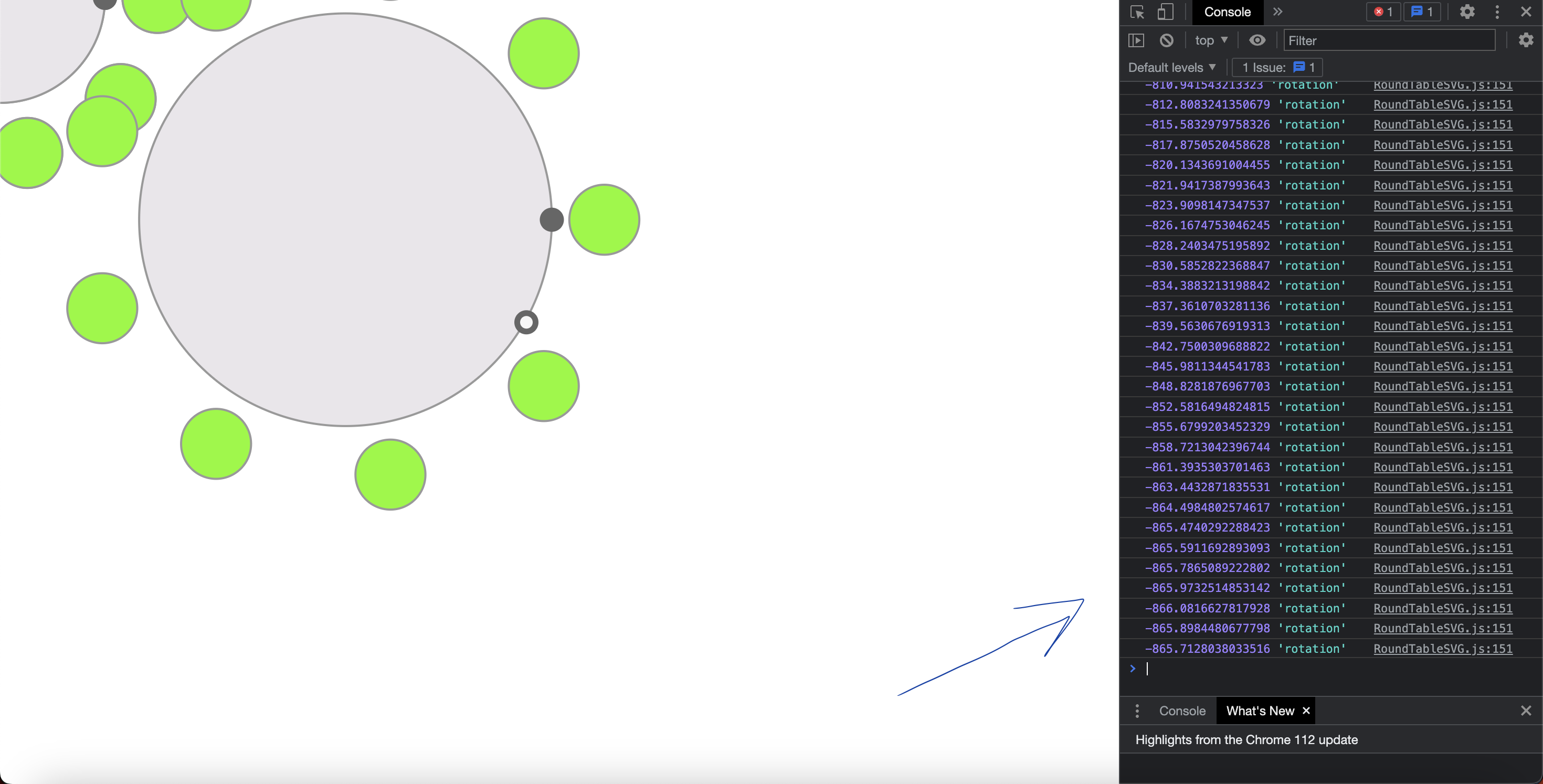
 Hello I Hope you all are doing well. I am facing some issue is that Draggable onDrag returns this.rotation angle value incorrect. Please see the Image const pointer = Draggable.create(".rotate-pointer", { type: "rotation", onDragStart: (e) => { const gElement = e.target.closest("g"); const idx = gElement.getAttribute("id"); selectedRadiusPointer = idx; roundTableDraggable[idx].disable(); // pointer[idx].disable(); }, onDrag: function () { const rotation = e.target.getBoundingClientRect(); const parentG = document.getElementsByClassName(`table-${selectedRadiusPointer}`)[0]; TweenLite.to(parentG, { rotation: this.rotation || 0, transformOrigin: 'center center' }); console.log(this.rotation, 'rotation') }, onDragEnd: () => { roundTableDraggable[selectedRadiusPointer].enable(); }, }); This is my code and this is rotation angle values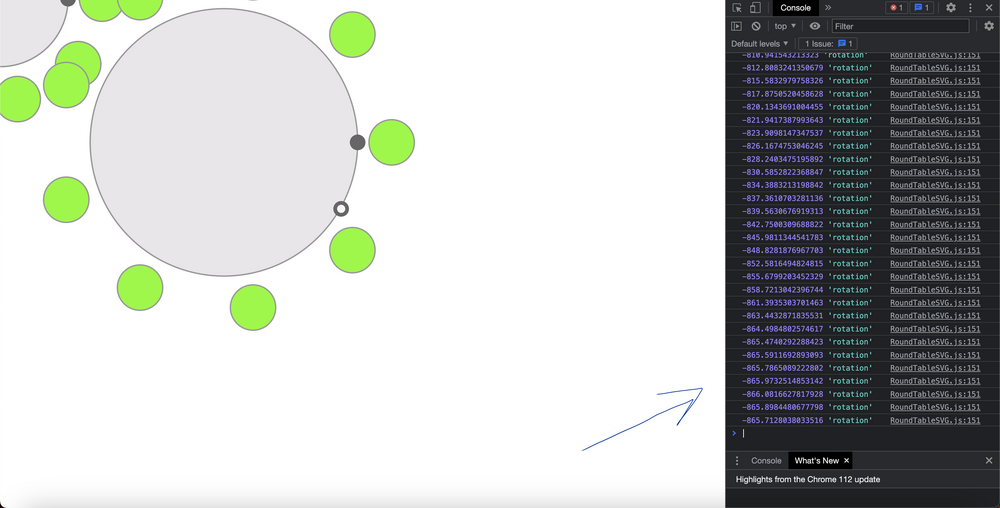
-
Hello I hope you are doing well. I want to achieve that the small circle located on the border of circle when someone drag this in any the circle or svg group should rotate in that direction i'll post an examples so that you (respected helper) can understand. i have provided the code so please update it their. Thank you very much this comunity is very helpful i am loving it thanks : )
-
Hello everyone! I'm trying to connect a circle shaped blue svg (but shown as a semicircle for design needs) with 4 control dots to a carousel made with the Swiper.js library, so that this semicircle (in HTML it is under the ROUNDED SLIDER comment), can act as a "controller" draggable to the carousel. What I need to do is: - The circle is only half visible and each point must be connected to a slide of the carousel, so that by dragging it, the swiper "responds" showing the slide connected to the dot of the blue semicircle positioned at the top of the semicircle. - The slides could be more than 4 (I have been having nightmares for weeks ...). - Each point will therefore correspond to a slide. - When I'm on the first slide I shouldn't be able to rotate the semicircle clockwise and when I'm on the last slide I shouldn't be able to rotate clockwise. - It shouldn't be possible to rotate the semicircle more than 90 degrees at a time. - If I rotate the semicircle by less than 90 degrees the movement should complete itself (the blue dot is “magnetically” moved down) to get to the next slide (insomnia and migraine associated with this point, with obvious anxiety attacks ...) What I have thought and done so far is: 1. I’ve created the carousel and make its Init (the css is really basic and only manage position of elements in the page). 1.1 when the slide changes I’ve managed to "take" the year and the title using the data attribute, but I’m not able to create the logic to assign to each semicircle dot the correct title/year. // ANCHOR Slider INIT let swiperHistory = new Swiper(".j_init_history_slider", { slidesPerView: 1, spaceBetween: 60, centeredSlides: true, loop: true, grabCursor: true, //OR mousewheel mousewheel: false, autoplay: false, autoplayspeed: 6000, autoplay: { delay: 5000, disableOnInteraction: true }, navigation: { nextEl: ".swiper-button-next", prevEl: ".swiper-button-prev" }, on: { //slideChange OR realIndexChange slideChange: function () { // ANCHOR get current slide index and text for yeas and title let index = this.realIndex + 1; // slide 1 => slides[1] // ANCHOR get the slide years let years = this.slides[index].children[0].dataset.years; // ANCHOR get the slide title let title = this.slides[index].children[1].dataset.title; // ANCHOR give to each svg circle points the correct year an title // Maybe I must create an array and then loop titles and years...or assign it manually to each points or what?? northYear.textContent = years; northTitle.textContent = title; } } }); 2. I’ve identified the 4 points (calling them temporarily, for easier recognition, with the capital points north, south, east and west, they must contain the data "title" and "year" of the swiper's slides). //ANCHOR Text (years) over the circle points let northYear = document.getElementById("north_year"); let eastYear = document.getElementById("east_year"); let southYear = document.getElementById("south_year"); let westYear = document.getElementById("west_year"); //ANCHOR Text (title) over the circle points let northTitle = document.getElementById("north_title"); let eastTitle = document.getElementById("east_title"); let southTitle = document.getElementById("south_title"); let westTitle = document.getElementById("west_title"); 3. using the gsap draggable I’ve created some control variables for the rotation for the 90 degrees of the semicircle svg dots //ANCHOR Variables for circle animation let relativeDegree = 0; let checkDegree = 0; let check90 = 0; let globalrotation = 0; 4. I’ve created two temporary control buttons for the rotation of the 4 cardinal dots of the semicircle and the dots rotate correctly (but there is something strange with the titles that seem to change or rotate in an uncoordinated way ... I cannot understand which is the problem), but these buttons are not necessary for the final project, they will be removed. 5. the semicircle works on drag (even if the first click on the dot seems to be blocked), but when you drag the semicircle, the dots are slipped out from time to time (and it seems to me more each time) from their own "central meridian" and I don't understand what I'm doing wrong 8. onRelease I wanted to make sure that if I rotate the semicircle by less than 90 degrees the movement should complete itself to get to the next slide, but it doesn't work, it behaves really weird, there is definitely something I'm doing wrong with its logic (in fact the code is currently commented). 9. TODO ... connect the swiper to the drag ... for this point I was completely confused and I can't go on (in the code there are some attempts that don't work, also because I have been using gsap for a short time and I don't I feel very experienced), because I miss the fundamental part where I connect the slides to the semicircle, where I take the titles from the swiper and assign them to the right dot, and I can't "adjust" the drag of the semicircle correctly. I have been stuck for weeks, for me it is a really complex job, I was very doubtful about asking for help, but at this point, apologizing if this post is incorrect, wrong or not relevant with the forum (in case I remove it immediately!), I really need help. I immediately thank anyone who can and wants to intervene in any way. Thank you...!
-
 Hey, I have kinda a big Issue - i've implemented a Text Rotation into a React Application. Locally everything works completely fine. After building it and deploying it on a Server (as a static version) it crashes and is not rotating as it was rotating locally. When it arrives at the last step it scrolls all items down until the first. it's not rotating from the beginning. Check for the Comment " // Start Rotation Animation". GSAP v3.8.0 is installed. Check the WeTransfer link for demo videos of local and staging env. https://we.tl/t-9MCJFOHefo Check the Demo Instance: https://gsap.elbcouture.com/ (maybe you have to reload it a few times, if the issue didn't happend) /* global fullpage_api */ import React, { createRef, useEffect, useRef } from 'react'; import gsap, { Power0 } from 'gsap'; import styled from 'styled-components'; import Header from 'components/Header'; import Stage from 'components/Stage'; import Headline from 'components/Headline'; import ScrollToExplore from 'components/ScrollToExplore'; import xsmallVideo from '../../assets/video/intro/414x896.mp4'; import smallVideo from '../../assets/video/intro/768x1024.mp4'; import mediumVideo from '../../assets/video/intro/1024x768.mp4'; import largeVideo from '../../assets/video/intro/1920x1080.mp4'; const StyledIntro = styled(Stage)` padding: 0; &::before { z-index: 1; pointer-events: none; } `; const StyledHeader = styled(Header)` display: block; @media screen and (min-width: 1024px) { display: none; } `; const StyledContent = styled.div` position: absolute; z-index: 1; margin-top: 71px; padding-left: 15px; @media screen and (min-width: 414px) { margin-top: 115px; } @media screen and (min-width: 768px) { margin-top: 70px; } @media screen and (min-width: 1024px) { right: 0; display: flex; flex-direction: column; justify-content: center; margin-top: 0; width: 50%; height: 100%; } @media screen and (min-width: 1440px) { right: 0; display: block; margin-top: 228px; width: 50%; height: 100%; } @media screen and (min-width: 1920px) { width: 46%; } @media screen and (min-width: 2560px) { margin-top: 15%; } `; const StyledMaskedText = styled(Headline)` font-size: 54px; line-height: 65px; ${({ backgroundImage }) => backgroundImage?.small ? `background: url(${backgroundImage.small}) no-repeat;` : ''} background-size: cover; background-position: center; -webkit-background-clip: text; background-clip: text; -webkit-text-fill-color: transparent; @media screen and (min-width: 414px) { font-size: 64px; line-height: 77px; } @media screen and (min-width: 768px) { font-size: 104px; line-height: 125px; } @media screen and (min-width: 1024px) { font-size: 74px; line-height: 88px; } @media screen and (min-width: 1440px) { font-size: 98px; line-height: 129px; } @media screen and (min-width: 1920px) { font-size: 124px; line-height: 124px; } @media screen and (min-width: 2560px) { font-size: 130px; line-height: 120px; } `; const StyledHeadline = styled(Headline)` height: 52px; font-size: 44px; line-height: 52px; color: #00917e; overflow: hidden; white-space: nowrap; @media screen and (min-width: 414px) { height: 62px; font-size: 51px; line-height: 62px; } @media screen and (min-width: 768px) { height: 100px; font-size: 83px; line-height: 100px; } @media screen and (min-width: 1024px) { height: 71px; font-size: 59px; line-height: 71px; } @media screen and (min-width: 1440px) { height: 103px; font-size: 86px; line-height: 103px; } @media screen and (min-width: 1920px) { height: 132px; font-size: 105px; line-height: 132px; } @media screen and (min-width: 2560px) { height: 160px; font-size: 140px; line-height: 160px; } `; const StyledList = styled.div` list-style-type: none; padding: 0; margin: 0; `; const StyledVideo = styled.video` position: absolute; left: 0; right: 0; bottom: 0; width: 100%; @media screen and (min-width: 1024px) { position: static; display: block; height: 100vh; } `; const StyledHeadlineItem = styled.span` display: block; `; const Intro = ({ backgroundImage, switchingHeadline, active, lastActive, text, scrollTo }) => { const stageRef = useRef(null); const videoRef = useRef(null); const overlineRef = useRef(null); const headlineRef = useRef(null); const sublineRef = useRef(null); const listRef = useRef(null); const listItemRef = useRef([]); const scrollToExploreRef = useRef(); useEffect(() => { switchingHeadline.push(switchingHeadline[0]); if (listItemRef.current.length !== switchingHeadline.length) { // add or remove refs listItemRef.current = Array(switchingHeadline.length) .fill() .map((_, i) => listItemRef.current[i] || createRef()); } }, [switchingHeadline]) const getVideoSrc = (width) => { if (width >= 1920) return largeVideo; if (width >= 1024) return mediumVideo; if (width >= 768) return smallVideo; return xsmallVideo; }; // Start Rotation Animation const vSlide = gsap.timeline({ repeat: -1, paused: true, }); useEffect(() => { console.log('el', listItemRef.current) listItemRef.current.forEach((_slide, index) => { const label = `slide${index}`; const lineHeight = headlineRef.current.clientHeight; if (active) { if (index === 0) { vSlide.to( listRef?.current, { delay: 0, duration: 0.4, y: index * -1 * lineHeight, ease: Power0.ease, }, label ); } if (index > 0) { vSlide.to( listRef?.current, { delay: 3, duration: 0.4, y: index * -1 * lineHeight, ease: Power0.ease, }, label ); } vSlide.play(); } vSlide.add(label); }); }, [vSlide, active]); // End Rotation Animation const [isVideoLoaded, setIsVideoLoaded] = React.useState(false); const src = getVideoSrc(window.innerWidth); const onLoadedData = () => { setIsVideoLoaded(true); }; useEffect(() => { if (active) { videoRef.current.currentTime = 0; gsap.set([overlineRef.current, headlineRef.current, sublineRef.current], { y: 0, opacity: 1, }); gsap.set(scrollToExploreRef.current, { opacity: 1, }); } if (lastActive) { videoRef.current.play(); gsap.to(overlineRef.current, { opacity: 0, delay: 0, duration: 0.25, ease: Power0.in, }); gsap.to(headlineRef.current, { opacity: 0, delay: 0, duration: 0.25, ease: Power0.in, }); gsap.to(sublineRef.current, { opacity: 0, delay: 0, duration: 0.25, ease: Power0.in, }); gsap.to(scrollToExploreRef.current, { opacity: 0, delay: 0, duration: 0.25, ease: Power0.in, }); vSlide.pause(); } }, [active, lastActive, vSlide]); return ( <StyledIntro className="fp-noscroll" ref={stageRef}> <StyledHeader /> <StyledContent> <StyledMaskedText ref={overlineRef} backgroundImage={backgroundImage}> {text?.[0]} </StyledMaskedText> {switchingHeadline && ( <StyledHeadline ref={headlineRef}> <StyledList ref={listRef}> {switchingHeadline?.map((item, index) => ( // eslint-disable-next-line react/no-array-index-key <StyledHeadlineItem key={`${item}-${index}`} ref={listItemRef.current[index]}> {item} </StyledHeadlineItem> ))} </StyledList> </StyledHeadline> )} <StyledMaskedText ref={sublineRef} backgroundImage={backgroundImage}> {text?.[1]} </StyledMaskedText> </StyledContent> <StyledVideo ref={videoRef} playsInline muted src={src} onLoadedData={onLoadedData} style={{ opacity: isVideoLoaded ? 1 : 0 }} /> <ScrollToExplore className="scroll-to-explore" isLight label={scrollTo} dataLabel={scrollTo} ref={scrollToExploreRef} onClick={() => ( fullpage_api.moveSectionDown() )}/> </StyledIntro> ); }; export default Intro;
 -
 Gsap Rotating Arrow in circle,and is stopping well at various points, But Now want to trgieer some js code on each that stopping points, So that i can glow or animate each points logo , when stop on it for some time Just want to show Different alert or consoles on Different points
 -
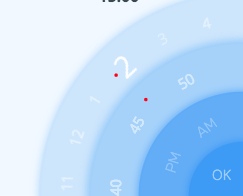
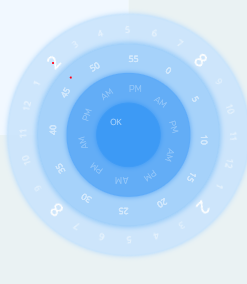
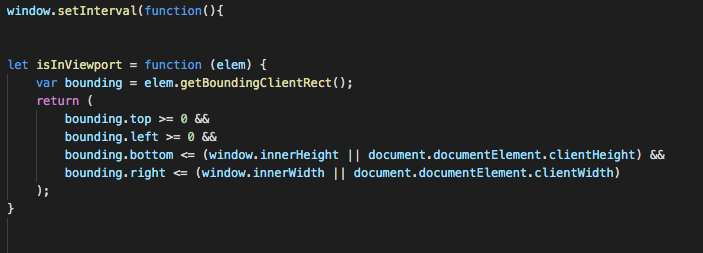
I am a huge newbie when it comes to gsap, however i wanted to create a rotating wheel with numbers on it inspired by a ui i saw. I used draggable hittest to detect the collision of the number and the collision box placed on the screen. however when i went outside the current viewport the collision was actually colliding with other elements on all 4 sides of it. I saw that there was really no way to fix this with the gsaps collision detection so i thought of a method of only detecting if the element collides with the hitbox AND is also inside the viewport. however it does not seem to register when the number goes into the viewport after rotating and only registers it onload... even if i use a setinterval function that runs multiple times, it does not seem to work. Any reason as to why? could i change it somehow to detect when the number goes into the viewport from draggable rotation? Or is there a way to fix the collision to only collide with the number its meant to collide with? Thank you for the read! I hope i can find some way to fix this very soon :).
-
Hi there, I want to create an animated wheel which starts at a specific degree and ends at a specific degree. Until it's requested to stop/pause it needs to spin infinite. So basically there are three stages "starting", "spinning", "stopping". The difficult task is to start and stop spinning with some momentum to feel natural. I have found multiple very helpful forum posts about that topic. They all stop at a random degree. Especially this seams to be a very similar problem but the solution is missing the momentum at start and stop position. Thanks in advance
-
Hi, I'm trying to animate a set of cards so when they animate in they rotate to a specific angle, these cards are stacked one on top of each other, so I have position them absolutely inside another div, but the transformOrigin does not seem to have an effect. Any help will be much appreciated. *** UPDATE *** After working on a codepen example I found what I did wrong, the codepen link has a working example. The problem was a reference to an extra div element. Regards, Ricardo
-
I've recently found a very nice codepen containing almost the exact same animation I wanted done in GSAP, and I've been trying to convert it to GSAP 3 to use it in a web app using pretty much just react hooks all over. It uses timeScale tweening to simulate acceleration and deceleration of a rotating svg, with a play/pause button. However, I can't seem to get the acceleration/deceleration effect to work on Firefox/Chrome, and it won't pause, either. The codepen I linked is the effect I'm trying to achieve, and I've linked a minimal reproducible example below: https://codesandbox.io/s/blissful-hill-boo2n There is just one condition that I'd like to include for my app besides using hooks and gsap 3, and that is that I need to fade the rotation in and out based on the state of the parent element, and as far as I can see that's working alright (as evidenced by the isActive! isNotActive! console logs). That state is currently set by the playButton element, via the setActiveCallback function. I'm not sure this is what's breaking everything, since the animation itself doesn't look like it's working properly on it's own with either react hooks or gsap 3. TL;DR: I can't get codesandbox the animation to pause, and the intended acceleration/deceleration effect is borked. Any help will be very much appreciated!
-
 Hi I have to develop this animation where an image starts from scale:0 and opacity:0 then grows rotating with an easing power2.out then keeps it rotating infinite by linear easing. Some ideas? Thanks
 -
Hi gang! I'm new to the party but just finished my first GreenSock implementation. Congrats on v3! Seems like I showed up at the perfect time. Once you catch all of the documentation issues (Draggable seems to have literally improved overnight!) this library will truly be my new favourite thing. For example, here is my implementation of a fancy knob that will scrub at variable speed depending on how far you turn it to the left or right. It will scrub even when you're not dragging the knob. Experience gives me the wisdom to recognise that this implementation would not be terse or possible without such a well-thought out API surface. Kudos! knobber (element) { const timeline = gsap.timeline({ repeat: -1, onRepeat: () => { const r = ~~draggable.rotation timeline.repeatDelay(gsap.utils.mapRange(0, 180, 1.0, 0.1, Math.abs(r))) // this.direction(r > 0) } }) timeline.pause() timeline.to({}, { duration: 0.1 }) const draggable = Draggable.create(element, { type: 'rotation', inertia: true, onDragStart: () => timeline.play(), onDragEnd: () => timeline.pause(), snap: () => { return 0 } })[0].applyBounds({ minRotation: -180, maxRotation: 180 }) } Anyhow, the issue I'm now faced with is that this implementation is extracted from a demo I've prepared for our project, StimulusReflex. As you're well aware, it will work without Inertia, but it simply won't be as sexy. I'm actually perfectly happy to recommend that people purchase a GSAP membership, but I don't want to violate your TOC (or trust) by putting the gsap-bonus.tgz on our public repo. Right now I have it set up with yarn/webpack pulling in the local archive as your npm instructions describe. (You might want to tell people to purge their caches to get rid of old versions, btw!) This works great for my workstation and for deploying to Heroku, but how do you suggest I handle the package management issue? If I was to push the repo as-is to production, anyone checking out the code to experiment with locally is going to get slapped by yarn/npm because that file doesn't exist. I actually do have a suggestion for how you could approach this: add localhost:3000 to your CDN whitelist so that people can experiment with the paid tools on their own machine, but in a way where they can't deploy it. This has actually worked fairly well for FontAwesome, who actually took it a step further to allow paid users to whitelist their project domains through a web interface. The other related question I have is about what I'll call progressive enhancement: is there a way to detect whether you're running the paid version and if Inertia was available from inside your webpack context? Specifically, I want to import Inertia if it's available and skip it if it's not. This would include passing InertiaPlugin to gsap.registerPlugin and even dynamically passing true/false to the inertia var when creating a Draggable instance. If there's a good strategy for this which won't make webpack angry if the file doesn't exist, I'd love to hear about it. Again, I propose a solution: include an InertiaPlugin.js in the OSS version on GitHub that has function signature placeholders - like a Java interface - but only actually spits out console warnings if it's not present. This way developers could comfortably set inertia:true regardless of whether it's available or not.
-
I am currently trying to get an animation to rotate some particles based on the mouse cursor like the 'Default Demo' here. If you look at the codepen I linked, I can get the basic spinning working, but I need for the animation to follow the mouse and have min/max rotations link the demo. Is this possible? I don't need the circle to shrink/expand, I just need it to rotate based on the mouse cursor. Thanks in advance!
-
Dears, i have created an svg rect inside a group and i have make this svg group to have "transformOrigin:'center center' " explicitly then draw a little blue circle at this group returned position my question is when i am trying to rotate the svg group then resize it the return location is wrong and it's not at the center of this group, how i can keep my reference point at the center of this group all the time with all different transformation? https://codepen.io/Shouha85/pen/MWgxNwP?editors=1010
-
Hi, I would like to make my box rotates to 120 degrees, and then from 120 to 240, and then 240 to 360.. But right now each time it starts at 0 and goes to 120 degrees. TweenMax.to(box, 2, {rotation: '+=120', transformOrigin: '50% 50%', repeat: -1, repeatDelay: 2}); What is the correct way to increment a rotation? Thx
-
Hey all, I saw a lot of chatter on here that SVG G isn't necessarily supported but figured I would check -- I'm getting a really odd matrix transform for rotation on a SVG G elements. Seems like it's getting a translateX + translateY movement as well and swinging the animation strangely. Works perfectly for just SVG and I could rewrite to break out the g elements to separate SVGs (processor GULP!) but figured I'd check before I consider. The browsers we're supporting take in transform: rotate(90deg) correctly on SVG G and I could probably rewrite for CSS tweens as well but they're always a pain. Anyway, let me know eitherway! Thanks --- I didn't fork the broken codepen and now it's working as intended with the updates below.
-
 Note: This page was created for GSAP version 2. We have since released GSAP 3 with many improvements. While it is backward compatible with most GSAP 2 features, some parts may need to be updated to work properly. Please see the GSAP 3 release notes for details. With some animation engines it can be frustrating trying to get something to rotate in a specific direction. With GSAP you can explicitly set the direction or let GSAP figure out the shortest distance. Watch the video Interactive demo See the Pen DirectionalRotation Visualizer by GreenSock (@GreenSock) on CodePen. Check out the DirectionalRotation Plugin docs for more info.
 -
 Note: This page was created for GSAP version 2. We have since released GSAP 3 with many improvements. This includes replacing accessing _gsTransform with gsap.getProperty(). Please see the GSAP 3 release notes for details. Have you ever wondered how to get the position, rotation or other transform-related properties that were animated with GSAP? It's actually quite simple: they're all neatly organized and updated in the _gsTransform object which GSAP attaches directly to the target element! Watch the video Let's set the rotation of the logo to 20 degrees. var logo = document.querySelector("#logo"); TweenMax.set(logo, {rotation:20}); GSAP applies that rotation via an inline style using a transform matrix (2d or 3d). If you were to inspect the element after the rotation was set you would see: <img style="transform: matrix(0.93969, 0.34202, -0.34202, 0.93969, 0, 0);" id="logo" src="..." > Not many humans would be able to discern the rotation from those values. Don't worry - the _gsTransform object has all the discrete values in human-readable form! console.log(logo._gsTransform); The console will show you an Object with the following properties and values: Object { force3D: "auto", perspective: 0, rotation: 20, rotationX: 0, rotationY: 0, scaleX: 1, scaleY: 1, scaleZ: 1, skewType: "compensated", skewX: 0, skewY: 0, svg: false, x: 0, xOffset: 0, xPercent: 0, y: 0, yOffset: 0, yPercent: 0, z: 0, zOrigin: 0 } To grab the rotation of the logo you would simply use: logo._gsTransform.rotation Click "Edit on CodePen" and open the console to see how it works See the Pen _gsTransform demo by GreenSock (@GreenSock) on CodePen. Get transform values during an animation Use an onUpdate callback to read the values during an animation: var logo = document.querySelector("#logo"); var output = document.querySelector("#output"); TweenMax.to(logo, 4, {rotationY:360, x:600, transformPerspective:800, transformOrigin:"50% 50%", onUpdate:showValues, ease:Linear.easeNone}); function showValues() { output.innerHTML = "x: " + parseInt(logo._gsTransform.x) + " rotation: " + parseInt(logo._gsTransform.rotationY); //you can also target the element being tweened using this.target //console.log(this.target.x); } The demo below illustrates how to read transform values during an animation. See the Pen _gsTransform demo: animation by GreenSock (@GreenSock) on CodePen. We strongly recommend always setting transform data through GSAP for optimized for performance (GSAP can cache values). Unfortunately, the browser doesn't always make it clear how certain values should be applied. Browsers report computed values as matrices which contain ambiguous rotational/scale data; the matrix for 90 and 450 degrees is the same and a rotation of 180 degrees has the same matrix as a scaleX of -1 (there are many examples). However, when you set the values directly through GSAP, it's crystal clear. Happy tweening!
 -
Hi, So this is a simple rotation animation that works well on all browsers but Safari. Can't figure out why this is happening. Any ideas? (Chrome for desired results, Safari for wrong ones) Thanks!
-
Hi guys, i search some code example on this forum, but i found nothing that show a Pendulum effect with tweenLite or with TimelineLite? Someone would have a functional example to create a permanent pendulum effect? My target it to get something similar that spine2D allow. for help to understand, i just want replace spine by vanilla js and vanilla tweenLite feature, because i get more performance after my test with tweenLite. But am not sure how do a pendulum loop with tweenLite. If you can provide me demos or link to the docs it will be wonderful Maybe i just don't get the good keyword for search! sorry again for poor english, thank guys.
-
Hi, Loving the library so far guys just have a quick question. Is there a simple way to specify an animations midpoint and set css properties so it applies them via that midpoint? I.E a TweenMax function such as: TweenMax.from > Midpoint > To I realise this is basically how Tweens work and you should aim to chain multiple tweens together in a timeline to create multiple part animations, However I was just curious to see if there was something akin to this i'm missing as couldn't find anything in the documentation? The aim is to make the dots fade to a low opacity at the midpoint (as they rotate behind) then return to full opacity as they return to the front (and end point of the animation) ! Thanks in advance, Oli
-
Hi, I'm trying to achieve a rotating background effect with GSAP, like in this site. http://toyfight.co/ I'm nearly there or at least I think so. Do I need to use the positioning attribute x & y to get the same effect? I've tried different combinations but just can't get it. As you can see mine seems to rotate from the top down rather than bottom up. Like in the example website.
-
I've been using MorphSVGPlugin.pathDataToBezier to get the arc's path and all have been good, but I just can't make the first "handle" (and the other handles that aren't just simple circles) rotate and move correctly. any ideas? Also need a nice way to move the svg dots randomly inside the half circle. Thanks in advance
-
Hi, I'm new in this world. I would have to recreate this animation: a div rotates to the right to infinity with a determined speed ... then at the click on a button the rotation is reversed also changing speed for a few seconds and then return to normal animation .... I hope I explained myself .. can anyone help me?