Search the Community
Showing results for tags 'animation'.


-
Hello community , how we can apply scroll trigger for img from data base in foreach this is the images div from database <div><img src="{{$app->image_path}}" class="flower" alt="image" ></div> then this is the gsap part , but it fire the trigger for all image in the same time gsap.from(".flower", { rotateX: -80, ease: "expo.out", transformOrigin: "50% 100%", scrollTrigger: { trigger: '.flower', pin: true, start: 'top top', end: 'top center', scrub: 1, } });
-
Hello , i hope some one can help me , how i can do like this effect in gsap , not latterly same , but i want to open laptop win scroll , is there a way with gsap ? thank you in advance reference :https://www.apple.com/macbook-pro-13/ https://postimg.cc/ftRJTW5M
-
Hi can anyone please help me find what is wrong with this animation, it works very well in chrome and IE but very slow and jerky n firefox. thanks Jas
-
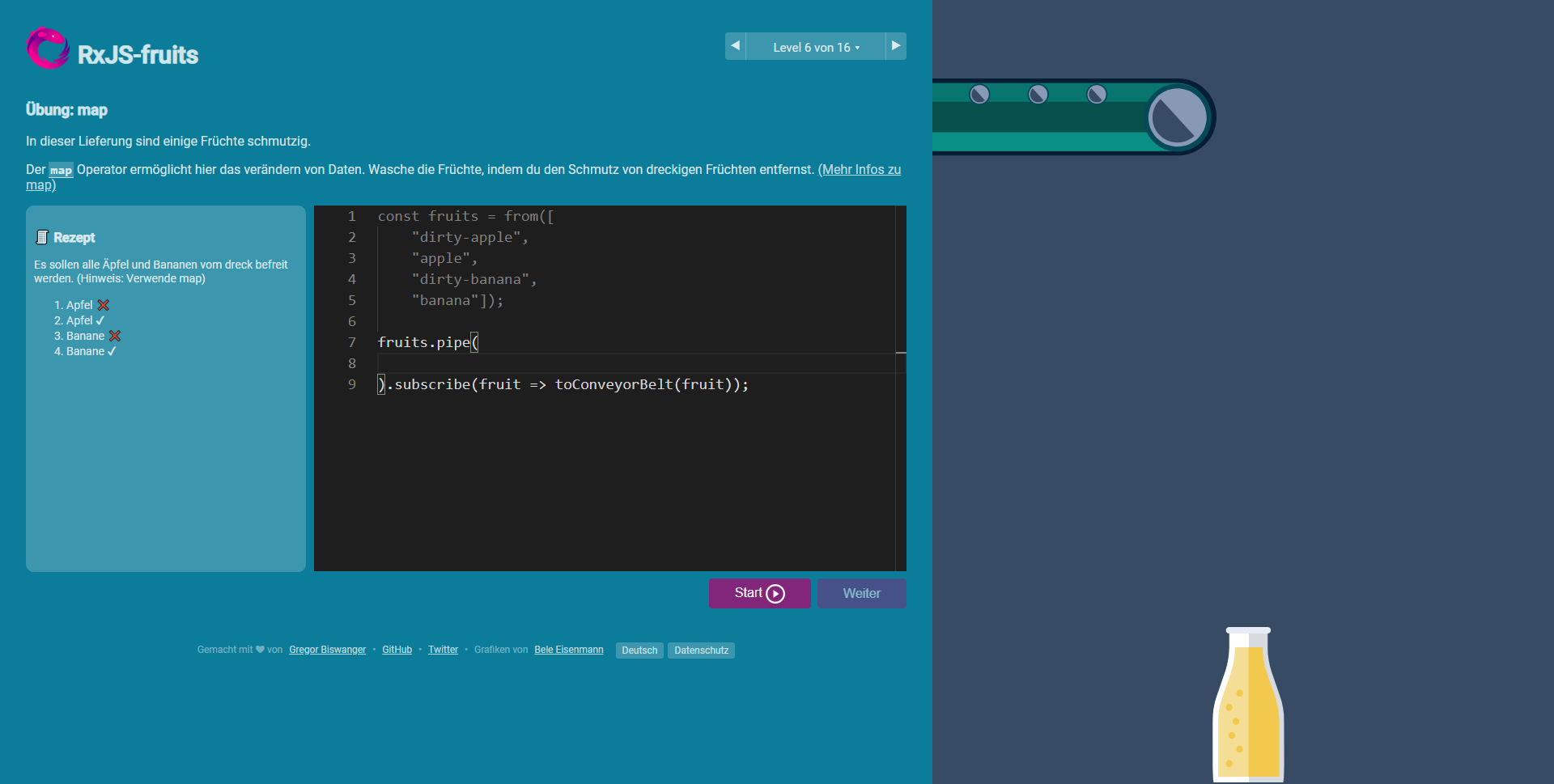
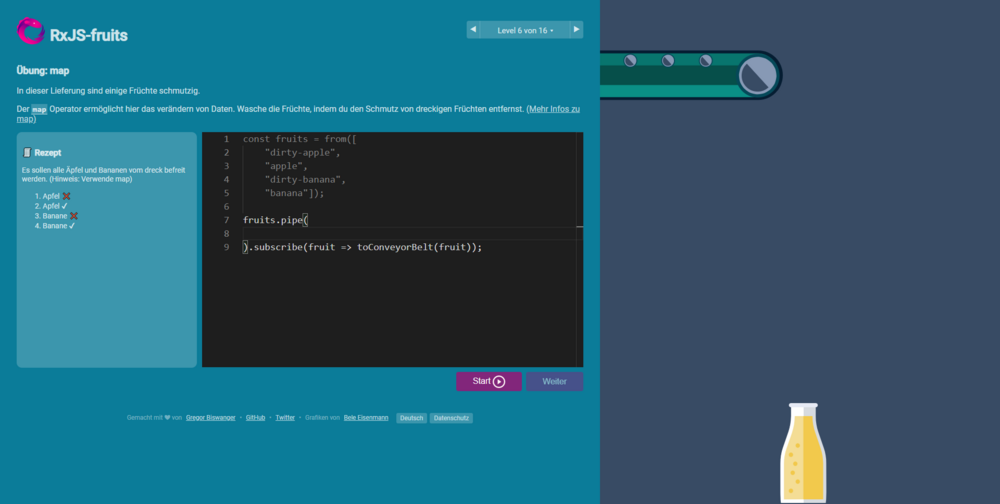
Hello Community, I am currently working on an open source community project. It is a game (www.rxjs-fruits.com) - Here fruit is supposed to fall into a funnel and the liquid is to be poured into a bottle. I have now got the SVG graphic for a bottle from a designer. Somehow I just line up too stupid to have the bottle filled. Does anyone have any idea how I can best solve this? Maybe also how I can drop the fruit more beautifully off the assembly line? As a non-designer, I make it really difficult here. bottle.svg
-
Good day, I am trying to figure out a way to have the animation run individually by the same class. I read the page about the common mistake on the loop but still couldn't figure it out. I know Im supposed to use the array but code did not run. can someone help me please?
-
Hi guys, I'm having a problem with a Draggable plugin, or maybe it is my code error. Anyhow, the dragging animation works perfectly on desktop/laptop devices, but when you test it on the mobile device and try to move around fast by diagonal up and down, you can notice that some images are laggy. I tried everything I knew it might help, but it always gets me on mobile devices. Surely, someone of you guys maybe had some similar problem, or can give me the direction on how I can optimize this animation. Thanks in advance!
-
 API MorphSVGPlugin needs to know what shape to morph to (and optionally which shapeIndex to use). When only specifying a shape, MorphSVGPlugin can take a wide range of values. Selector string gsap.to("#circle", {morphSVG:"#hippo", duration: 1}); An SVG element var endShape = document.getElementById("hippo"); gsap.to("#circle", {morphSVG: endShape, duration: 1}); Points for <polyline> or <polygon> elements: gsap.to(“#polygon”, {morphSVG:"240,220 240,70 70,70 70,220", duration: 2}); Strings for <path> elements gsap.to(“#path”, {morphSVG:"M10 315 L 110 215 A 30 50 0 0 1 162.55 162.45 L 172.55 152.45 A 30 50 -45 0 1 215.1 109.9 L 315 10", duration: 2}); *Note: if the shape you pass in is a <rect>, <circle>, <ellipse> (or similar), MorphSVGPlugin will internally create path data from those shapes. shapeIndex The shapeIndex property allows you to adjust how the points in the start shape are mapped. In order to prevent points from drifting wildly during the animation MorphSVGPlugin needs to find a point in the start path that is in close proximity to the first point in the end path. Once that point is found it will map the next point in the start path to the second point in the end path (and so on and so on). Due to the complexity of vector art there will be times that you may want to change which point in the start path gets mapped to the first point in the end path. This is where shapeIndex comes in. In order to specify the shapeIndex you need to use an object {} with shape and shapeIndex properties. The following code will map the third point in the square to the first point in the star. gsap.to("#square", {morphSVG: {shape: "#star", shapeIndex: 3, duration: 2}}); findShapeIndex() utility Experimenting with shapeIndex can be a bit of a guessing game. To make things easier we have created a stand-alone utility function called findShapeIndex(). This function provides an interactive user interface to help you visualize where the start point is, change it and preview the animation. You can load findShapeIndex() from: https://s3-us-west-2.amazonaws.com/s.cdpn.io/16327/findShapeIndex.js Once its loaded you simply tell it which shapes to use. findShapeIndex("#square", "#star"); Or pass in raw data: findShapeIndex("#square", "M10 315 L 110 215 A 30 50 0 0 1 162.55 162.45 L 172.55 152.45 A 30 50 -45 0 1 215.1 109.9 L 315 10"); The best way to get started is to drop your SVG into the pen above and alter the IDs to match your svg. Be sure to watch the video above which clearly illustrates how shapeIndex and findShapeIndex() work. Additional Notes shapeIndex only works on closed paths. if you supply a negative shapeIndex the start path will be completely reversed (which can be quite useful). Converting SVG shapes to paths Technically it’s only feasible to morph <path> elements or <polyline>/<polygon> elements, but what if you want to morph a <circle> or <rect> or <ellipse> or <line>? No problem - just tap into the utility method and have the plugin do the conversion for you: MorphSVGPlugin.convertToPath("#elementID"); You can pass in an element or selector text, so you could also have it convert ALL of those elements with one line: MorphSVGPlugin.convertToPath("circle, rect, ellipse, line, polygon, polyline"); This literally swaps in a for each one directly in the DOM, and it should look absolutely identical. It’ll keep the attributes, like the “id” attribute. So after the conversion, you should be able to target the elements pretty easily, just as you would before. <!-- An svg Like this: --> <rect id="endShape" width="100" height="100" fill="red"/> <!-- becomes --> <path id="endShape" fill="red" d="M100,0 v100 h-100 v-100 h100z"></path> Rotational Morphs? Canvas? Documentation View the official docs here for a full breakdown of the API. To learn how to include MorphSVGPlugin into your project, see the GSAP install docs. Demos MorphSVG Showcase MorphSVG How-To Demos Get your hands on MorphSVGPlugin MorphSVGPlugin is a bonus plugin for Club GreenSock members ("Shockingly Green" and "Business Green" levels). It's our way of showing our gratitude to those who are fueling innovation at GreenSock. To download MorphSVGPlugin, just log into your account dashboard and grab the latest version of GSAP. Try MorphSVGPlugin for free on CodePen! There's a special [fully-functional] version of MorphSVGPlugin that we link to in our demos in our MorphSVGPlugin Collection on CodePen, so feel free to fork any of them, add your own SVG graphics, and take MorphSVGPlugin for a spin. CodePen is a fantastic way to experiment. We highly recommend it. Note: the special version of the plugin will only work on the CodePen domain. To find out more about the many benefits of being a Club GreenSock member swing on by the club page and be sure to check out the other premium plugins.
 -
Hi! I have seen many tutorials showing tween animation on objects. However, I want to know if it's possible to animate cells of a spritesheet too using GSAP ? Like how it's done in other frameworks. I am doubtful about this, since spritesheet are probably canvas-only feature. So, if not, is their any alternative to animate images in sequence through GSAP ?
-
HI Guys, I have created 2 boxes(large & small).. And i want to animate those boxes differently in different screen sizes. Here in code pen u can see a demo. Its for the large screen device. Here the small box is showing after the first box appears & then sliding to left. But i want to change the animation for medium or small screens. Like first the large box will appear like it do for large screens and then the small box will appear after a few seconds & then instead of sliding left it will disappear after showing a few seconds. I used matchMedia for making changes. But somehow im unable to get the result i want. Im so confused. I dont know what to do. Can anyone tell me whats the problem in my code.
-
I created a timeline animation which runs on click event. Animations are working smoothly only after few refresh in most of the browsers. Below is my function with timeline.. function exploreTimeline() { gsap.timeline() . to("body", { position: "static", overflow: "auto" }) . to(".intro-content", { duration: 0.3, autoAlpha: 0.01, marginLeft: 50, ease: "power1" }, 0) . to(".intro-content", { duration: 0.8, height: 0, marginBottom: 0, ease: "power2.in" }, 0) . to(".intro-section", { background: "none" }, 0) . to(".globe", { filter: "blur(5px)" }, 0) . to(".magical-slider-container", { duration: 0.8, bottom: "5%", ease: "none", onComplete: () => { ScrollTrigger.refresh(); } }, 0) }
-
Hi, GSAP is awesome! I have made an animated 'P' but mainly using SVG <animate> so far I using the SVG to animate strokedash-offset, dash-opacity and fill. I'm aware that I should probably use Draw for the stroke stuff but I can't afford it, I've been out of work for 10 years+ and recently I've decided to become a webdev so I've been designing my portfolio so money is tight. I was wondering how would I animate these 3 attributes as I have tried using .to() and putting {strokeOpacity: 0} as it is set to 100% initaly but this does not work. How come? I have also had the same problem with strokeDashOffset and Fill. Hoe can I animate these properties with GSap like I have with SVG below? https://stackblitz.com/edit/paulscv-2qssl8?file=src%2Fbg-components%2FletterP.js Ultimatly my goale is to animates these things with scrollMagic. But for now it would b e nice just to animate them. Is this possible? Thanks
-
Hello guys, I have a SVG dash polyline in my project. The query is that when I animate that line it becomes solid instead of dash line. I know that I can achieve this using 'DrawSVGPlugin' but I want to animate using TweenMax or any other free plugin your help is highly appreciated in this regard. code: ************HTML************* <svg xmlns="http://www.w3.org/2000/svg" width="100%" height="100%" id="hero-svg"> <polyline id="polyline" fill="none" stroke="#9a201c" stroke-width="2" stroke-dasharray="10,10" class="polyline" points="100,100 300,150 300,500"> </svg> ************Scroll Magic************* var controller = new ScrollMagic.Controller(); function pathPrepare ($el) { var lineLength = $el[0].getTotalLength(); $el.css("stroke-dasharray", 100); $el.css("stroke-dashoffset", 100); } var companyLine = '#polyline'; pathPrepare($(companyLine)); var s5Tween = new TimelineMax(); s5Tween.to($(companyLine), 1, {strokeDashoffset: 0,ease:Linear.easeNone}) var scene5 = new ScrollMagic.Scene({ triggerElement: "#polyline" }) .setTween(s5Tween) .addIndicators() .addTo(controller); }
-
 Hello there, First of all, thank you GSAP team for creating such a great library and publishing it for free - fantastic work. Now, the question: I have this idea that I'd like to implement, a page with several full-viewport-height panels. Each of the panels include a couple of animated elements that activate once a certain scroll distance is reached (codepen provided). The animation is built in such a way that its frames could all be (theoretically) placed on a single timeline and animate smoothly from first to last, and backwards as well (each panel fades out at the end of its 'life', so - again, theoretically - no overlapping panels). Slightly similar to fullPage.js functionality. I've built a simple draft of what I want, but have a few issues that I don't know how to solve: 1. Why is it that one of the headers (second frame, purple-ish background) called 'XXX Problem' doesn't fade out nicely like the rest of them, but vanishes right away when moving between panel 2 and panel 3, and when you move back it doesn't appear at all? 2. On panel 3, why do the 3 boxes top and bottom parts start from a certain non-zero height instead of 0, like the 3 boxes on panel 2? 3. If I move slowly between the panels and wait for each animation to finish, it works as intended. However, when I scroll quickly, or refresh the page and start loading it with a scrollbar away from top, some elements can remain on screen, making the rest unreadable. Not expecting a full solution here of course, but can I get some tips on how can I get rid of any artifacts that appear when I scroll the page quickly etc? Is there a way of putting all animations on a single timeline and, say, attach more than one scrollTrigger to it? Thanks. M.
 -
I have simple css animation looks like this, pen circle to square using css I want the same animation using tween max. can someone help me to achieve this??
-
Hi there, I was wondering if it is possible to add GSAP animations between these other animations that have ScrollTrigger. I mean the run some animations inside the first section, finish this animations and then animate the overlap transition to the next section. The same with all the following sections. I'm kind of new in these animations and couldn't find more examples to try. I was trying with disable method on ScrollTrigger but nothing so far. Thanks in advance.
-
I'm trying to create a timeline section using GSAP ScrollTrigger animation. I've five text blocks (5 timeline elements) with five different images. By default, there will be only one text block visible but after scrolling the hidden text block(2nd text block) will fade up with 100% opacity and the opacity of the previous text block(1st text block) will decrease. When the third one will be active (visible via scroll), the first text block will vanish from the screen and the opacity of the second text block decrease . Note: By default, there will be only one active text block. But after scrolling there will be 2 text blocks one will be active with 100% opacity and another will be blur with 50% opacity. For the default state it is working fine but when I'm scrolling the previous text block is not vanishing from the screen. If you guys can take a look at what I did on codepen(https://codepen.io/shuvosd/pen/RwKZEEe) and help me to fix the issue then I will be really very thankful. Thanks in advance.
-
Hello! I had a new problem. I use GSAP and ScrollTriger. On mobile devices when I click on Input, the keyboard appears, because of this restart the animation. Animation is also restarted after the keyboard disappears. Is it possible to overcome? I really hope for your help.
-
Hello! Please help me. I have a sample code on Codepen https://codepen.io/victor_trunov_/pen/vYgKmwM I have the following problem: 1) I clean the Google Chrome browser cache on Android. 2) I open the page and move to the end of the page. 3) All the effects that I applied through GSAP are updated in the visible area. The effect of blinking is created. Please help solve it. P.S. If I just refreshed this page without cleaning the cache, then there will be no problems.
-
Hi! I'm new here so bear with me ☺️ I want to create a animation where it feels like its kind of wavy (don't know how to describe it the best way) when scrolling down the page. I want to do it like on this website (the orange part). So I'm just wondering if anyone here has got a similar Codepen or something I could use to modify or maybe give me some tips & tricks how I should think? Appreciate all the help I can get ? Thank you in advance! /cheers from Sweden
-
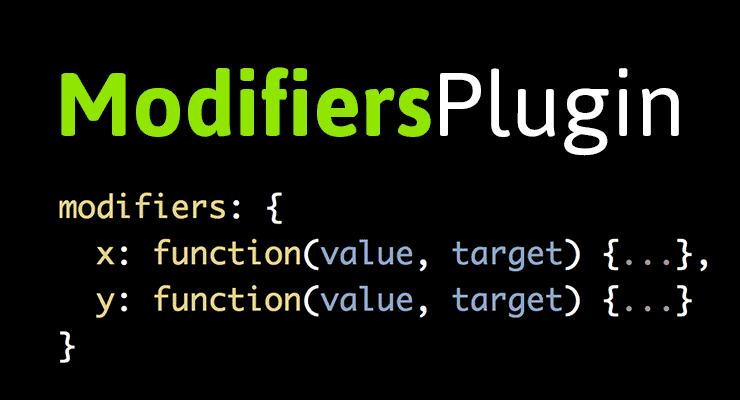 You can define a "modifier" function for almost any property; this modifier intercepts the value that GSAP would normally apply on each update ("tick"), feeds it to your function as the first parameter and lets you run custom logic, returning a new value that GSAP should then apply. This is perfect for tasks like snapping, clamping, wrapping, or other dynamic effects. It's completely up to you! Parameters: value, target The modifier functions are passed two parameters: value (number | string) - The about-to-be-applied value from the regular tween. This is often a number, but could be a string based on whatever the property requires. For example if you're animating the x property, it would be a number, but if you're animating the left property it could be something like "212px", or for the boxShadow property it could be "10px 5px 10px rgb(255,0,0)". target (object) - The target itself. For example, change the x of one object based on the y of another object or change rotation based on the direction it is moving. Below are some examples that will help you get familiarized with the syntax. Snap rotation The tween below animates 360 degrees but the modifier function forces the value to jump to the closest 45-degree increment. Take note how the modifier function gets passed the value of the property that is being modified, in this case a rotation number. This is a good example of the ModifiersPlugin, but as of GSAP 3 you should probably be using GSAP's SnapPlugin for this sort of thing: Clamp with Modulus The tween below animates x to 500 but the modifier function forces the value to wrap so that it's always between 0 and 100. This is a good example of the ModifiersPlugin, but as of GSAP 3 you should probably be using GSAP's SnapPlugin for this sort of thing: Carousel Wrap Have you ever built a carousel and wrestled with making it loop seamlessly? Perhaps you duplicated each asset or wrote some code that moved each item back to the beginning when it reached the end. With ModifiersPlugin you can get a seamless repeating carousel with a single tween! The example below tweens each box to a relative x position of "+=500". Click the "show overflow" button to see each box get reset to x:0 when it goes beyond 500... Advanced demos We've only scratched the surface of what ModifiersPlugin can do. Our moderator Blake Bowen has been putting this new plugin to the test and has an impressive collection of demos that will surely inspire you. View the docs for ModifiersPlugin.
 -
Hello, I want to control a rocket image with a virtual joystick. I was able to create the joystick and rotate the rocket when the joystick is dragged (thanks to gsap's draggable plugin). However I am not able to change the rocket's position when the joystick moves. Basically, I want to make the rocket move as long as the user drags the joystick and change direction according to the joystick. I also want to increase the rocket's speed as the circle inside the joystick moves farther, but I suppose I can do that with timeScale() method. I tried changing rocket's position but it simply stops after some distance even though I am still moving the joystick. Any help would be very helpful since I am stuck on this since a long time.
-
The animation is not looping smooth/continuously because of the delay in the end. How can I make it not stop for a second in the end of the animation like it does on the Codepen?
-
I want to animate the splitting of a product image when the user scrolls to the section. i.e. When a user scrolls down and enters the product image section, I want to trigger the animation of revealing the different layers/composition of the product. Like it is done here (scroll down to the second section after landing page): https://simbasleep.com/ Any suggestions?
-
Hello I'm new to GSAP animation. I add animation with jQuery it's working for the first time if you click on the " Green button " in the top right corner. I need to make the animation reverse also but when it's complete animation does not work second time. Please help Thanks.
-
Hi, I am quite new to gsap. One problem I have, is that when I reverse the timeline, or just make an animation, that scales something down. It leaves the outline on the element, multible times along the path in took. This makes the animation cumpletly useless, since it looks like crap. Im sure this is a bug, and can be fixed, but how? I've linked the file below. Thanks in advance :) test.html