Search the Community
Showing results for tags 'hover'.


-
 I'm facing a little bug in my code. I tried onHover code is working fine, on simple hover out also it works smoothly. But when I try to come out of the button and click on the body, the animation gets stuck and not clearing all the props. I have attached the video below and the codepen link for better understanding. Screen Recording 2024-05-04 at 6.02.58 PM.mov
 -
Is it possible to manipulate opacity on both scroll Trigger and also on hover Pls help i am not able to find a solution , i also tried framer motion it also did not help , problem is either scrollTrigger based animation is working for opacity or the hover one and both dont work
-
Hello! 👋🏻 GSAP you are the best! I would be very grateful if you could help get this animation when hovering the cursor changes text and color as well as text as if inside a circle. I've been looking for a very long time for a solution but couldn't find one. Thank you very much in advance!
-
Hello ! I'm new here and I have a problem to start animation on hover. I try to make the same animation like this : https://custom-hover-animations.webflow.io/ (Character Tween V1) Can you help me ? pls This is my animation without the hover trigger : <script> gsap.registerPlugin(SplitText) var split = new SplitText("#title-b", {type: "chars"}); var splitb = new SplitText("#title-bb", {type: "chars"}); gsap.fromTo(split.chars, { y: 0, }, { duration: 1, y: -38, stagger: 0.05 } ); gsap.fromTo(splitb.chars, { y: 38, }, { duration: 1, y: -38, stagger: 0.05 } ); </script>
-
 Hello I have a list of links and wanted to create a hover effect that animates all elements in some way (ie reduce opacity) but do something different on the hovered element (ie animate a contained span). I have created a pen with a React functional component that uses gsap. In essence I am doing the following: - Create 2 lists of elements (hovered element, non hovered elements) - Create 2 gsap timelines - Trigger those timelines on mouseover and on mouseleave. I have 1 problem and 1 question. Question: am I using best practices? I have wrapped the code inside a gsap context and I'm reverting the context when the component lifecycle ends. However I have 2 eventlisteners that I am not sure if thery are removed when lifecycle of component ends. Problem: animation only happens once for each element. How can i persist the timeline effects? Any help and suggestions would be greatly appreciated. Thank you
 -
I'm trying to create something like if I hover on a particular section my cursor will change. I've linked my CodePen that I tried. In my case, when I'm hovering over the "show" section I'm getting the custom cursor. But when I'm moving the pointer to another section the custom cursor is not getting hidden. Also when I'm hovering over the "show" section the custom cursor is revealed from the top left corner of the page. But I need the cursor to sync with my mouse pointer. Like when I'm hovering over the section the custom cursor should reveal from the mouse location. And here is a short brief of what I've done on my code. I use "scale-0" to hide the custom cursor Initially. When I'm hovering over the "show" section I've changed the "scale" value to "1" to reveal the custom cursor. And "onMouseLeave" I've changed the scale value to "0" again to hide the custom cursor again. (Note: I'm not sure why the "Custom cursor" is not hidden initially on CodePen)
-
 The direction of Marquee changes on hovering when scrolling upwards but it works fine when scrolling downwards. Somebody pls help me with this. 🙃 CodePen File attached! HTML: <div class="marquee"> <div class="marquee-inner"> <div class="marquee-part"> Technology Redefined <div class="shape"></div> </div> <div class="marquee-part"> Technology Redefined <div class="shape"></div> </div> <div class="marquee-part"> Technology Redefined <div class="shape"></div> </div> <div class="marquee-part"> Technology Redefined <div class="shape"></div> </div> <div class="marquee-part"> Technology Redefined <div class="shape"></div> </div> <div class="marquee-part"> Technology Redefined <div class="shape"></div> </div> </div> </div> JS let currentScroll = 0; let isScrollingDown = true; const marquee = document.querySelector('.marquee'); const marq = document.querySelector('.marquee-part'); const mrq = document.querySelector('.marquee-inner'); const loop = horizontalLoop(mrq, { paused: false, repeat: -1, }); marquee.addEventListener("mouseenter", () => { gsap.to(loop, { timeScale: 3, ease: "power1.in" }); }); marquee.addEventListener("mouseleave", () => { gsap.to(loop, { timeScale: 1 }); }); window.addEventListener("scroll", function() { if(window.pageYOffset > currentScroll){ isScrollingDown = true; }else{ isScrollingDown = false; } gsap.to(loop, { timeScale: isScrollingDown ? 1 : -1, }).totalProgress(1); currentScroll = window.pageYOffset; }); /*---------------HORIZONTAL LOOP FN-------------------*/ function horizontalLoop(items, config) { items = gsap.utils.toArray(items); config = config || {}; let tl = gsap.timeline({repeat: config.repeat, paused: config.paused, defaults: {ease: "none"}, onReverseComplete: () => tl.totalTime(tl.rawTime() + tl.duration() * 100)}), length = items.length, startX = items[0].offsetLeft, times = [], widths = [], xPercents = [], curIndex = 0, pixelsPerSecond = (config.speed || 1) * 100, snap = config.snap === false ? v => v : gsap.utils.snap(config.snap || 1), // some browsers shift by a pixel to accommodate flex layouts, so for example if width is 20% the first element's width might be 242px, and the next 243px, alternating back and forth. So we snap to 5 percentage points to make things look more natural totalWidth, curX, distanceToStart, distanceToLoop, item, i; gsap.set(items, { // convert "x" to "xPercent" to make things responsive, and populate the widths/xPercents Arrays to make lookups faster. xPercent: (i, el) => { let w = widths[i] = parseFloat(gsap.getProperty(el, "width", "px")); xPercents[i] = snap(parseFloat(gsap.getProperty(el, "x", "px")) / w * 100 + gsap.getProperty(el, "xPercent")); return xPercents[i]; } }); gsap.set(items, {x: 0}); totalWidth = items[length-1].offsetLeft + xPercents[length-1] / 100 * widths[length-1] - startX + items[length-1].offsetWidth * gsap.getProperty(items[length-1], "scaleX") + (parseFloat(config.paddingRight) || 0); for (i = 0; i < length; i++) { item = items[i]; curX = xPercents[i] / 100 * widths[i]; distanceToStart = item.offsetLeft + curX - startX; distanceToLoop = distanceToStart + widths[i] * gsap.getProperty(item, "scaleX"); tl.to(item, {xPercent: snap((curX - distanceToLoop) / widths[i] * 100), duration: distanceToLoop / pixelsPerSecond}, 0) .fromTo(item, {xPercent: snap((curX - distanceToLoop + totalWidth) / widths[i] * 100)}, {xPercent: xPercents[i], duration: (curX - distanceToLoop + totalWidth - curX) / pixelsPerSecond, immediateRender: false}, distanceToLoop / pixelsPerSecond) .add("label" + i, distanceToStart / pixelsPerSecond); times[i] = distanceToStart / pixelsPerSecond; } function toIndex(index, vars) { vars = vars || {}; (Math.abs(index - curIndex) > length / 2) && (index += index > curIndex ? -length : length); // always go in the shortest direction let newIndex = gsap.utils.wrap(0, length, index), time = times[newIndex]; if (time > tl.time() !== index > curIndex) { // if we're wrapping the timeline's playhead, make the proper adjustments vars.modifiers = {time: gsap.utils.wrap(0, tl.duration())}; time += tl.duration() * (index > curIndex ? 1 : -1); } curIndex = newIndex; vars.overwrite = true; return tl.tweenTo(time, vars); } tl.next = vars => toIndex(curIndex+1, vars); tl.previous = vars => toIndex(curIndex-1, vars); tl.current = () => curIndex; tl.toIndex = (index, vars) => toIndex(index, vars); tl.times = times; tl.progress(1, true).progress(0, true); // pre-render for performance if (config.reversed) { tl.vars.onReverseComplete(); tl.reverse(); } return tl; }
 -
I need the marquee to increase its speed from the position the mouse is hovered on it. But in my case, it starts from a different position when the mouse is hovered. Please Help! CODE HTML <div class="marquee"> <div class="marquee-inner"> <div class="marquee-part"> Technology Redefined <div class="shape"></div> </div> <div class="marquee-part"> Technology Redefined <div class="shape"></div> </div> <div class="marquee-part"> Technology Redefined <div class="shape"></div> </div> <div class="marquee-part"> Technology Redefined <div class="shape"></div> </div> <div class="marquee-part"> Technology Redefined <div class="shape"></div> </div> <div class="marquee-part"> Technology Redefined <div class="shape"></div> </div> </div> </div> JS let currentScroll = 0; let isScrollingDown = true; let marquee = document.querySelector('.marquee-inner'); let tween = gsap.to(".marquee-part", { xPercent: -100, repeat: -1, duration: 4, ease: "linear", }).totalProgress(.5); marquee.addEventListener("mouseenter", () => { tween.duration(2) }) marquee.addEventListener("mouseleave", () => { tween.duration(4) }) gsap.set(".marquee-inner", {xPercent: -10});
-
I get this Error Message when trying to stop the marquee on mouse hover! Pls Help!! Error: Invalid property pauseOnHover set to true Missing plugin? gsap.registerPlugin() Code: HTML: <div class="marquee"> <div class="marquee-inner"> <div class="marquee-part"> Technology Redefined <div class="shape"></div> </div> <div class="marquee-part"> Technology Redefined <div class="shape"></div> </div> <div class="marquee-part"> Technology Redefined <div class="shape"></div> </div> <div class="marquee-part"> Technology Redefined <div class="shape"></div> </div> <div class="marquee-part"> Technology Redefined <div class="shape"></div> </div> <div class="marquee-part"> Technology Redefined <div class="shape"></div> </div> </div> </div> CSS: gsap.registerPlugin(ScrollTrigger); let currentScroll = 0; let isScrollingDown = true; let shapes = document.querySelectorAll(".shape"); const links = document.querySelectorAll(".marquee-inner"); let marquee = document.querySelector('.marquee-inner'); let tween = gsap.to(".marquee-part", { xPercent: -100, repeat: -1, duration: 5, ease: "linear", pauseOnHover: true, }).totalProgress(0.5); let loop = gsap.to(links, { repeat: -1, speed: 1 + 0.5, draggable: true, reversed: false, paddingRight: parseFloat(gsap.getProperty(links[0], "marginRight", "px")) }); marquee.addEventListener("mouseenter", () => { loop.pause() }) marquee.addEventListener("mouseleave", () => { loop.play() }) gsap.set(".marquee-inner", {xPercent: -10}); window.addEventListener("scroll", function() { if(window.pageYOffset > currentScroll){ isScrollingDown = true; }else{ isScrollingDown = false; } gsap.to(tween, { timeScale: isScrollingDown ? 1 : -1, }).totalProgress(1); currentScroll = window.pageYOffset; });
-
 Hello, I've seen this effect on few websites -> cursor has a transparent radius around itself, that when it hovers over a text, the part of text that is "inside" the radius loses it's fill color and only outline remains. I am a somewhat of a beginner, and I am very curious how this works because I'd love to implement it myself. If there is someone that could atleast point me in right direction, to help me figure this out I'd be very thankful. I've also found codepen that is kinda similiar but the principle is a bit different, to my understanding it can only be used on a flat color background, but on the websites that are linked below, this effect is used with picture/photos as background. Here are some websites that are utilizing this effect: https://maxilla.jp/ https://www.alexthery.com/
 -
 I've created a custom cursor whose X and Y gets updated on change of mouse. Using React and GSAP. The cursor also changes in size when it is hovered on a specific text. However, the hover state is not consistent and glitches at the time of using it. I'm sharing the codesandbox link where the same problem is replicated. Any and every help is appreciated, thank you. Codesandbox Link: Link
 -
 Hello, I have a question about how to replicate the hover effect in boxes like this site (https://www.vovi.studio/). My question is how to have the box background changed to black but in a smooth way like the example website and split the text. I managed to do something with the code below, but it wasn't as smooth as on the example site. // react box component import { useRef } from 'react'; import gsap from 'gsap'; import { ArrowCircleRight } from 'phosphor-react'; import { Flex, SplitElement } from '@/components'; import * as S from './styles'; import { DefaultTheme } from '@/styles'; interface IGridBoxProps { alignWrapper?: 'center' | 'flex-end'; justifyChildren?: 'center' | 'space-between'; } const GridBox = ({ alignWrapper = 'center', justifyChildren = 'space-between' }: IGridBoxProps) => { const splitElementRef = useRef<HTMLDivElement>(null); const gridBoxRef = useRef<HTMLDivElement>(null); const tl = gsap.timeline({ defaults: { duration: 0.2, ease: 'power1.inOut' } }); const onEnter = () => { if (splitElementRef.current && gridBoxRef.current) { const splitChildren = gsap.utils.toArray( splitElementRef.current.children ); tl.to(gridBoxRef.current, { background: DefaultTheme.colors.text.heading, duration: 0.3, stagger: -0.05 }); tl.to(splitChildren, { yPercent: -100, stagger: -0.05 }); } }; const onLeave = () => { if (splitElementRef.current && gridBoxRef.current) { const splitChildren = gsap.utils.toArray( splitElementRef.current.children ); tl.to(splitChildren, { yPercent: 0 }); tl.to(gridBoxRef.current, { background: DefaultTheme.colors.white, duration: 0.15 }); } }; return ( <S.GridBoxWrapper align={alignWrapper} ref={gridBoxRef} onMouseEnter={onEnter} onMouseLeave={onLeave} > <Flex align="flex-end" justify={justifyChildren} style={{ width: '100%' }} > <SplitElement firstChild="firstChild" lastChild="lastChild" ref={splitElementRef} /> <ArrowCircleRight size={20} weight="bold" /> </Flex> </S.GridBoxWrapper> ); }; export default GridBox; //styles box component import styled, { css } from 'styled-components'; import { Flex } from '..'; export const GridBoxWrapper = styled(Flex)` ${({ theme }) => css` width: 100%; height: 200px; border: 1px solid ${theme.colors.gray[50]}; padding: 3.2rem; svg { color: ${theme.colors.gray[200]}; } `} `; //react split component import { ForwardRefRenderFunction, HTMLAttributes, ReactNode, forwardRef } from 'react'; import * as S from './styles'; type SlitWrapperDivType = HTMLAttributes<HTMLDivElement>; interface ISplitElementProps extends SlitWrapperDivType { firstChild: ReactNode; lastChild: ReactNode; } const SplitElement: ForwardRefRenderFunction< HTMLDivElement, ISplitElementProps > = ({ firstChild, lastChild, ...props }, ref) => { return ( <S.SplitWrapper {...props} ref={ref}> <S.SplitChildren>{firstChild}</S.SplitChildren> <S.SplitChildren>{lastChild}</S.SplitChildren> </S.SplitWrapper> ); }; export default forwardRef(SplitElement); //styles split component import styled, { css } from 'styled-components'; export const SplitWrapper = styled.div` width: fit-content; height: 2em; overflow: hidden; display: flex; flex-direction: column; justify-content: flex-start; align-items: flex-start; `; export const SplitChildren = styled.span` ${({ theme }) => css` color: ${theme.colors.gray[200]}; font-size: 2em; line-height: 1; cursor: pointer; display: flex; align-items: center; justify-content: center; `} `; Can anyone help me improve this gsap code and make the animation as smooth as possible? Thank you all very much in advance. Gravação de Tela 2023-10-17 às 18.51.17.mov
 -
Hi, I'm trying to make a magnetic hover composable in Vue3, GSAP and I wanted to replicate from this Link 2 Ways to Make a Magnetic Buttons using React, GSAP, Framer Motion (olivierlarose.com) . I'm needing help how to convert it with typscript too. Here is what I have so far : import { ref, watchEffect } from 'vue' import gsap from 'gsap' export function MagneticHover({ children:any }) { const magnetic = ref(null) watchEffect(() => { const xTo = gsap.quickTo(magnetic.value.current, 'x', { duration: 1, ease: 'elastic.out(1, 0.3)' }) const yTo = gsap.quickTo(magnetic.value.current, 'y', { duration: 1, ease: 'elastic.out(1, 0.3)' }) magnetic.value.current.addEventListener('mousemove', (e) => { const { clientX, clientY } = e const { height, width, left, top } = magnetic.value.current.getBoundingClientRect() const x = clientX - (left + width / 2) const y = clientY - (top + height / 2) xTo(x) yTo(y) }) magnetic.value.current.addEventListener('mouseleave', (e) => { xTo(0) yTo(0) }) }) return () => { return children({ ref: magnetic }) } }
-
 As you can observe in the code pen link, both the instances get triggered on interacting with any one of them. What concept am I missing? I guess this is because both button instances share the same ref. I am unsure. What is the gsap way of doing this? I read gsap context, This gsap thread, and gsap with react basics But I am still confused.
 -
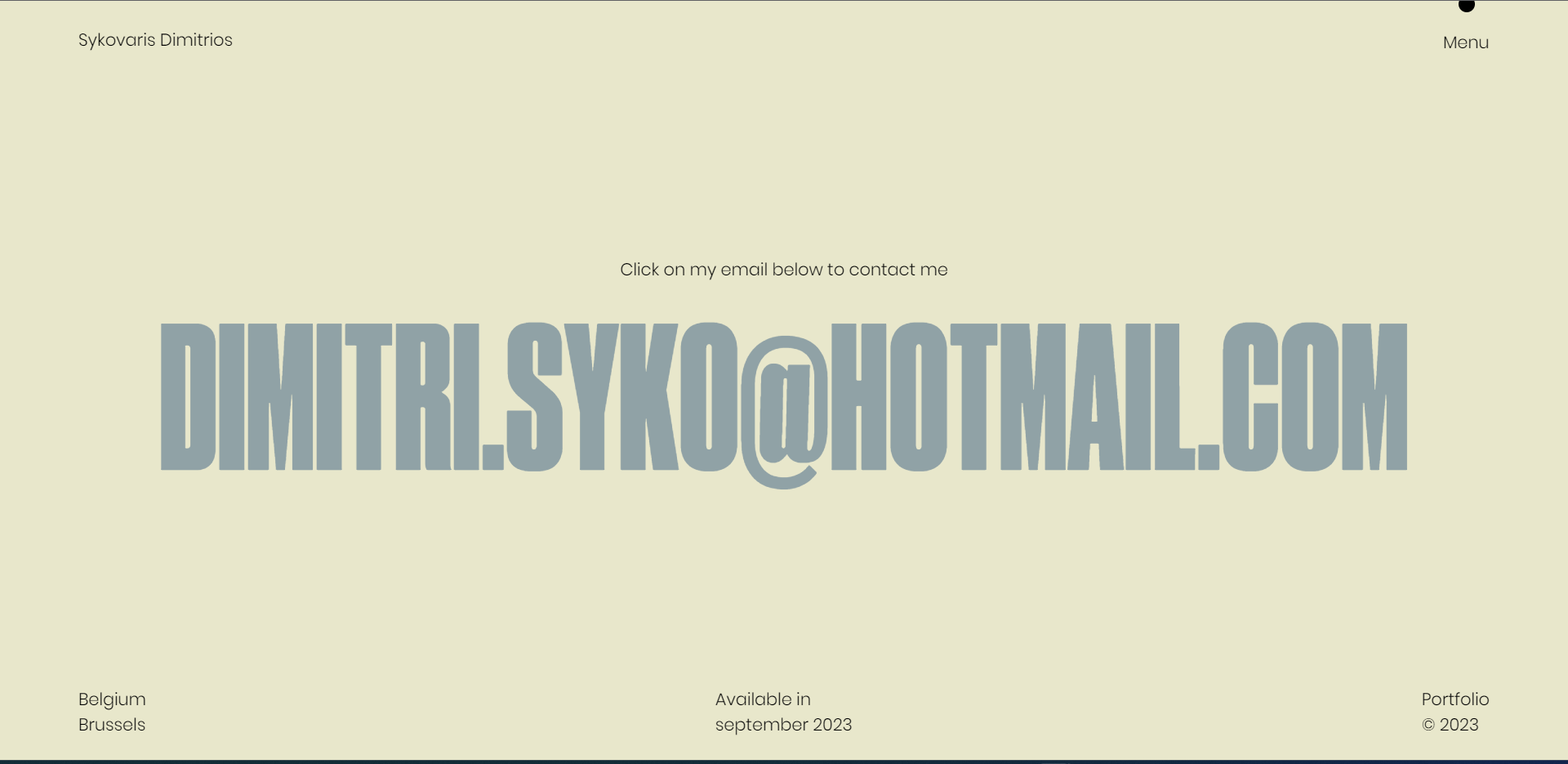
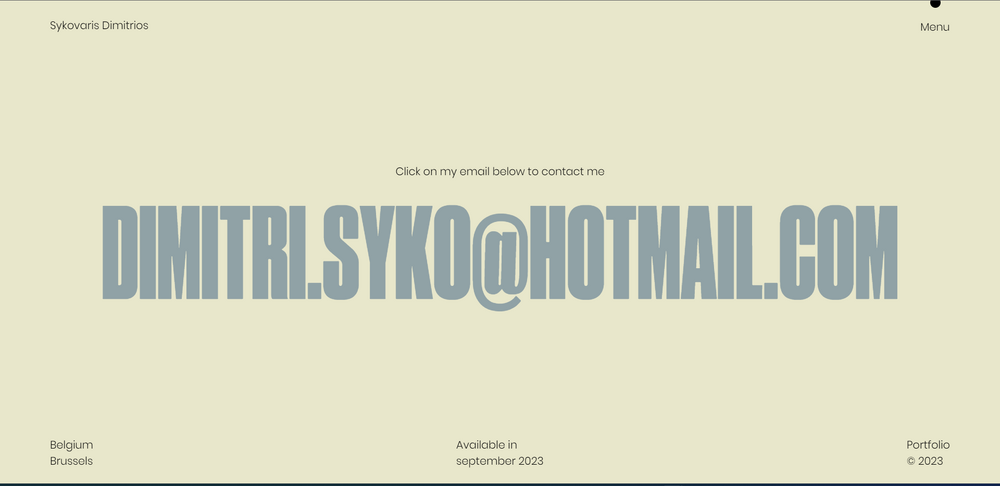
Hello All, I need help on Gsap, if you see the link of codepen theres a hover on text, I want something like on this Site on the last section https://dimitriossykovaris.netlify.app/about Hover on the mail u will see the hover Thanks,
-
I have an Image reveal while hovering over a text, what I want is something like on this site https://dennissnellenberg.com/ on Recent work section
-
 Hello everyone, is it possible to implement the filling of the button on hover, from the point where the cursor came from? Let's say if from bottom to top, then the animation will go from bottom to top of the button and so on. I would be glad if someone shows the implementation at least from two sides. Thank You!
 -
Hello All, I am looking for the same text hover effect like below link. https://www.artistsweb.com/?fbclid=IwAR1ZFgHylvcRXuiqxcfiLOykfnX7VyQv4CssztG0TbkdW1RlxEWcZ1bMkXE Please help me out.
-
 Hey! I would like the timeline to be completed before it fires again. Now when you hover really quickly it doesn't look good at all. I'm missing something in the structure that I struggle to find out. My first thought was to find the isActive() and then do some if statements. But isActive() is returning false all the time. - How can I finish the timeline before it fires again? - Do someone know why isActive() always returning false? This is probably a rookie mistake, and, this is my first post in a forum (ever!), so let me know if I could explain/structure my post better!
 -
Hello, Im trying to make the images dissapear, by having them on negative yPos and the transitioning them on hover back on the screen. mainly with section.addEventListener('mouseenter', createHoverReveal); section.addEventListener('mouseleave', createHoverReveal); Is there something missing in my code?
-
Hey there ? I have no real idea of what I'm doing when it comes to javascript, but I'm totally hooked on the interactions and animations that are possible when using it. And today I discovered GSAP, which seems to tie all that stuff together very nicely. So here I am asking for help, trying to implement GSAP into my most recent 'Project'. What I'm trying to do is replicate an interaction on the Wieden + Kennedy home page. The closer your cursor gets to the featured project title (lower left of the screen) the more it's underline grows. When the cursor reaches the project title, the underline reaches it's full length, and underlines the project title. I'll also point out that it doesn't matter where your cursor is hovered on that featured project title, the underline stays at it's maximum value. (Something I've been having trouble figuring out) [It's definitely easier to see this in action than to read my crappy explanation of it, so it might be worth clicking the link up there] Phewf. After piecing together sections of code from around the web, and before I discovered GSAP. This is what I had. https://codepen.io/samuelhigginson/pen/MWKBjJm It's.. kind of something that works? But there are a couple of things that aren't quite right. My line starts to get going as soon as the cursor enters the viewport. On W+K's page there seems to be some kind of 'Trigger Div' which initiates the interaction. My line only reaches 100% when the cursor is exactly in the centre of the Project Title. W+K have a much more satisfying 'Hover anywhere on the Project Title' thing going on. If the window resizes, the distances change and things go wrong. And the final difference I can spot, and what ultimately led me to GSAP. That delicious easing. My lines width is a scaled replication of the cursors distance from the Project Title. What W+K have, is a buttery smooth, slippery sliming line. And I'm all about that. So I got to googling and came across this post, here on the GreenSock forum. I noticed some similarities between the solution offered there and what I had going on, so I forked the pen and started trying to merge that solution with my own. And I ended up with this. https://codepen.io/samuelhigginson/pen/LYGgaab?editors=1111 Not great. But.. not totally disgusting? I know I've probably over complicated this massively, and my approach and calculations are probably way off. But this is all my perfectly smooth brain can manage, for now. So I'm reaching out to you people with the GreenSocks and asking for help. Anything you can suggest to get this little line dancing would be greatly appreciated. Cheers.
-
Hiya everyone. I am new here but really hoping someone can help me out as I would love to use this amazing library to achieve this cool effect just posted on codrops; (https://tympanus.net/codrops/2020/07/01/creating-a-menu-image-animation-on-hover/). You'll see in the article it explains that the effect works on the direction of your cursor - actually it has two effects, one for when the image is revealed/hidden and the other for moving the mouse over the nav title. I'm trying to adapt the direction based element of this effect into a Webflow project and I am struggling with this because the tutorial seems to go the long way round of achieving these effects (see the layout at the start of the tutorial) and also the fact that there are multiple JS files created. I am fairly new to js and also GSAP (love it though) so a lot of this is a bit overwhelming and also makes it very hard to achieve using Webflow but essentially I would like help with these two directional based effects on hover; 1) I just want to reveal and hide elements on hover with the direction dependent on the mouse direction 2) moving the mouse to the left rotate's the image to the left, and to the right it does the inverse. If anyone is able to offer me help I would hugely appreciate it! Thanks so much
-
Dear forum participants. I need your professionalism in coding. I can’t understand what is used to achieve effects such as in these examples: 1. When you click on any project from the bottom up, the rounded form of the divlock block https://jesperlandberg.dev/ 2. a very similar effect we can see when you click on the menu at https://www.chiaraluzzana.com/about 3. when you hover over any project + when you click on this project, a similar effect appears https://www.martinehrlich.com/ I hope I threw off enough examples to understand what I mean. I want to achieve a smooth distortion of the standard div block. With CSS, this smooth effect is not possible. Please tell me the script or explain how to repeat it? I also found a library with a similar menu, but I don’t quite understand whether it is or not: https://tympanus.net/Development/OffCanvasMenuEffects/bubble.html
-
In my codePen I have two icons with the same hover animation and it works independenly but altought I´m using the same class, I have the animation code twice in my Js. I tried to use a loop but I couldn’t make it works. There is a way to use a loop without the needing of JQuery?
-
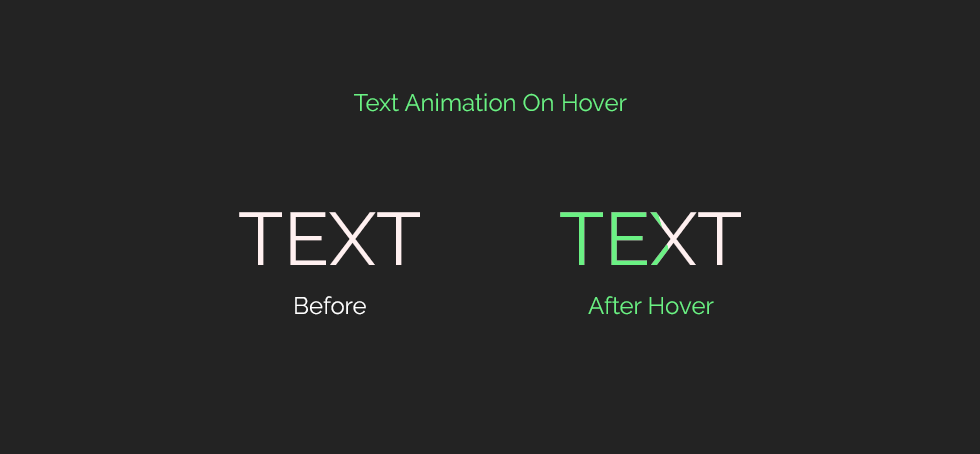
I'm trying to create an effect, but i don't know where to start. Before hover text in white color, After hover into Text color will be change White to Green with animation like a slide left to right