Search the Community
Showing results for tags 'easing'.
Found 63 results


-
Hello, I encounter an issue with easings. Basically the problem is that animation speed up at the end of a tween, even when I stipulate ease:none in a tween. I can't reproduce on a codepen, I am working on a nextJs project. Here is the component that is animated export default function Template({ children }: { children: React.ReactNode }) { const transition = useRef(null); useGSAP(() => { transitionEnter(); }, []); return ( <div className='relative h-screen w-full overflow-hidden'> <div ref={transition} id='transition-wrapper' className='absolute left-0 top-0 h-full w-full bg-black transition' ></div> {children} </div> ); } And here is my animations export const transitionEnter = () => { const el = document.querySelector('#transition-wrapper'); const tl = gsap.timeline({ onStart: () => { console.log('transition start'); }, onComplete: () => { console.log('transition end'); }, }); tl.to(el, { y: window.innerHeight, ease: 'none', duration: 1, }); }; export const transitionLeave = (router: AppRouterInstance, route: string) => { const el = document.querySelector('#transition-wrapper'); const tl = gsap.timeline({ onStart: () => { console.log('enter start'); }, onComplete: () => { console.log('enter end'); router.push(route); }, }); tl.to(el, { y: 0, duration: 1, ease: 'none', }); }; And the result here, we can clearly see that the animation speed is not linear. And it is even worst when I use other easing function. gsap.webm I think there may be something to do with useGsap/Next but I run out of idea. If someone have some ideas. Thanks.
-
 Is there any way that customease can be converted to the cubic-bezier() for css? tks.
 -
I have a gsap timeline, which I trigger on hover and play it reversed on mouseleave. However I need to change the easing when I play the timeline reversed. Is there a way I can do this without duplicating the whole timeline again? Here is a stripped down example, full example is in the codepen. const ease = 'power2.out' const tl = gsap.timeline({ paused: true }) // tweens here... card.addEventListener('mouseenter', (e) => { tl.play() }) card.addEventListener('mouseleave', (e) => { // need to somehow change the easing to 'power2.in' here tl.reverse() })
-
Hi! everyone. this is my demo tunnel https://codesandbox.io/s/digit-tunnel-4vkc91?file=/src/index.js and i wanted to add easing with GSAP to make mousemove more smooth, like in this website https://archiviostoricoexperience.gruppotim.it/en/optical-fibre .. but couldn't achieve such smooth easing effect , can someone help .?
-
Hey Greensock Would be great to have the progress() function return 0-1 normalized with the selected easing. I just animated the rotation of car wheels, and needed that rotation to match the easing of the tween of the car's movement. Ended up using my own method, by fetching one of the tweened properties ( (current_value-start_value)/(end_value-start_value) ), but a generic progressWithEasing(), or another property to the progress() method, like 'normalize with easing' or something would be great... Cheers.
-
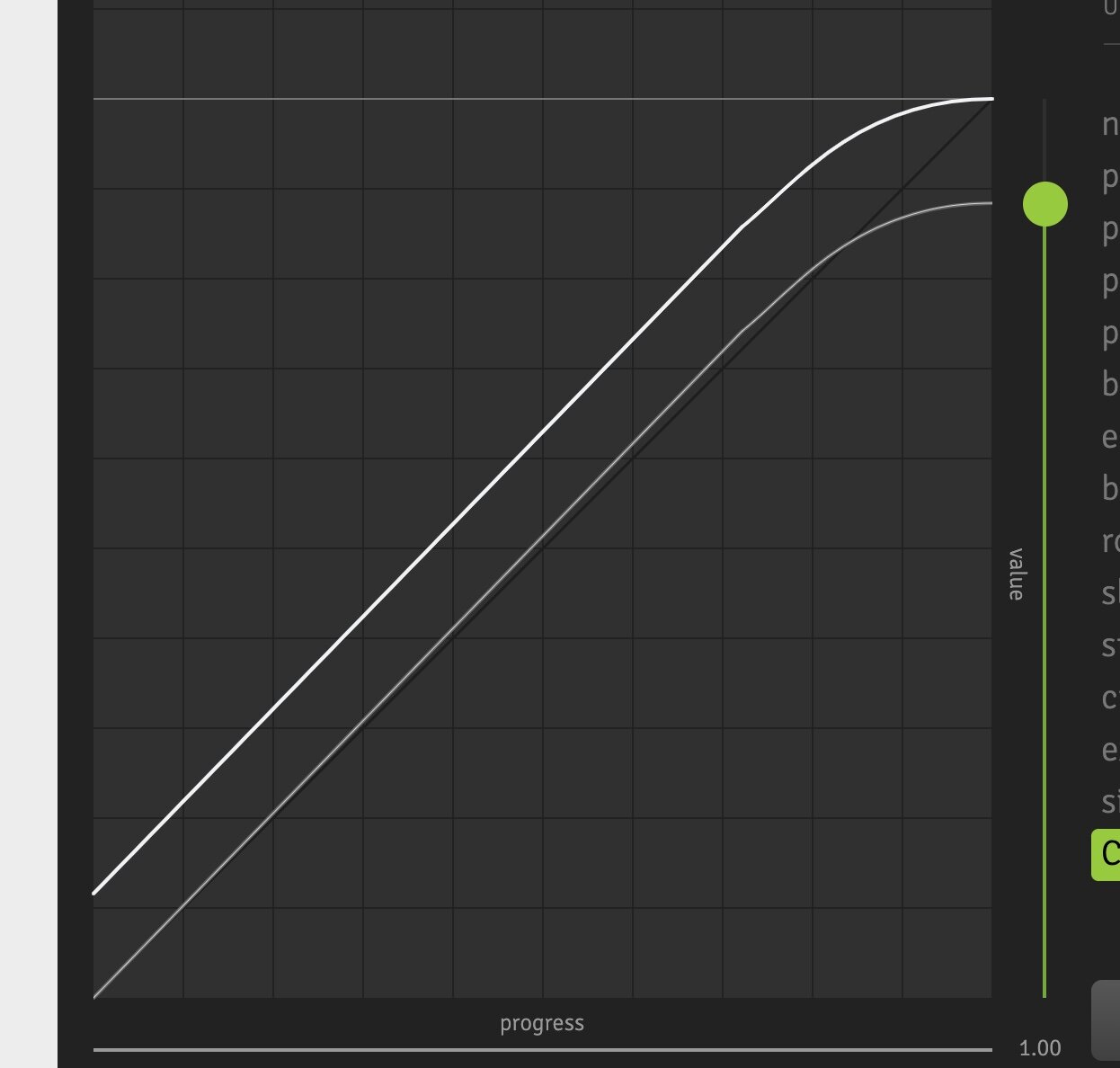
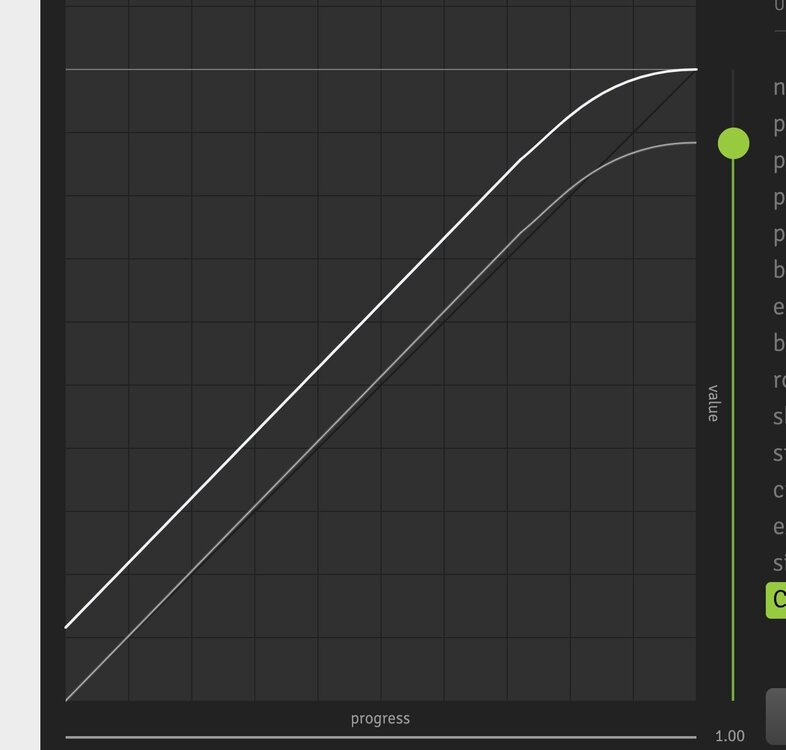
Is there simple way to create a linear.none ease but with a slight deceleration in the last 10%? Something like this: Without CustomEase plugin ideally
-
 Download CustomEase Get CustomEase by creating a FREE GreenSock account which gets you access to our community forums plus you’ll receive our exclusive “GreenSock Insider” email series (you can unsubscribe anytime). Make sure you're logged in, then you’ll get immediately gain access to the download zip containing CustomEase. Note: CustomEase is not in the GitHub repository or CDN; it's only available for download at GreenSock.com. data:image/svg+xml,%3Csvg%20xmlns='http%3A//www.w3.org/2000/svg'%20viewBox='0%200%2084.25%2084.25'%3E%3Cdefs%3E%3Cstyle%3E.cls-1%7Bfill%3A%23FFF;%7D%3C/style%3E%3C/defs%3E%3Cpath%20class='cls-1'%20d='M42.12,0A42.13,42.13,0,1,0,84.25,42.12,42.17,42.17,0,0,0,42.12,0Zm0,77.25A35.13,35.13,0,1,1,77.25,42.12,35.17,35.17,0,0,1,42.12,77.25Z'/%3E%3Cpath%20class='cls-1'%20d='M53.38,41.25l-7.63,8V26.66a3.5,3.5,0,1,0-7,0V49.53l-7.69-7.69a3.5,3.5,0,1,0-4.95,4.95L39.78,60.46h0a5.17,5.17,0,0,0,.51.42l.2.11c.13.07.26.15.4.21l.26.08c.13,0,.26.09.4.12a3.17,3.17,0,0,0,.69.07h0c.12,0,.24,0,.36,0a1.65,1.65,0,0,0,.32,0,2.33,2.33,0,0,0,.25-.07,2.83,2.83,0,0,0,.41-.14l.21-.11a2.16,2.16,0,0,0,.39-.22l.2-.16c.11-.09.22-.18.32-.28l0,0L58.44,46.08a3.5,3.5,0,1,0-5.06-4.83Z'/%3E%3C/svg%3E Download GSAP (ZIP) Demos CustomEase Demos
- 4 comments
-
- 4
-

-

-
- easing
- featured-homepage
- (and 5 more)
-
Is there a way to directly use the penner easing functions (and other) included in GSAP? I run my own update loop (on Scroll) and just want to pass my values through the easing functions to make everything a tiny bit more awesome. Example of what I would like to do. passing in p (value of 0 to 1) start value 0, change value 1, and duration 1. Power2.easeInOut(p,0,1,1); right now I define the functions again in my code like this: var easeInSine = function (t, b, c, d) { return -c * Math.cos(t/d * (Math.PI/2)) + c + b; } easeInSine(p,0,1,1); would be great to hook into the greatness of Greensock instead of defining them again. I'm using the latest js and tweenmax.
-
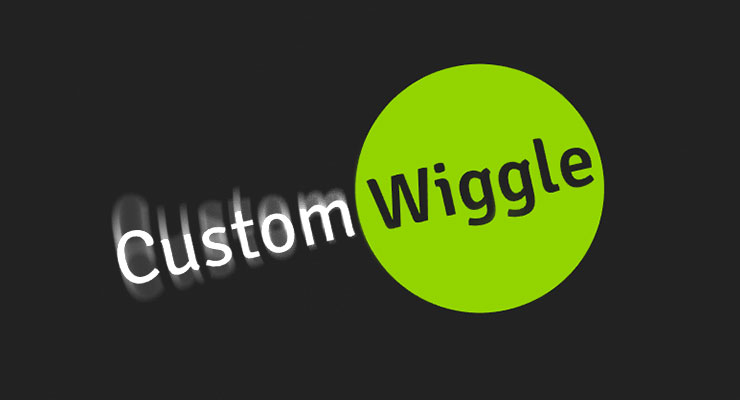 CustomWiggle extends CustomEase (think of it like a wrapper that creates a CustomEase under the hood based on the variables you pass in), allowing you to not only set the number of wiggles, but also the type of wiggle (there are 5 types; see demo below). Advanced users can even alter the plotting of the wiggle curves along either axis using amplitudeEase and timingEase special properties. Note that the video is using GSAP 2 format. Demo: CustomWiggle Types Options wiggles (Integer) - Number of oscillations back and forth. Default: 10 type (String) "easeOut" | "easeInOut" | "anticipate" | "uniform" | "random" - tThe type (or style) of wiggle (see demo above). Default: "easeOut" amplitudeEase (Ease) - Provides advanced control over the shape of the amplitude (y-axis in the ease visualizer). You define an ease that controls the amplitude's progress from 1 toward 0 over the course of the tween. Defining an amplitudeEase (or timingEase) will override the "type" (think of the 5 "types" as convenient presets for amplitudeEase and timingEase combinations). See the example codepen to play around and visualize how it works. timingEase (Ease) - Provides advanced control over how the waves are plotted over time (x-axis in the ease visualizer). Defining an timingEase (or amplitudeEase) will override the "type" (think of the 5 "types" as convenient presets for amplitudeEase and timingEase combinations). See the example CodePen to play around and visualize how it works. How do you control the strength of the wiggle (or how far it goes)? Simply by setting the tween property values themselves. For example, a wiggle to rotation:30 would be stronger than rotation:10. Remember, and ease just controls the ratio of movement toward whatever value you supply for each property in your tween. Sample code //Create a wiggle with 6 oscillations (default type:"easeOut") CustomWiggle.create("myWiggle", {wiggles:6}); //now use it in an ease. "rotation" will wiggle to 30 and back just as much in the opposite direction, ending where it began. gsap.to(".class", {duration: 2, rotation:30, ease:"myWiggle"}); //Create a 10-wiggle anticipation ease: CustomWiggle.create("funWiggle", {wiggles:10, type:"anticipate"}); gsap.to(".class", {duration: 2, rotation:30, ease:"funWiggle"}); Wiggling isn't just for "rotation"; you can use it for any property. For example, you could create a swarm effect by using just 2 randomized wiggle tweens on "x" and "y", as demonstrated here. Download CustomWiggle CustomWiggle and CustomBounce are membership benefits of Club GreenSock. It's our way of saying "thanks" to those who support GreenSock's ongoing efforts. Joining Club GreenSock gets you a bunch of other bonus plugins and tools like MorphSVGPlugin as well, so check out greensock.com/club/ for details and sign up today. Note: CustomWiggle is not in the GitHub repository or CDN; it's only available for download at GreenSock.com. Demos CustomWiggle Demos
 -
I'm trying to test out a scroll hijacking method I saw on http://www.adidas.com/us/climazone. On that page, they have a fixed position container with everything in it absolutely positioned and on page scroll they translate3d the elements up -Y scroll position which I can do but they key ingredient they add is easing to that scroll tracking. So as you scroll the elements follow "recreating the scroll effect" but upon release slowly ease into their final place which is the end Y scroll position. I've found this StackOverflow question, https://stackoverflow.com/questions/25056769/how-to-add-easing-to-parallax-movement, where it talks about javascript easing mixed with parallax, however, I can't seem to figure out how to apply it to what I'm doing or what I want my end result to be. I also found this JSFiddle where it adds easing based on mouse movement that I thought might be helpful to use pieces from for easing, http://jsfiddle.net/74mnpgs7/4/. I've added a link to my current CodePen example with my starting point, any help achieving/deconstructing what Adidas Climazone is doing to add easing to their scrollY transforms would be eternally grateful! Another demo I did on JSFiddle is here: https://jsfiddle.net/416ne38h/5/ Bonus if I can use GSAP for this!
-
 Note: This page was created for GSAP version 2. We have since released GSAP 3 with many improvements. While it is backward compatible with most GSAP 2 features, some parts may need to be updated to work properly. Please see the GSAP 3 release notes for details. Are your animations meant to feel playful? Robotic? Slick? Realistic? If they had a voice, what would they sound like? To become an animation rock star, you must develop a keen sense of easing because that's what determines the style of movement between point A and point B. GreenSock's new CustomEase frees you from the limitations of canned easing options. Create literally any ease imaginable. Zero limitations. CSS animations and WAAPI offer cubic-bezier() which is great but with only two control points it's impossible to create more complex effects like bouncing, elastic, wiggles, rough/jerky eases, etc. Plus you can't make an ease return to its starting values (like a ball jumping into the air and falling back to the ground with a bounce). Features Unlimited anchors and control points. Copy/Paste any SVG <path> (including direct copy/paste from Adobe Illustrator). Use CSS cubic-bezier() values (For example, from cubic-bezier.com). Editor has snapping, undo, sample code and other conveniences. Start with any standard ease and customize it. getSVGData() method turns any ease into SVG <path> data for display at the size you define. Extremely optimized for runtime performance. Free for anyone with a GreenSock account. Reading Ease Curves, Editing, and Using CustomEase Here's an in-depth video tour that'll get you up to speed with exactly how to use CustomEase: Ready to play? Check out the new Ease Visualizer with CustomEase support. Click "Custom" to edit the curve as much as you want: Simple Example See the Pen Video: Single Tween with CustomEase by GreenSock (@GreenSock) on CodePen. We strongly recommend creating your CustomEases initially (rather than in each tween) to maximize performance and readability. You then reference them by ID in your tweening code. When an ease is created, it must parse through the points and do various calculations to prepare for blisteringly fast runtime performance during the animation, so executing those calculations when your page/app loads is typically best. Download CustomEase To get CustomEase, you must have a GreenSock account which is completely free to set up. Plus it gets you access to our community forums (a fantastic place to learn and get your questions answered). The widget below lets you sign up or if you're already logged in, it'll give you immediate access to the download zip that contains CustomEase in the "easing" directory. Note: CustomEase is not in the github repository or CDN; it's only available for download at GreenSock.com. [loginwidget]
 -
hi everybody, how proceed to mix diferente ease at start and end : i cant find doc? It possible ? Example: Something like thats, assuming the tween compute the half/time in the process ? TweenMax.to(bar, 1, { rotation:-Math.PI/2, ease:[Back.easeIn.config(1.2), Bounce.easeOut], }); or like this ? TweenMax.to(bar, 1, { rotation:-Math.PI/2, ease:{ start:Back.easeIn.config(1.2) , end:Bounce.easeOut }, }); or ... TweenMax.to(bar, 1, { rotation:-Math.PI/2, ease:{ '0':Back.easeIn.config(1.2) , '0.5':Bounce.easeOut }, }); or... TweenMax.to(bar, 1, { rotation:-Math.PI/2, easeIn:Back.config(1.2), easeOut:Bounce, });
-
Hi, I'm trying to animate the drag for the swiper with tweenmax. Now the dragging option is to quick and jerky. Dees anyone know how to animate the drag option with tweenmax to have an easing accelerate effect? Here is an example with a slider who has the drag options with nice easing options: http://www.benmingo.com/ Thank you!
-
hi it possible to use chaining function ease instead of property ? What a read it that TweenLite.to(obj, 2, {pixi:{pivotX:x, pivotY:y},ease:Power2.easeOut}); but i look for a way to write the easing like this, with chaining ? I took this habit on an old Easing library. TweenLite.to(obj, 2, { pixi:{pivotX:x, pivotY:y} } ).ease(Power2.easeOut); Existe a way to write ease more eyes friendly ? thank Am new from some minute ago , so am studying this library:)
-
In a project I'm doing, I need to match easing feel of elements animated using CSS cubic-Bezier timing function (example:cubic-bezier(0.1, 0.9, 0.2, 1) using tweenmax. Is this supported in GSAP ? I'm trying to avoid writing my own cubic-Bezier plugin if possible Thanks! Orry
-
One of the things that keeps bugging me about GSAP is the fact that I don't know what each 'Tween <Lite, Max ... etc >' is capable of out of the box. When do I have to add whatever random plugin to be able to do certain stuff. Now, I was fiddling around with the easings of a TweenLite ... but no matter what I put it nothing really seemed to change. Then I though, »Well, maybe I can't even do that without some plugin?«. Could I for instance just slam: ``` ease: RoughEase.ease.config({ template: Power0.easeNone, strength: 1, points: 20, taper: "none", randomize: true, clamp: false }), y: -500 } ``` to the ease property of a TweenLite? If not, how would I know? Is there any place somewhere on this site – the docs maybe – where I can get a complete overview of what each 'package' it capable of out of the box, without any plugins? If not, then I'd suggest that feature to have.
-
Hi. We have a digital signage content editor with many widgets, and 2 of the widgets use gsap with jquery plugin, and we added another jquery plugin for a new widget (http://wowslider.com/), and a few of the features in that library didn't work, I was debugging for a long time when I found that it conflicts with the gsap jQuery plugin, more precisely the easings defined on the jQuery object, for example jQuery.easing.easeInOutExpo, because the easings share the same name in both libraries, but they work differently, the variable has different function references in the two libraries. Currently the gsap definition is in place, which causes some wowslider features to not work. I tested removing gsap, and then those features worked. I already contacted their support, but they couldn't give a solution, and I want to avoid modifying the code of these libraries. All I would like to ask for is some tips to avoid this issue. Is there a no-conflict option in gsap plugin? Can I separate two jQuery instances for the two libraries? Thanks in advance! Roland
-
Hi, To be honest, I just wanted to try different easings and a countdown. But with a little story it was really funny ... Kind regards Mikel By the way: GSDevTools is very helpful. I noticed, however, that in reverse, the centering of the object (pathDataToBezier) is not interpreted expected. Is that due to my coding?
-
SteppedEase is convenient for animating in a linear fashion between frames in a spritesheet, but what if I want an easing between each step? Is this possible? Let's say I want a monster to die and go through 10 frames of animation, but I don't want it to go through the frames in linear jumps. What if I'd like a Quad.easeOut through the steps for a more dramatic effect? Is that possible?
-
I think it could be a great feature to allow fine ease function which could be less optimized but will enable some transition that are actually hard to perform. Well, i'll give an example : Quite often i feel the need of a transition with a short and strong acceleration followed by a long and smooth deceleration. Power[0,1,2,3,4] currently only let me choose similar acceleration and deceleration (PowerN.easeInOut). Why not embed a function that permit custom InOut ratio ? (cf codepen) This function could be something as following : function FineEase(i, p) { // i: inflection // p: power // x: value return function(x) { return x < 0 ? 0 : x > 1 ? 1 : x < i ? 1 / Math.pow(i, p - 1) * Math.pow(x, p) : 1 - 1 / Math.pow(1 - i, p - 1) * Math.pow(1 - x, p); }; } Gimme your feedbacks !
-
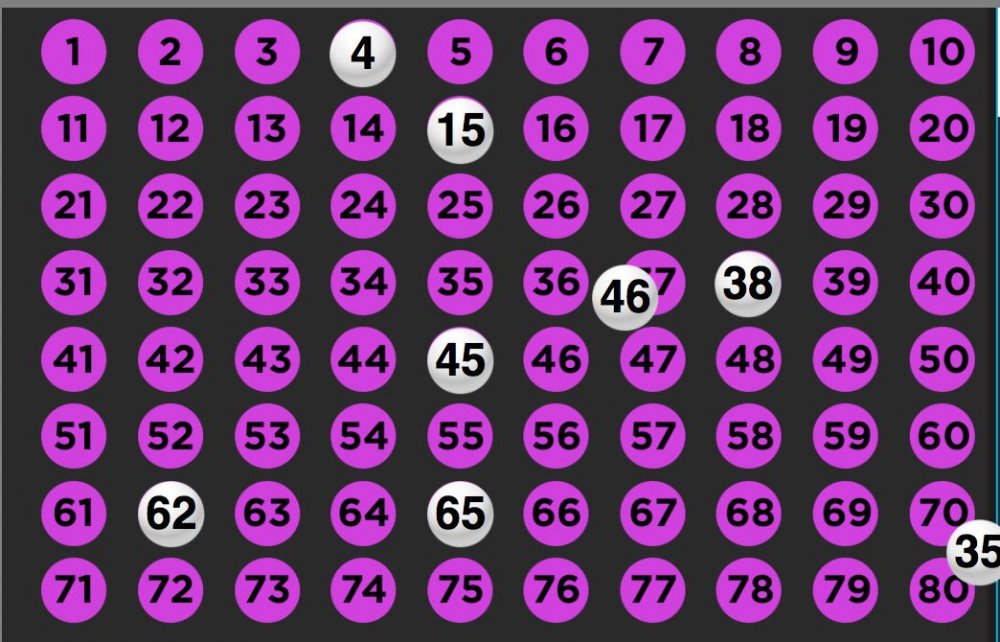
Can someone assist me on change this current animation: TweenLite.fromTo(spot_holder[kNumIterator], 2, {left:pointAX, top:pointAY}, {left:pointBX, top:pointBY, immediateRender:false}); to this: TweenLite.fromTo(spot_holder[kNumIterator], { ease: Bounce.easeOut, y: -500 }); or what do I change to make the animation HAVE a bounce effect, zoom effect or any other effect
-
Hi there! Is it possible to apply only specific interval of ease function to my tween. Something like: TweenMax.to( startPos, 2, endPos ); endPos.ease = Power2.easeInOut.interval(0.25, 0.9); I don't want skip first 0.25 and last 0.1 progress of my tween.
-
Hi guys, Just a quick query... Using the easing tool at: http://greensock.com/ease-visualizer If you switch to SteppedEase, with it on the graph (as it's clearer), is there any way to force it to take its first 'step' immediately? With config(2) set, it goes along the following axis: x,y,x,y,x Is there a simple way to switch it so that it goes: y,x,y,x I realise that's a slightly shorter transition, and I have worked out that I can use delays in the timeline to achieve the result I'm looking for, I'm just wondering if such an inherent ability exists within GSAP as standard? Thanks a bunch!
-
Sometimes I thought it would be nice to blend easings from one type to another while time goes by. And then it would be cool to have as much control over how the blending is done as possible. So I created a showcase, not yet a real easing plugin. I don't know how useful it might be to GSAP users, but there are some applications like: Going from linear to an elastic ending or from rough ease to clean ease. This might be especially interesting for long tweens maybe. The syntax is: mixTween(eases,ratios,blendTweens) // example: mixTween( [Linear.easeNone,Elastic.easeOut], [0.2,0.4], [Power2.easeInOut] ); The first array, eases, can be an array of at least 2, but as many eases you like. The second array, ratios will define the time-points of the eases. In the above example, the tween will stay linear until 20% of the tween. Then it starts blending to Elastic.EaseOut until 40% of the tween and stays EaseOut until the end. This parameter can be ommitted. If ommitted, evenly spaced values are calculated. The third array defines HOW the blending should be made. Just linear blending (default if ommited) won't always look best. So you can use any easing function to define how fast one ease blends into the other. In the example above, the easing is smoothly transitioned by a Power2.easeInOut, so there won't be any "sharp" change when the blending begins. You might get a good example of what this does by looking at the codepen I left here I could imagine this to be implemented in a similar way to CustomEase. like BlendedEase(...)
-
I was wanting to create a multi-word, repeating 'swinging-sign' animation similar to Jamie Jefferson's here: https://codepen.io/jamiejefferson/pen/zjsCl The way he has that set up (and I'm sure he had to do it that way at the time) called an onStart function that created the swinging effect. That sort of wreaked havoc on the idea of being able to "replay" the timeline. So I pulled up the awesome ease-visualizer and created a custom ease that basically did the same thing. Made for a really simple way to recreate Jamie's awesome effect. I've seen a few folks on stackoverflow and elsewhere wanting to do this so thought I'd post this here for anyone struggling with it. Here's the custom ease: ease: CustomEase.create("custom", "M0,0 C0.128,0.572 0.052,1.374 0.15,1.374 0.28,1.374 0.226,0.528 0.358,0.528 0.466,0.528 0.442,1.164 0.552,1.164 0.694,1.164 0.62,0.764 0.736,0.764 0.788,0.764 0.798,1.044 0.856,1.044 0.88,1.044 0.924,0.948 0.94,0.948 0.961,0.948 0.993,1 1,1")
- 17 replies
-
- 2
-
-
- easing
- custom ease
- (and 1 more)