Search the Community
Showing results for tags 'text animation'.
Found 16 results
-
Hi Everyone, I am trying to use gsap to change a word in a phrase to show other words after one another, like in this example: https://codepen.io/pokecoder/pen/YzxmMrz 1) The code I have now allows me to change it once, how can I add more words to change? 2) How can create a smoother transition/animation when the word changes, like sliding up or down for example? Thanks in advance for you support!
-
How can I create this same animation with gsap and next js?
-
Hello GSAP community, I'm seeking guidance on replicating the text infinite marquee/slide animation on the reference website. At the bottom of the hero section, there is a text infinite marquee/slide animation. And you can see the marquee is also reacting on scroll. It just moves a bit faster when scrolling. Reference website: https://lunivers.lu/ I would greatly appreciate any insights or assistance you can provide to help me achieve a similar effect on my project.
-
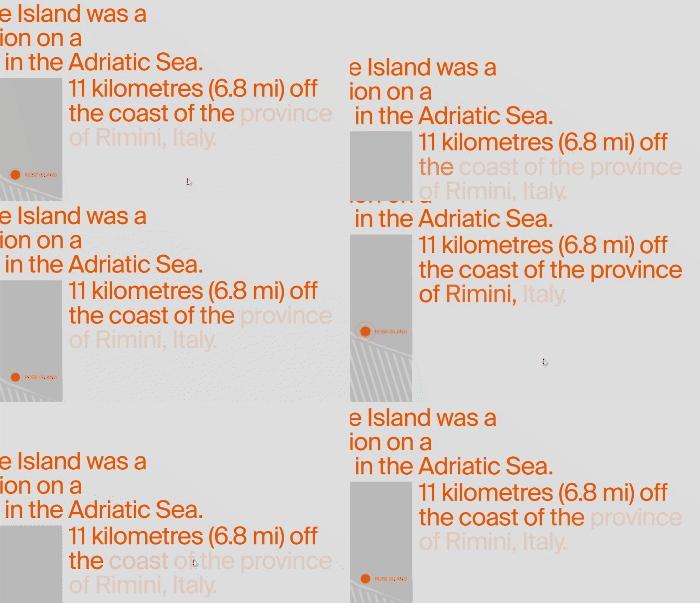
Hi devs, I'm trying to achive this animation using GSAP: As you can see the text is already present but the animation take place with opacity while scrolling. Thanks all!
-
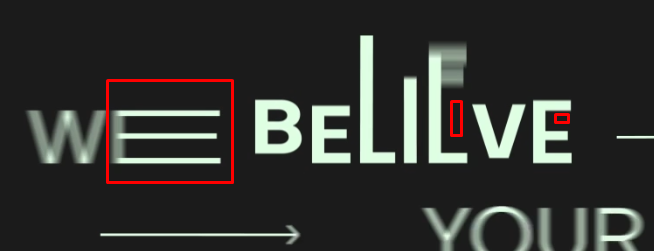
Hello... I'm struggling here with such animation that I can't find a solution with CSS, font-stretch is not a solution in this case. At least, is it possible to achieve in web development? It's stretching letters by different positions and angles. Espcieally it's more visible with letter `E` Any help or suggestions please ?
-
Hello! I am very thankful for Greensock forum to be so helpful for me before with my website. I've got +1 little moment of getting stuck in there without knowing what to do. I need to make on scroll text animation as on this reference website - https://www.joinsparq.com/ (as in "Say goodbye to labor fees" and other titles like this). I am using SplitText and trying to get the same effect, but I cannot achieve the same look of text getting from like... behind & bottom of the row and moving to the front & top? I am attaching a codepen of my current progress and that's how it looks when implemented on website (not quite it, right? ) - https://saltbox-new.webflow.io/workspaces I think the reference website itself might be using GSAP as well, but I don't seem to find it in their code, so will be glad to get any help or hint. Thanks in advance! P.S. An off question - is it possible to upload SplitText/SmoothScroll as CDN links? I am using sitebuilder, so cannot store files externally myself or upload them to the builder as well as pasting it as external code due to a limit of symbols.
-
Hi. Could anyone help me to add animation to horizontal text block I'm trying to do? Like here: https://locomotive.ca/en Latest award section (third section on homepage). So the text is scrolling slowly, depends we scrolled down it go right->left, up it start scrolling left->right. I have done that, but I would like to have like the example above, so it scroll looped (slowly) all the time, and speeds up when user scrolls. Thank you for the help! Thanks, Lukas.
-
 Hi all, I have a working prototype using GSAP SplitText (displayed at the bottom of this post) which stagger-reveals a title, by changing position and opacity of each letter individually. What I'd like to do is mimic the text reveal animation here: http://loveforiceland.com/ which animates each line simultaneously while still stagger-revealing each letter. And the way the letters are revealed are by moving up from behind a kind of mask instead of fading in by animating the letter's opacity. This example gets close: https://codepen.io/camcgreen/pen/qBqMPQp but reveals each line as a whole instead of letter-by-letter. Additional requirements: 1. <a> tags be preserved in the title (as they are in my prototype) 2. The title must be responsive which I imagine means the initial markup can't be grouped by line since line breaks will depend on screen width. Is this possible with GSAP? Thanks!
 -
Hi guys, I'm trying to make this text animation like this page: https://s.muz.li/MGI3NjRkZjJl Every single scroll and this text in circle will scroll too. But I don't have any idea how do make this. How to trigger scroll slide, and every slide change, text in circle scroll. Sorry for my bad English and thank you all for read topic ❤️
-
Good day, I want to create a text reveal animation as shown on the codepen as a scrolltrigger. To have the animation starts when the trigger reached the middle of the screen when scrolled. Can someone help me?
-
Hi Devs, I don't know what's wrong in my code , the animations are super slow in firefox and sometimes in chrome as well. I have two issues Translating animations are super slow in firefox and sometimes in chrome Text animations are flickering on scroll I use SVG as react components Can u guys please help me improve my code. Im using NextJs and GSAP3. Thanks. let timeline = gsap.timeline({ delay: tableAndAbove ? 0.5 : 0, scrollTrigger: !tableAndAbove && { trigger: "#sellersLandingMobileContainer", start: "30% 20%%", }, }); if (tableAndAbove) { timeline.from("#sellersLandingMobile", { duration: 1, scale: 0.8, autoAlpha: 0, rotation: 0.01, }); timeline.from( "#sellersLandingMobile", { duration: 1, translateX: "20%", ease: "expo.out", rotation: 0.01, }, "-=0.6" ); } timeline.to( "#sellersLandingHeroText .hide-text", { duration: 0.8, ease: "expo.out", translateY: 0, delay: 0, autoAlpha: 1, rotation: 0.01, }, "-=0.9" ); timeline.from( "#sellersLandingCTA", { duration: 0.5, ease: "expo.out", scale: 0.5, autoAlpha: 0, rotation: 0.01, }, "-=0.5" ); document.querySelectorAll("#sellersLandingStoreLink").forEach((el) => { timeline.from( el, { duration: 0.5, ease: "expo.out", translateY: 20, autoAlpha: 0, rotation: 0.01, }, "-=0.3" ); }); const images = [ "#sell24By7Img", "#chatBroadcastInvoiceImg", "#lightningfastpaymentsImg", ]; const sections = [ "#sell24By7TextContainer", "#chatBroadcastInvoiceTextContainer", "#lightningfastpaymentsTextContainer", ]; useScroll(); useEffect(() => { gsap.to("#punchGrowthHeading .hide-text", { scrollTrigger: { trigger: "#punchGrowthHeading", start: "top 80%", }, duration: 1, ease: "expo.out", translateY: 0, rotation: 0.01, }); images.forEach((el, index) => { gsap.from(el, { scrollTrigger: { trigger: el, start: "30% 80%", }, duration: 1, ease: "expo.out", autoAlpha: 0, transform: `translate3d(${index === 1 ? 100 : -100}px, 0, 0)`, perspective: 1000, rotation: 0.01, force3D: true, }); }); sections.forEach((el) => { gsap.to(`${el} .hide-text`, { scrollTrigger: { trigger: el, start: "30% 80%", }, duration: 1, ease: "expo.out", translateY: 0, rotation: 0.01, }); gsap.from(`${el} p`, { scrollTrigger: { trigger: `${el} p`, start: "30% 80%", }, duration: 1, ease: "expo.out", autoAlpha: 0, }); });
-
Hey there! Can anyone help me with this? I am new to this thing, really trying hard to get my hands dirty with tweenMax. PROBLEM: I am trying to animate text in words by using SplitText, The thing i am trying to do is to change text on repeat. but can't do so. https://fastfoodsignage.herokuapp.com/ go to the second section, There is an animation, I am trying to give it YoYo effect, so it can look like a typewriter, and on repeat want to change innerHTML and update the splitText Codepen link: https://codepen.io/ifaizanahmed/pen/qBWgZGg demo1.mp4
-
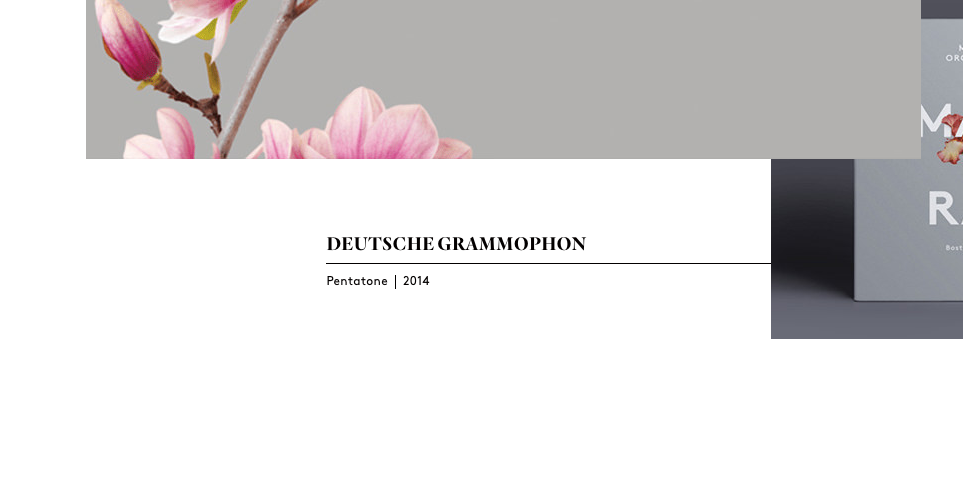
Hi, I'm trying to figure out how to achieve the text reveal animations this site uses. I feel like it should be fairly easy to do, but I haven't found any helpful tutorials to start from.
-
I've been able to resolve this issue in the past by using rotation: 0.01, using x or y rather than left or top as well as force3d, etc. Can't figure out why this animation seems to jump forward every so often. I'm using this animation setup to allow export to MP4 and even stepping one frame at a time to capture the canvas shows the jerkiness even more. It's not consistent so obviously has to do with browser performance. I just can't figure out what to do to resolve it. Any ideas? Anyone?
-
OK after messing around with scroll magic I decided that I would use gsap so i am new either way to this stuff. i have a hero and i want to animate some text headline like this Welcome <--bigtext Hope you like the site.. <--underneath I love pizza <--next etc I have looked hi an low for a really nice smooth way of doing this.. I seen this https://greensock.com/gsap see the banner that is animated with text.. I would like to create this type of animation.. but not sure what they used or where to even begin..
-
Can not this form be expressed in tweenmax? http://codepen.io/nathantaylor/pen/WowbBE http://codepen.io/equinusocio/pen/KNYOxJ I followed them alike. But the box shadow repeats twice. My codepen.