Search the Community
Showing results for tags 'throwprops'.
Found 62 results


-
Hi I'm using the Draggable Util to create a spinning wheel, and using the throwProps:true property. When I listen for the snap function, the endValue is being incremented for each spin of my wheel. Is there a way to reset this after each spin? Thanks Dan
-
I am already member of Greensock Club to purchase ThrowPorpsPlugin.js but it has memory leak issue. I have included TweenMax.js, Draggable.js, ThrowPropsPlugin.js and used this code: Draggable.create(".kr-thumb-inner", { type: 'x', edgeResistance: 0.65, bounds: '.kr-thumb-wrapper', cursor: 'pointer', dragClickables: true, throwProps: true }); Any transition didn't start so no moving element, but memory is continuously increasing. When I get rid of ThrowPropsPlugin.js, memory leak issue was gone, but It was always happen until I remove ThrowPorpsPlugin.js even I removed this option: "throwProps: true". Please check Greensock sample page itself. : https://greensock.com/throwpropsplugin It has also memory continuously increasing. You can see the page has that issue if you SHIFT + ESC in Chrome. I really need this plugin but not useful if it has such issue. Please HELP ME!
-
hi, Can i use 'onComplete' on ThrowProps plugin? I want to call a function when the ThrowProps animation finishes. Is this possible? Thanks.
-
Any clue on how to enable the throwProps plugin found in the Shockingly Green library set of Greensock. The momentum scrolling in the feature found on this site works exactly the way it should on iOS http://greensock.com/draggable The scrolling example I've attached has no momentum or inertia when viewing on an iOS device. Ive easily been able to get other libraries to work with no hick-ups but this scroller feature has been bugging me. I'm sure it's something super simple and I'm just overlooking. The current libraries i'm calling are Draggable, Throwprops, TweenMax. Using Edge Animate 2014.1.1 Any thoughts? [edit: files removed that included bonus plugins]
-
Hi, I've been trying to find a way to predict where throwprops tween will finally land (absolutely stops): I did my own velocity detection via ThrowPropsPlugin.track(...) at touch-up event, i run something like : ThrowPropsPlugin.to(target, { throwProps:x:{velocity:1200,min:0,max:800}}) I need to do something based on whether 'target' x final resting position is within certain value. Is there simple way to do this ? I looked at the .calculateChange() but that seems to require .calculateDuration() first, and I was not sure using those two is the right thing to do or will yield the best/accurate result... Thanks!
-
 Hi everyone! First, congrats for the awesome new website.. very refreshing!! Second sorry for my english but that's not my native language.. Following your example using ThrowProps with BlitMask, I need to edit the content of the target DisplayObject on the fly but I can't manage it. My target is a MovieClip with datas from a contact form. At startup, I fill my target with datas saved previously (with a SharedObject- this is an AIR app). Then I create the BlitMask and everything works fine. But when I try adding more contacts, they don't add anymore in the target object. I guess I know why : because BlitMask is a bitmap version of my target, right? Can you help? (I hope my description is clear enough) Thank you. Sebastien
 -
Hey everybody, I am trying to make my background scroll smoothly according to the user's drag, window (stage) is 800 by 480, background (lvl1_blitmask) is 2400 by 480 It's scrolling quite nicely, but not perfectly, it skips and jumps around toward the right side of stage. It is surely a matter of the maths involved, im afraid i just comprehend where... Here is the code: function mouseMoveHandler(event: MouseEvent): void { if (blitMask.bitmapMode == false) { blitMask.enableBitmapMode(); } var x: Number = this.mouseX - xOffset; if (x > bounds.left) { lvl1_blitmask.x = (x + bounds.left) * 0.5; } else if (x < bounds.left - xOverlap) { lvl1_blitmask.x = (x + bounds.left - xOverlap) * 0.5; } else { lvl1_blitmask.x = x; } blitMask.update(); var t: uint = getTimer(); //if the frame rate is too high, we won't be able to track the velocity as well, so only update the values 20 times per second if (t - t2 > 50) { x2 = x1; t2 = t1; x1 = lvl1_blitmask.x; t1 = t; } event.updateAfterEvent(); } function mouseUpHandler(event: MouseEvent): void { lvl1_blitmask.stage.removeEventListener(MouseEvent.MOUSE_UP, mouseUpHandler); lvl1_blitmask.stage.removeEventListener(MouseEvent.MOUSE_MOVE, mouseMoveHandler); var time: Number = (getTimer() - t2) / 1000; var xVelocity: Number = (lvl1_blitmask.x - x2) / time; ThrowPropsPlugin.to(lvl1_blitmask, { throwProps: { x: { velocity: xVelocity, max: bounds.left, min: bounds.left - xOverlap, resistance: 1000 } }, onUpdate: blitMask.update, ease: Strong.easeOut }, 10, 0.5, 1); I have also uploaded the flash cc file, Thanks anybody who can spare a sec, LeonardTheLeopardV2.zip
-
 The ThrowPropsPlugin API page contained an example of using it for scrolling a page vertically, and the throw props web page contained an example for doing horizontal panel transitions that animate entire panel movements right and left. Both of these work extremely well. But when I combine them, I run into problems that both of them are acting on mouse up and mouse down events, which means neither is working as intended. Add some interactive objects to the scrolling page, and it only gets more complicated. I think the solution is to write a singleton class that interprets mouse down, mouse move and mouse up events on the stage and infers user intent so that is can dispatch an event to either the scroller, or the panel slider, or the interactive object in the scroller viewport. My past experience with mouse events is limited to listening for clicks. So, if there is any example code that would point me in the right direction, I would be very happy to know about it.
 -
Hi guys, I can't seem to find Draggable & ThrowProps plugin for AS3? http://www.greensock.com/draggable/ Is that because there's another alternative method somewhere in the AS3 library that gets that wheel spin effect? Thanks
-
I notice that your examples of scrolling using ThrowProps pretty consistently listens for mouse events on mc.stage.add…. where mc is the container being scrolled. And I notice that listening on the stage makes the listeners very responsive. This works fine if the entire stage is being scrolled, but usually this is not the case. The performance of the scroller seems to be very much affected by how quickly the listener receives the event. Two possibilities of how to deal with this come to mind. One approach would be to find the display object that is the correct bounds and closest to the stage. In some cases this might be the scroller itself. In my case the parent of the scroller is always the correct size. The other option would be to listen on the stage, and check the target to see if the scroller is an ancestor. Do you recommend one approach over another? Or, do you have another to suggest? I apologize if this question is too general, and understand if you would prefer to pass on it.
-
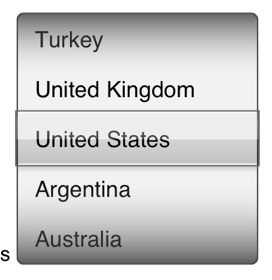
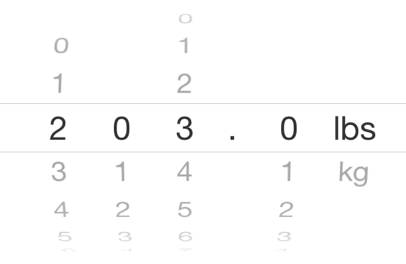
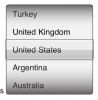
I would like to replace Flex Spinner (sometimes called Picker or UIPicker) with something written in AS3 without Flex. ThrowProps and Blitmask should be a great help. Are there any examples of doing using Greensock?
-
I have written a scroller class that is very closely based upon the example given on the ThrowProps api doc page. One of the things that I have added is a scrollToY(num) function, which works fine. But it does not work if called as a result of a mouse click. The viewport being scrolled is a list of words, and when a word is clicked, I would like to scroll that word to the center of the viewport. But, TweenLite.to is not working unless I comment out the ThrowPropsPlugin.to call in the same class. It appears that the ThrowPropsPlugin is doing something with the mouse clicks that interferes with the TweenLite.to Any help would be greatly appreciated. The scrolling animation that I am getting is gorgeous. package views.base { import com.greensock.TweenLite; import com.greensock.easing.Strong; import com.greensock.plugins.ThrowPropsPlugin; import com.greensock.plugins.TweenPlugin; import flash.display.Sprite; import flash.events.Event; import flash.events.MouseEvent; import flash.geom.Rectangle; import flash.utils.getTimer; import lib.data.IDisposable; public class Scroller extends Sprite implements IDisposable { TweenPlugin.activate([ThrowPropsPlugin]); private var _viewport:Sprite; private var _bounds:Rectangle; private var _relativeYPosition:Number; public function Scroller() { super(); } public function setViewPort(sprite:Sprite, dimensions:Rectangle) : void { _viewport = sprite; _bounds = dimensions; _viewport.x = _bounds.x; _viewport.y = _bounds.y; addChild(_viewport); ThrowPropsPlugin.track(_viewport, "y"); //track the "y" property's velocity automatically addEventListener(Event.ADDED_TO_STAGE, addedToStageHandler); addEventListener(Event.REMOVED_FROM_STAGE, removedFromStageHandler); } public function beforeResizeViewport() : void { if (_viewport) { _relativeYPosition = Math.max(0, _viewport.y * -1 / _viewport.height); } } public function resizeViewport(dimensions:Rectangle) : void { _bounds = dimensions; if (_viewport) { var yPos:Number = Math.min(_relativeYPosition * _viewport.height, _viewport.height - dimensions.height); _viewport.y = yPos * -1; } } public function scrollToY(position:Number) : void { var duration:Number = Math.abs(_viewport.y - position) / _viewport.height * 20; duration = Math.max(1, duration); TweenLite.to(_viewport, duration, {y:position}); // _viewport.y = position; } public function dispose() : void { removeEventListener(Event.ADDED_TO_STAGE, addedToStageHandler); removeEventListener(Event.REMOVED_FROM_STAGE, removedFromStageHandler); if (_viewport && _viewport is IDisposable) { (_viewport as IDisposable).dispose(); _viewport = null; } } private function addedToStageHandler(event:Event) : void { stage.addEventListener(MouseEvent.MOUSE_DOWN, mouseDownHandler); } private function mouseDownHandler(event:MouseEvent):void { TweenLite.killTweensOf(_viewport); _viewport.startDrag(false, new Rectangle(_bounds.x, -99999, 0, 99999999)); stage.addEventListener(MouseEvent.MOUSE_UP, mouseUpHandler); } private function mouseUpHandler(event:MouseEvent):void { _viewport.stopDrag(); stage.removeEventListener(MouseEvent.MOUSE_UP, mouseUpHandler); var yOverlap:Number = Math.max(0, _viewport.height - _bounds.height); ThrowPropsPlugin.to(_viewport, {ease:Strong.easeOut, throwProps:{y:{max:_bounds.top, min:_bounds.top - yOverlap, resistance:200}}}, 10, 0.25, 1); } private function removedFromStageHandler(event:Event) : void { stage.removeEventListener(MouseEvent.MOUSE_DOWN, mouseDownHandler); stage.removeEventListener(MouseEvent.MOUSE_UP, mouseUpHandler); } } }
-
ThrowProps and Blitmask really do work well together for scrolling, but most of my views have too much interactivity for Blitmask to be useful. The BlitMask would need to be updated with a forced recapture of the Blitmask each time any change is made to the view, and this is taking about 500ms, which interferes with a smooth scroll. Is there an example for using ThrowProps in a Scroller without using BlitMask?
-
 I have created an image slider for mobile devices using draggable and throwprops plugins. i want to limit the dragging limit upto just one image per drag. I don't want to make it too much free flow resulting in sliding through many images.
- 6 replies
-
- 1
-

-
- throwprops
- draggable
- (and 1 more)
-
 Hi, I use the great draggable + throwprops in the scrollTop context. Now, I would like to build an infinite scroll loop, both way up and down, as a sort of spinning wheel (often used to select a day month hour ...). I have tried onDrag, onThrowUpdate, testing and changing dynamically the scrollTop() based on my limit values, but it is impossible during the animation, only after. I am now searching using liveSnap or any update() method or thru scrollProxy object changes ? It shall be easy to use scrollTop to build a loop (shifting onthego the dynamic value used by scrollTop), to endlessly loop the scrolled content without breaking the great and smooth draggable animation. = infinite scrollable using draggable, throwprops and scrollTop ? If the scrollTop is higher then the scrollable_limit we have chosen, we wanna that the scrollTop return to 0 while not breaking the actual drag or throwprops movement. And if the scrollTop is 0 and the user want to see the end while dragging, the scrollTop shall be set to the scrollable_limit we set. It could really be useful ! So the user has never to return far up or far down and have an endless repeatition of the content ( scrolling a menu From A to Z, A to Z, A to Z or Z to A, Z to A, Z to A ... ) smooth. Thank you.
 -
I've created an SVG dial that rotates just fine with Draggable, however when I enable "throwProps" when I release the mouse it flings it in one direction or the other much faster than expected, and not in the direction it should be either. Has anyone had this issue?
-
Helly everybody, I was hoping someone out there might be able to provide some info on applying the greensock throwprops plugin to a vertical scrolling nav menu for an android app. I have tried modifying the code from the throwprops page, but it uses a textfield, i want buttons inside a movie clip... Is that even possible? Can anybody point out any useful tuts or articles? or would someone like to view the file? Thanks a bunch everybody, Alex
-
Hi, I'm using the throwProps dial code from the Greensock example. I need to calculate which turn of the dial the user is on eg. turn 2 of 10 How would I do this? At the moment I am trying to calculate whether the user is turning the dial clockwise or anti-clockwise. Then either adding 1 to the turn count if the turn is clockwise and the rotation value equals 359º or subtracting 1 from the turn count if the turn is anti-clockwise and the rotation value equals 0º Is this the correct way or is there another way by adjusting the original sample code? Here's my code in addition to the throwProps sample code. The calculateDialDirection is wrong, so I need a delay of some sort when grabbing the old and the new rotation values. Maybe with an array. // Calculate Direction of Dial (Clockwise or anti-clockwise) // --------------------------- var oldDialRotation:Number; var newDialRotation:Number; var calculateDialDirection:Number; var dialRotationDirection:uint; // Grab first rotation value oldDialRotation = degFromDeg(dial.rotation); // i.e. 5º // Grab second rotation value newDialRotation = degFromDeg(dial.rotation); // i.e. 10º calculateDialDirection = newDialRotation - oldDialRotation; if (calculateDialDirection > 0 ){ dialRotationDirection = 1; // Clockwise } else if (calculateDialDirection < 0 ){ dialRotationDirection = 0; // Anti-Clockwise } else { // No Change } // Count How Many Times Dial Has Turned var wheelTurnNumber:int = 0; if (dialRotAFTERdegFromDeg == 359 && dialRotationDirection == 1){ // Clockwise wheelTurnNumber ++; } else if (dialRotAFTERdegFromDeg == 0 && dialRotationDirection == 0){ // Anti-Clockwise wheelTurnNumber --; }
-
I'm using the ThrowProps rotation code, except it doesn't quite work how I want it to. How would I get the AS3 ThrowProps Rotation Demo.fla code to snap to 90 degrees as in the Draggable js demo? http://www.greensock.com/draggable/ http://www.greensock.com/js/demo/throwprops/spin.html Need some AS3 code from the following .js code: var rotationSnap = 90 * (Math.PI / 180); //90 degrees described in radians (for snapping Draggable.create("#knob", {type:"rotation", //instead of "x,y" or "top,left", we can simply do "rotation" to make the object spinnable! throwProps:true, //enables kinetic-based flicking (continuation of movement, decelerating after releasing the mouse/finger) snap:function(endValue) { //this function gets called by ThrowPropsPlugin when the mouse/finger is released and it plots where rotation should normally end and we can alter that value and return a new one instead. This gives us an easy way to apply custom snapping behavior with any logic we want. In this case, we'll just make sure the end value snaps to 90-degree increments but only when the "snap" checkbox is selected. Keep in mind that rotation values are always defined in radians, not degrees! return Math.round(endValue / rotationSnap) * rotationSnap;}});
-
I am trying to make an interactive map with the draggable plugin that zooms in and out. I have made my image an SVG so it can scale well, and my location dots are css. But i have been running into two issues. 1. Since my map is longer than the view port, i can't seem to see the bottom of the map. it keeps scrolling back to the middle if i drag upwards. 2. All the zooming solutions I have found have only been for images. I need to zoom all the elements in the entire div. I started to create my own zoom, which zooms the whole div and the elements in side it. But this presents a couple of issues. First, it zooms in and out at the same spot, I would like it to zoom into the current mouse location. And second if I zoom out at the edge, the div goes out of the visible boundaries so i can't drag it around. As per your requests I created a codepen, http://codepen.io/jermbo/full/LktfB , and I realize this is a very specific situation. Any direction would be greatly appreciated. I just need a push in the right direction and I got the rest of the map functionality. Thanks in advance!! *Plugin Request : Zoomable. If this were a greensock plugin like Draggable I would be the happiest developer in the world!
-
Hi, There's a way to know the end value of the throwprops plugin before the the snap function triggers?. I have an array of points for the snap function and what I want to achieve is to snap the element being dragged by one point of the array at a time no matter what, because if the speed of the throw is high enough it could advance more than one. I've tried with some conditional logic onDragEnd, but snap gets called before, the only callback that triggers before is onDrag and this.endX is undefined at that time. What I have achieved is using some conditional logic inside onDrag to determine whether the drag is to the left or right and based on that tell throwprops to move the element to the next or previous point, but you lose the throw ability so to speak, because the smallest drag triggers the snapp, meanwhile with throwProps if the velocity is too small the element goes back to the original position the idea is to keep that feature too. I've setted up a codepen: http://codepen.io/rhernando/pen/hmjyA Best, Rodrigo.
-
I'm trying to get the Throwprops plugin to play nicely with a Kinetic.js layer that I'm trying to rotate and am getting the following error: Uncaught ERROR: No velocity was defined in the throwProps tween of [object Object] property: setRotationDeg The relevant part of my code looks like this: var tl = new TimelineMax(); tl.to(el, 2, { setRotationDeg: (360 * 1), ease:Power1.easeIn, onUpdate:layer.draw, onUpdateScope:layer }) .to(el, 10, { throwProps: { setRotationDeg: { velocity:'auto', end:end }, ease:Circ.easeOut, onUpdate:layer.draw, onUpdateScope:layer } }); }); The first to() works, but the second fails with the aforementioned error. This type of timeline works if I'm tweening a regular html element such as an image, but not so with the Kinetic canvas element. Is there a way I can get these to work together? Thanks in advance.
-
The ThrowProps Rotation demo code produces some erratic behaviour although it only happens when the dial is within a movie clip ie. nested movie clips. Symptoms are that the dial; 1. lags behind the mouse pointer and 2. rotates in the correct direction, but only from 90 to 270 degrees, it then rotates in the opposite direction. Is there any way to tweak the code to correct these problems?
-
Is it possible to use the Draggable util class with Canvas, specifically EaselJS? I'm creating a dial that can you can spin using throwprops. I wasnt able to use Draggable so I've recycled the dial AS3 example from here http://www.greensock.com/throwprops/ It works ok, but its a bit glitchy compared with the Draggable CSS example. I've created a Fiddle with the two versions, http://plnkr.co/edit/eKVhZL5ulUWqj5pgP9BA?p=preview Is the something wrong with the math on my Canvas version perhaps? Any tips would be appreciated.
-
I have a vertically scrolling mc that i am controlling using the throwprops plugin with a blitmask applied to it. I also have a button within that movieclip that triggers a popup when tapped. After i scroll the movieclip one time i now show a duplicate of the movieclip behind it. so when i scroll up or down to the ends, when the movieclip goes past the end point, I see a duplicate of the movieclip behind it. This only happens after I have scrolled the full thing once, so i'm thinking it has something to do with the blitMask. Any help would be greatly appreciated. I'm using the demo code just to test it out, so i can then edit it. Here is my updated code: var bounds:Rectangle = new Rectangle(0, 0, 480, 800); var blitMask:BlitMask = new BlitMask(mc, bounds.x, bounds.y, bounds.width, bounds.height, false); blitMask.bitmapMode=false; var t1:uint, t2:uint, y1:Number, y2:Number, x1:Number, x2:Number, xOverlap:Number, xOffset:Number, yOverlap:Number, yOffset:Number; var isMoving:Boolean=false; var isCatched:Boolean=false; blitMask.stage.addEventListener(MouseEvent.MOUSE_DOWN, mouseDownHandler); function mouseDownHandler(event:MouseEvent):void { TweenLite.killTweensOf(mc); blitMask.disableBitmapMode(); if(isMoving==true) { isCatched=true; isMoving=false; } x1 = x2 = mc.x; xOffset = this.mouseX - mc.x; xOverlap = Math.max(0, mc.width - bounds.width); y1 = y2 = mc.y; yOffset = this.mouseY - mc.y; yOverlap = Math.max(0, mc.height - bounds.height); t1 = t2 = getTimer(); mc.stage.addEventListener(MouseEvent.MOUSE_MOVE, mouseMoveHandler); mc.stage.addEventListener(MouseEvent.MOUSE_UP, mouseUpHandler); } function mouseMoveHandler(event:MouseEvent):void { isMoving=true; if(blitMask.bitmapMode==false) { blitMask.enableBitmapMode(); } var y:Number = this.mouseY - yOffset; //if mc's position exceeds the bounds, make it drag only half as far with each mouse movement (like iPhone/iPad behavior) if (y > bounds.top) { mc.y = (y + bounds.top) * 0.5; } else if (y < bounds.top - yOverlap) { mc.y = (y + bounds.top - yOverlap) * 0.5; } else { mc.y = y; } blitMask.update(); var t:uint = getTimer(); //if the frame rate is too high, we won't be able to track the velocity as well, so only update the values 20 times per second if (t - t2 > 50) { //x2 = x1; //x1 = mc.x; y2 = y1; t2 = t1; y1 = mc.y; t1 = t; } event.updateAfterEvent(); } function mouseUpHandler(event:MouseEvent):void { mc.stage.removeEventListener(MouseEvent.MOUSE_UP, mouseUpHandler); mc.stage.removeEventListener(MouseEvent.MOUSE_MOVE, mouseMoveHandler); var time:Number = (getTimer() - t2) / 1000; var yVelocity:Number = (mc.y - y2) / time; ThrowPropsPlugin.to(mc, {throwProps:{ y:{velocity:yVelocity, max:bounds.top, min:bounds.top - yOverlap, resistance:50}}, onUpdate:blitMask.update, onStart:blitMask.enableBitmapMode, onComplete:throwComplete, ease:Strong.easeOut}, 5, 0.3, 1); } function throwComplete () { isMoving=false; isCatched=false; blitMask.disableBitmapMode(); } mc.shortcuts_btn.addEventListener(MouseEvent.CLICK,FNA); mc.radar_btn.addEventListener(MouseEvent.CLICK,FNA); function FNA (e:MouseEvent) { if(isMoving==false && isCatched==false) { fna.visible = true; } else{ //donothing; } }