Search the Community
Showing results for tags 'react'.


-
const drawImage = useCallback(() => { const image = images[defaultFrame.frame]; const canvas = document.querySelector("canvas") as HTMLCanvasElement; // window.innerWidth canvas.style.width = `${width}`; // window.innerHeight canvas.style.height = `${height}`; const context = canvas.getContext("2d") as CanvasRenderingContext2D; // window.innerWidth context.canvas.width = width; // window.innerHeight context.canvas.height = height; context.clearRect(0, 0, canvas.width, canvas.height); // Draw the image on the canvas //, width, height context.drawImage(image, 0, 0, canvas.width, canvas.height); }, [defaultFrame.frame, height, images, width]); const initGSAP = useCallback(() => { gsap.to(defaultFrame, { frame: frameCount - 1, snap: "frame", ease: "none", scrollTrigger: { scrub: true, pin: "canvas", }, onUpdate: drawImage, }); gsap.fromTo( ".game", { opacity: 0.1, }, { opacity: 1, scrollTrigger: { scrub: true, start: "0%", end: "100%", }, onComplete: () => { // do stuff }, } ); images[defaultFrame.frame].onload = drawImage; }, [defaultFrame, drawImage, images]); I want to reduce the speed of my gsap image animation on scroll, please how can I achieve this? Here a video
-
Hey all, What I'm trying to do: Use scrolltrigger to control the progress of the lottie file Use scroll trigger to fade in text blocks sequentially, then fade the text block up and out at defined times on the timeline What's happening: Even though I set the text to not be visible initially it still all appears. Can't properly link the animation of the lottie and text. Can't seem to get the text to fade out using stackblitz (but it fades out one by one locally ?) Any assistance greatly appreciated Minimal demo: https://stackblitz.com/edit/react-fra2qi?embed=1&file=src%2FApp.js
-
 As you can observe in the code pen link, both the instances get triggered on interacting with any one of them. What concept am I missing? I guess this is because both button instances share the same ref. I am unsure. What is the gsap way of doing this? I read gsap context, This gsap thread, and gsap with react basics But I am still confused.
 -
my animation lags on load , but doesn't when I go other pages and switch back to the home page
-
This is how it looks on my localhost: 20230629-0604-06.4300693.mp4.168f158111a67ec4dbeac6b2db47861d (1).mp4 This is how it looks on my hosted version: Recording 2023-06-29 113710 (1).mp4 Any help why is it not working with vite tsx? I have another project in react jsx where this issue is not faced.
-
 I want this kind of effect in react : https://codepen.io/admireasia/pen/gOQmZmv . Wanted above pin effect in react but not working here : https://codesandbox.io/s/focused-blackwell-hkw5p6?file=/src/App.js I have created this codepen and its working fine but not in react (sandbox link above for reaact) but I am not able to understand where I am doing wrong to implement this kind of pin element for atleast 200% but I am getting redudant whitespaces event after using pinSpacing:false and I am also getting triggered element multiple times .when trigger start and end.
 -
useLayoutEffect(() => { const animationContext = gsap.context(() => { const timeline = gsap.timeline(); const timelineButtonOff = gsap.timeline(); timeline.to(".landingOverlay", { opacity: 1, zIndex: 1, duration: 0.1, paused: isButtonClicked, ease: "none" }); timeline.to(marqueeDummy, { duration: 0.3, opacity: 0.4, }); const loopDummy = horizontalLoop(marqueeDummy, { repeat: -1, speed: 0.3, reversed: true }); const loop = horizontalLoop(marquee, { repeat: -1, speed: 0.3 }); timeline.add(loopDummy, 0.1); timeline.add(loop, 0); timelineButtonOff.to(".menuCarousel", { x: '-' + distance, ease: "none", scrollTrigger: { trigger: ".landingScreen", toggleActions: "restart pause reverse reset", start: "center 45%", end: "+=3000", scrub: 0.1, pin: true, pinSpacing: true, }, onReverseComplete: () => { setIsButtonClicked(false); timeline.play(); console.log('timeline has restarted'); } }); if (!isButtonClicked) { timeline.play(); } else { timeline.kill(); timelineButtonOff.play(); } }); return () => { animationContext.revert(); }; }, [isButtonClicked]); <div className='landingOverlay position-absolute' onWheel={handleButtonClick}> {/* landingOverlay content */} <button className='d-block rippleButton' onClick={handleButtonClick}><FaAngleDown /></button> </div> <div ref={landingScreenRef} className="landingScreen"> <div className={`marquee position-relative ${isButtonClicked ? '' : 'rotatedContainer'}`}> <div className="dummyCarousel d-flex flex-row"> {/* dummyCarousel content */} </div> <div className='my-4'> <div className='d-flex flex-row menuCarousel position-relative'> {/* menuCarousel content */} </div> </div> <div className='dummyCarousel d-flex flex-row'> {/* dummyCarousel content */} </div> </div> </div> I am trying to implement a marquee-like animation effect for a menu carousel on the landing screen. The isButtonClicked state changes from false to true when you do handleButtonClick and to false when you reverseCallback. When I reverseCallBack, the state of menuCarousel changes to original but not that of dummyCarousel. What am I doing wrong? Edit 1: I figured that the problem is in using reversed: true for the handleLoop function
-
Hey Guys! I'm creating a website with React that has a menu button that opens a drawer for mobile/tablet. I'm using the MUi drawer (temporary drawer, left) and it *almost* works great. In Chrome for IOS, there's a bug with css transitions in which if you switch tabs and come back, the animation gets worse and after three times, the animation stops instantly. I came across gsap/motion/react spring, all of which work great with the chrome iOS bug as they don't use css transitions. Problem is my JS skills are weak (slowly improving) and I've no idea how to recreate the MUI drawer from scratch using GSAP. I get by with modifying existing examples. A bit of a long shot but does anyone have any recent codepens that function similar to the MUI example? - Click on the menu, opens drawer. - Click on a close menu button, closes drawer - Click on the remaining body, closes drawer https://mui.com/material-ui/react-drawer/ Thanks in advance if anyone has any examples they can share if they've made any in recent months.
-
hello everyone, i am having trouble with scrolltrigger pin method. i seem to cannot solved is at all , cannot figure out if its reacts problem or gsap need help pleaseeeeeeeee https://codesandbox.io/s/zen-fast-ogesxo?file=/src/App.js
-
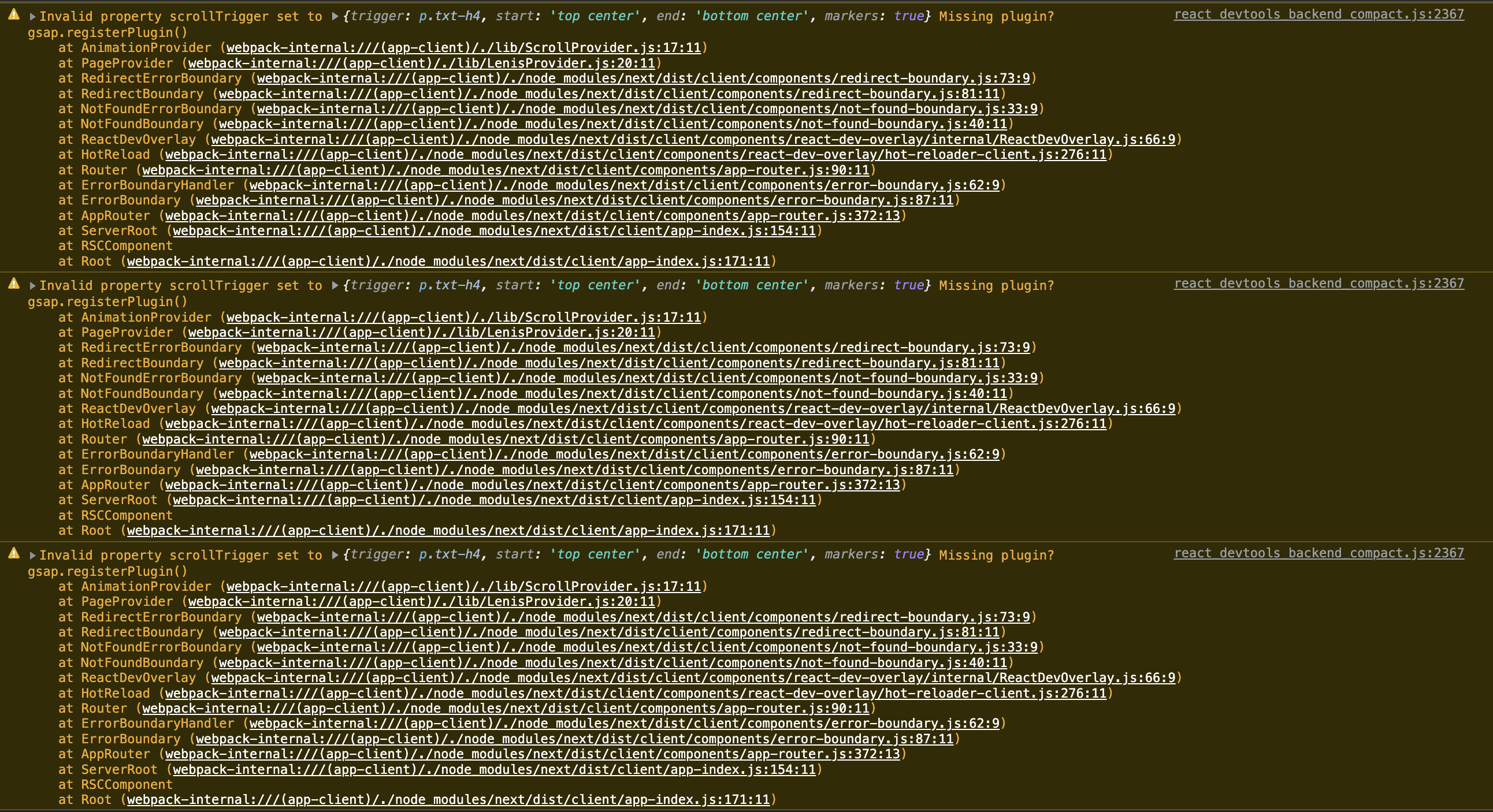
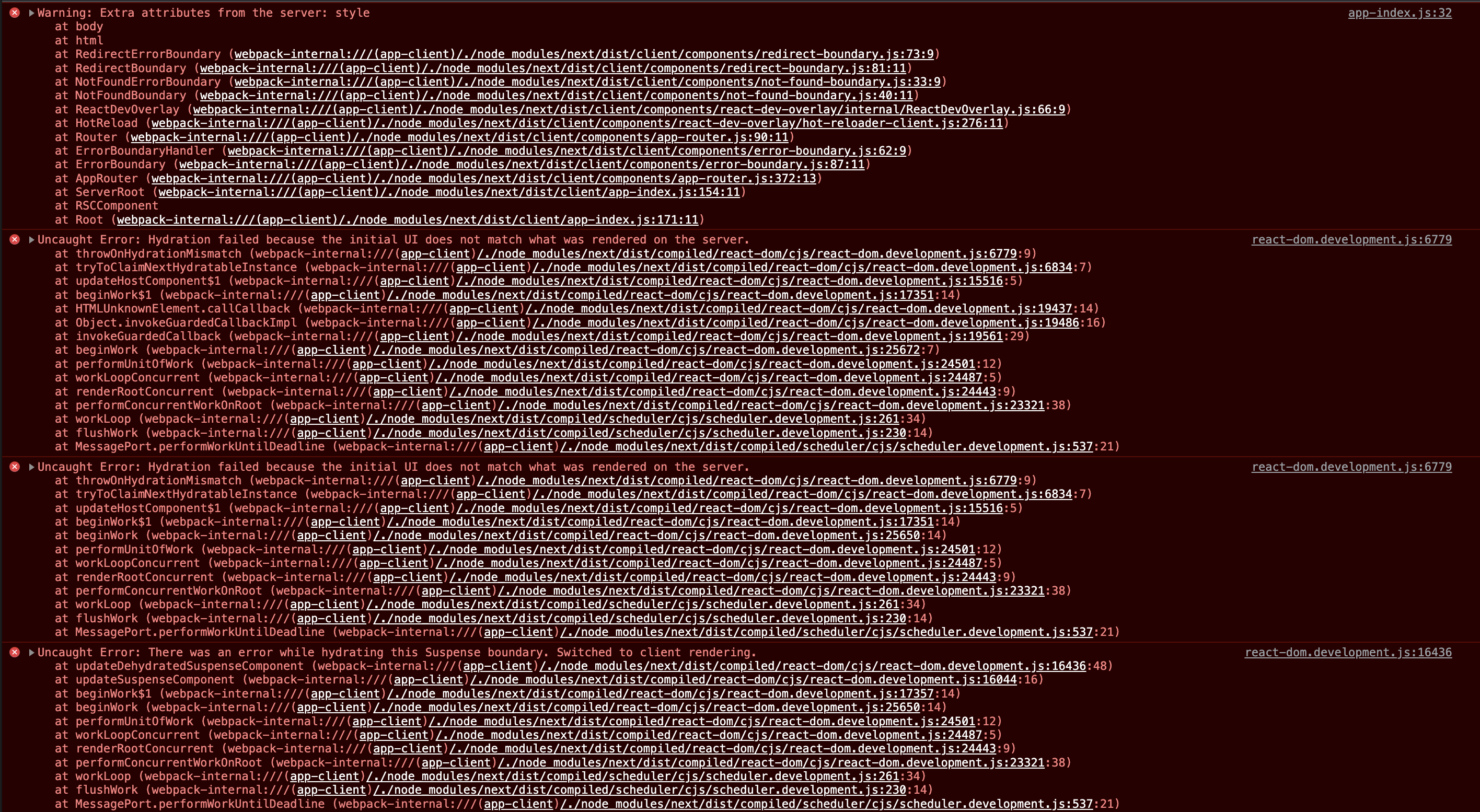
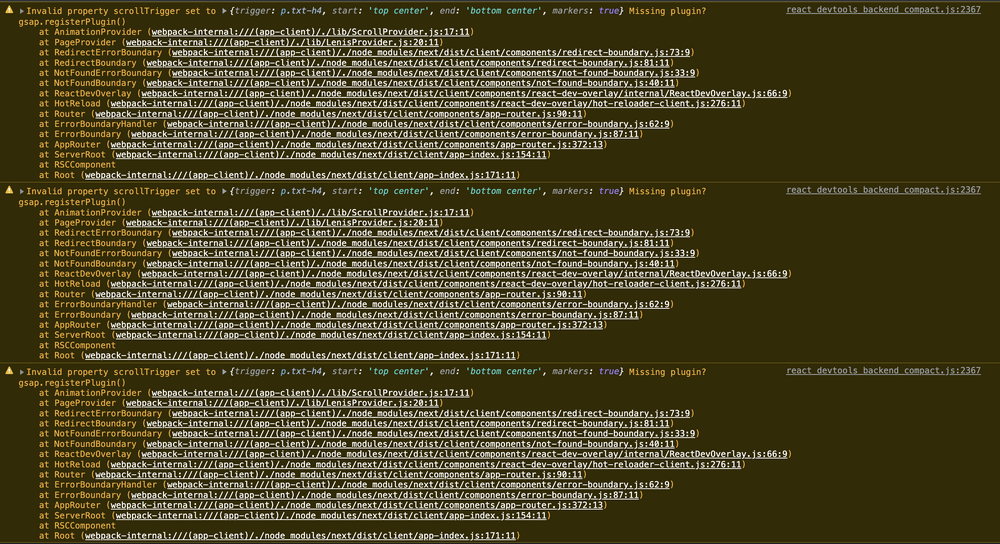
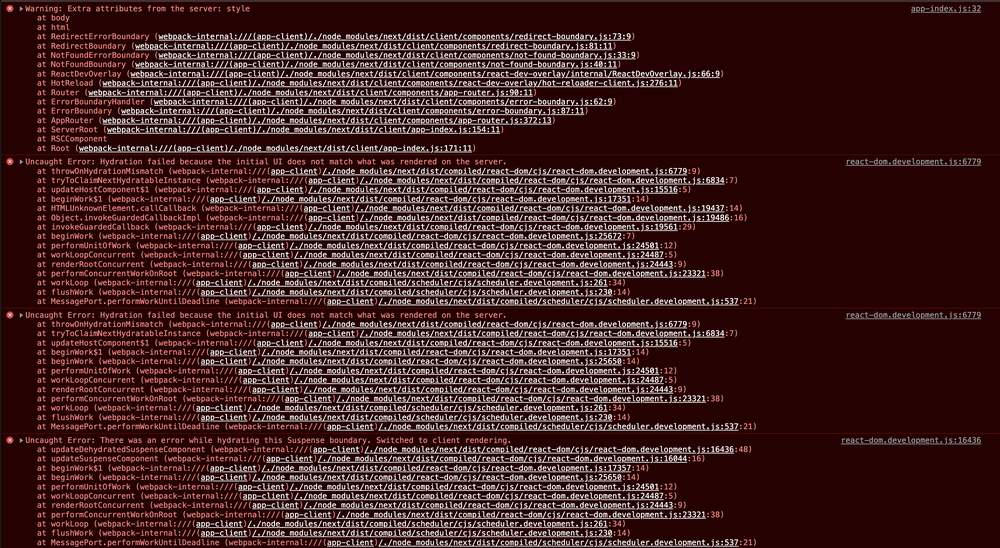
Hey there! I hope I can find an expert who can help me out. I want to add ScrollTrigger and SplitText to my NextJS project. Inside of this project I'm using the new "App-Router". With that said, the problem occurs. The previous "_layout.js" file is now "layout.js". So to register PlugIns only once, I tried to import ScrollTrigger & Splittext like so: import { ScrollTrigger } from 'gsap/dist/ScrollTrigger' // & gsap/ScrollTrigger doesn't work too import { SplitText } from 'gsap/dist/SplitText' // & gsap/SplitText doesn't work too gsap.registerPlugin(ScrollTrigger, SplitText) This works fine at the first glance. Now I want to setup a Provider which provides all the scroll-animations. When I want to access ScrollTrigger or SplitText it "missing plugin"... so it isn't global.. But when I want to import & register the plugins into my provider I get this error on every page-reload. Sooo I don't know what I can do. Hope somebody of you knows how to solve this problem. Or how to use the plugins probably with React in generall.. And I also have to mention, that those error only appear when is add the code gsap.registerPlugin(ScrollTrigger, SplitText) to the page..
-
Hello everyone. There is a problem with pinning the element via Scroll Trigger. I do everything according to the documentation, but unlike the example, I have the transform: translate property added for the target element. I tried to apply pinning to any other DOM element to find the problem in my code, but the result is always the same. I can't understand what this behavior is related to. I set the ending position += 100 for the test, initially I do not specify the end property so that the page continues scrolling after the animation, but in this case the translate property becomes about 1700px and it is very difficult to test. the page just breaks Screenshots: https://disk.yandex.ru/d/oAheog2IPXLONA
-
 On clicking the link scrollTrigger in the below error demo and scrolling the section is not being pinned but on manually refreshing the page the it is getting pinned and works fine, on removing any transition animations the pin works as well still works. Here's a link to the same error that I replicated. https://stackblitz.com/edit/nextjs-rdx4ro?file=pages%2Fscroll.js P.S I am a gsap noob and im still learning
 -
 I have applied id="smooth-wrapper" and id="smooth-content" by wrapping with div. But it is not working. I followed https://codesandbox.io/s/stupefied-minsky-pzceim?file=/src/App.js:733-752 but couldn't understand how to apply ScrollSmoother in these component based structure.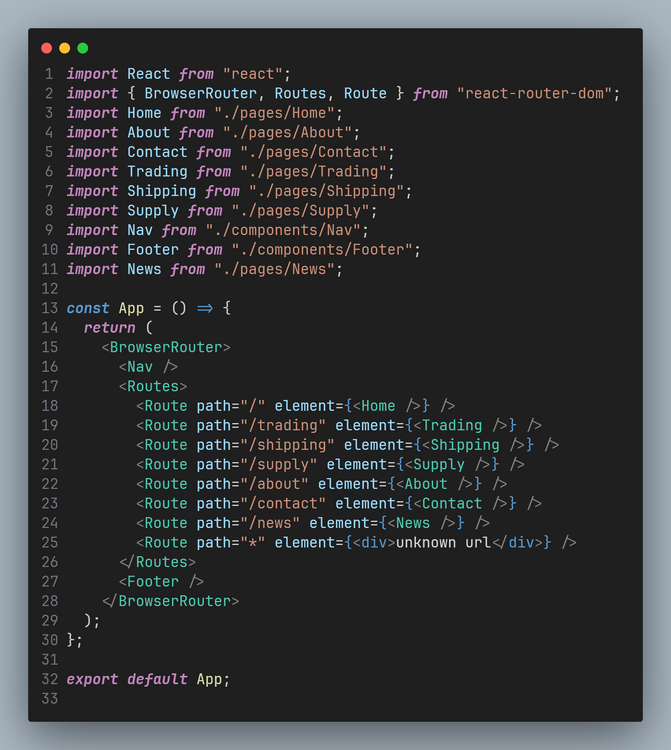
-
Hi there, I am using ScrollTrigger a lot, its a fantastic addition! the only issue I've run into so far is cleaning up when using ScrollTrigger.matchMedia() when un-mounting in my React components. I've tried killing all ScrollTrigger instances, and killing timelines individually. simplified setup below: const buildTimeline = () => { // ... setup stuff ScrollTrigger.saveStyles([boxRef.current, mobileRef.current]); ScrollTrigger.matchMedia({ '(min-width: 720px)': () => { if (!boxRef.current) { console.log('boxRef does not exist'); } ScrollTrigger.create({ // config stuff animation: desktopTimeline.current .to( // animations ) }); }, '(max-width: 719px)': () => { if (!mobileRef.current) { console.log('mobileRef does not exist'); } ScrollTrigger.create({ // config stuff animation: mobileTimeline.current .to( // animations ) }); }, }); } useEffect(() => { if (!hasMounted.current) { hasMounted.current = true; buildTimeline(); } return () => { // kill all ScrollTrigger[s] ScrollTrigger.getAll().forEach(t => t.kill()); // try killing individual timelines also mobileTimeline.current.kill(); desktopTimeline.current.kill(); } }, []); This would normally work ok on ScrollTrigger instances generally - or at least it seems to! - but if I'm using matchMedia I'll still get media query change events firing where the component is unmounted (i.e. navigating to a different route). any idea what I'm missing here?
-
 code sandbox link (I was messing with this file and forgot to fork it, so I apologize, the file is now as it should be) In my little basic nextjs demo here (link above), I have set up an idea for a page I have where it would use a fixed position layout as you see here. I have three questions that are hopefully not too long: 1. Is this a good way to set up such a layout with gsap (using stacked, standard flow elements, in this case, the yellow and green lines in the middle of the page (which would be hidden in the actual site) to trigger the scrolling animation) or do you think there is a better way to achieve this? 2. If I scroll any amount of distance and hit refresh, the page doesn't reload from the beginning it just reloads and the scroll bar remains in place. What should I do to make it start back from scratch when I refresh the page? 3. I was trying out smooth-scroller, got it to work and it's very nice of course; however, If I have A setup like this in nextjs with these fixed elements which the smooth-scroller docs say to put outside the smooth content wrapper, I would have the main content in a wrapper (this wrapper would have smooth-scroller) then the fixed elements in their own parent div and then wrap all of that in say a react fragment or div because of course this is react and all components must only render one element. But when I do that smooth-scroller doesn't work anymore, So I'd love to see how smooth-scroller would get applied to this setup. Also, is there a way to make smooth-scroller work in code sandbox?
 -
Hi GSAP community! Hope you're doing well! I would like have an answer about multiple paragraph animated with the SplitText module in react environment. In fact, i'm tryin to make a dialog box with multiple paragraph that I split to make an effect like in a video game. My problem is I would like to remove the previous paragraph before the new one start his animation so that it'll appear at the top of the dialog box. I made a codesandbox (sorry i didn't find a way to make it works with codepen) here : https://codesandbox.io/s/adoring-currying-12sedl? Is there a way to do that ? Thanks in advance.
-
I am building react project with GSAP. I am trying to create an animated div that will scale up based on scroll. My animation works perfectly on codepen demo. But when implementing it in my project, it sets the markers wrongly. But when I change routes, and come back, the markers automatically get set perfectly. Please watch the video for better understanding, or go to this link https://ayank007.github.io/newportfolio/# Source code: https://github.com/ayank007/newportfolio/blob/master/src/components/Work/index.tsx in line 37 Can anyone please help me, what went wrong. Thank you. Untitled.mp4
-
 Suppose I have a section which has a few elements belong to a "circle" class with their own sets of animations defined in a useEffect hook in the very same component itself. Then I have another component with different elements belonging to the "circle" class but with their own set of animations that are different from the first ones defined in their own useEffect hook in the component itself. Would these two animations interfere with each other and also target the animations in the other component or would it be scoped properly? Currently because I am not sure about this I am just using contexts to scope the animations within each component.
 -
 Hello, I'm currently working on a project where I would need to pin a container and keep the scroll going in the right column. However I'm running into an issue where the ScrollTrigger markers seems to be offset with the panels. I can't get the left content ends when it reaches the next trigger. Here is a simplified version: https://codesandbox.io/s/romantic-fast-xwfefy I notice that the speed of the right columns seems to be "parrallaxed" to the markers. What I am trying to do: Coordinate the appearing of the pinned left content while scrolling the right content. Thank you
 -
I have a useEffect hook which does some animations which goes like this - useEffect(() => { const ctx = gsap.context(() => { const tl = gsap.timeline(); tl.from(".hero-text", { opacity: 0, x: "-5vmin", delay: 1, duration: 1, ease: "expo.out", stagger: 1, }); tl.to( ".hero-text", { letterSpacing: "0.1em", stagger: 0.9, }, "-=2.5" ); }); return () => ctx.revert(); }, []); I have another animation that I want to run after this animation has ended, but if I add it inside the same useEffect hook it'll make the code a bit messy. I can definitely have a completely different useEffect hook and write the animation there but that way I won't be able to use the timeline defined for this animation. Currently I am just using a delay but I feel like that ain't the best way of achieving the result I want. Is there a way I can add an animation to the same timeline while making sure that the code ain't really messy. Can contexts help in this? Having the animations inside useEffect ain't necessary for my purpose so am open to any sort of suggestions that can be implemented in React, or specifically NextJS.
-
Hi! I'll be very appreciated if you help me figure out how to reinitialize animation by the best way using React. I have flex containers, so when i change window height, i want my animations get new values, such as 'scrub = 3' on window size more then 600px, or 'scrub = true' otherwise, because on small height 3 seconds scrub will break animation. Also some elements wants to know actual window size for right positioning. You see, purple square want to move directly to the middle of next section, so we set 'y' value as section height, which exactly is window.innerHeight tlFromBot.to('#purpleSquare', {y: window.innerHeight, rotation: 360}, 0) But window.innerHeight is dynamic value, so what the best way for smooth reinitializing values, recreate new animations or maybe somehow change values in existing animations?
-
 Hi, I've built a React site with GSAP and LocomotiveScroll, and added a bunch of ScrollTriggers. Everything works fine and as expected in my local machine, however, when I deploy the site into vercel all the animations that were suppose to get triggered with ScrollTrigger immediately start animating as soon as the page loads. I've seen some other forums with the same problem, however, none of those solutions have worked for me like changing .from() into .fromTo() or calling gsap.registerPlugin(ScrollTrigger) inside useEffects() of every page with a ScrollTrigger animation or adding "lazy: false". I get a this below error in all the pages that has a ScrollTrigger: react_devtools_backend.js:2655 Invalid property scrollTrigger set to {trigger: '#main', start: 0, end: '+=50%', scrub: true, scroller: '#main-container', …}end: "+=50%"lazy: falsescroller: "#main-container"scrub: truestart: 0trigger: "#main"[[Prototype]]: Object Missing plugin? gsap.registerPlugin() ----------------------------------------------------------------------------------------------------------------------------------------------------------------------------------------------- almost all of the pages with a ScrollTrigger has a code like this: const Skills = () => { useLocoScroll(); const mainRef = useRef(); useEffect(() => { gsap.registerPlugin(ScrollTrigger); const ctx = gsap.context(() => { gsap.from("#curtain", { duration: 10, x: "-100vw", ease: Power4.ease, scrollTrigger: { trigger: mainRef.current, start: "top top", end: "bottom center", scrub: true, scroller: "#main-container", toggleActions: "play none none reverse" } }) }, mainRef) return () => ctx.revert(); }, []) return ( <> <div style={{position: "relative", overflow: "hidden"}}> <div style={{position: "relative", overflow: "hidden", height: "100vh"}} ref={mainRef}> <div className={styles.curtain} id="curtain"></div> <div className={styles.pageTransitionBlack} id="main"> <Navbar /> <Header headerText={"My Skills"}/> </div> </div> </div> </> ); } export default Skills;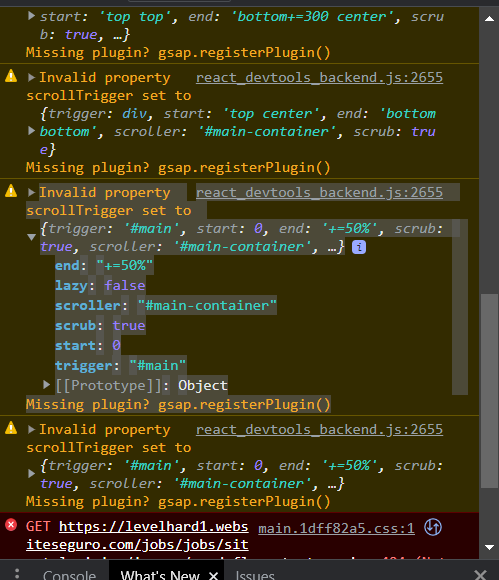
-
hey!! suuupper new to GSAP. I am trying to replicate this website's "master your money" section animation https://jupiter.money/ . I have tried to implement it. Below is my code which I tried so far. import React, { ReactElement, useEffect, useState } from "react"; import gsap from "gsap"; import { useLayoutEffect, useRef } from "react"; import ScrollTrigger from "gsap/dist/ScrollTrigger"; gsap.registerPlugin(ScrollTrigger); const spotlights = [ { id: 1, icon: "", title: "Master coding with interactive practice.", }, { id: 2, icon: "", title: "Build coding skills with practice problems.", }, { id: 3, icon: "", title: "Practice coding, unlock your potential.", }, { id: 4, icon: "", title: "Earn coding certifications with tests.", }, { id: 5, icon: "", title: "Guided learning with courses.", }, ]; const togglePosition = "fixed left-0 right-0 w-full"; const Spotlights = () => { const [mount, setMount] = useState<boolean>(false); const [activeSlide, setActiveSlide] = useState<number>(0); const component = useRef() as React.MutableRefObject<HTMLDivElement>; const sliderContainer = useRef() as React.MutableRefObject<HTMLDivElement>; useEffect(() => { setMount(true); }, []); const tl = useRef(); useLayoutEffect(() => { let ctx = gsap.context(() => { let container = document.getElementById("spotlights"); let contents: HTMLElement[] = gsap.utils.toArray(".content"); gsap.set(contents, { autoAlpha: 0, y: 500 }); let tl = gsap.timeline({ scrollTrigger: { trigger: component?.current, scrub: 1, pin: true, pinType: "fixed", pinSpacing: true, start: "center center", end: () => "+=" + window?.innerHeight * 3, markers: true, onUpdate: (self) => { // get the active slide index based on the ScrollTrigger progress const activeIndex = Math.round(self.progress * contents.length); setActiveSlide(activeIndex - 1); }, }, }); contents.forEach((content: any, idx) => { tl.to(content, { duration: 0.33, opacity: 1, autoAlpha: 1, keyframes: { y: [1000, 200, idx * -content.offsetHeight], }, }); }); }, component); return () => ctx.revert(); }); return ( <section id="spotlights" className={` spotlights bg-[color:var(--theme-color5)] h-full`} > {/* /* -------------------------------- LEFT PANE ------------------------------- */} <div ref={component} className="spotlight--container md:flex px-4 h-full flex-col-reverse md:flex-row items-start hidden max-w-6xl mx-auto" > <div className={`py-12 lg:py-20 relative lex-1 text-center lg:text-left lg:mr-6`} > <h2 className="text-[1.5rem] sm:text-4xl md:text-4xl lg:text-4xl pt-2 pb-3 mb-7"> <span className="text-[color:var(--secondary-color)]"> spotlights </span> of abc </h2> <ul className="flex flex-col gap-2"> {spotlights.map((item, idx) => { return ( <> <li key={item.id} className={`transition-all ease duration-300 ${ activeSlide === idx && "bg-[color:var(--theme-color3)] rounded-md" }`} > <h4 className="flex p-4 rounded-md font-medium transition-all ease duration-1000 text-xl text-[color:var(--theme-color2)]"> <span className="ml-4">{item.title}</span> </h4> </li> </> ); })} </ul> </div> {/* /* ------------------------------- RIGHT PANE ------------------------------- */} <div id="right" ref={sliderContainer} className="container flex-1 ml-6 relative h-[inherit]" > {spotlights.map((item, idx) => { return ( <> <div key={idx} data-controller="scroll-spotlight" id="one" className={`content content1 h-full transition-transform ease duration-2000 bg-[color:var(--secondary-color-light)] flex justify-center items-center z-[${ idx * 10 }] absolute w-full`} > {item.title} </div> <div className="spacer h-[inherit]"></div> </> ); })} </div> </div> </section> ); }; export default Spotlights; It's behaving weird. I am not sure what is actually going wrong. The animation speed is too fast and the sliding animation on scroll isn't working i want it to. I have been stuck with this for two days. Any help is appreciated. the link to current working is attached below https://drive.google.com/file/d/1u89IQHwBlYncTxg3e64OzRV2I1sl6lqE/view
-
I just started learning react.js with gsap and stuck at this point useEffect(() => { const cx = gsap.context(() => { const tl = gsap.timeline({ scrollTrigger: { trigger: '.home', start: 'top top', end: "+=" + window.innerHeight * 3, pin: true, scrub: 1 } }) }, main_ref) return ()=>{ cx.revert() } }) my question is that, How can I declare this timeline globally because I want to use this timeline in multiple components or there is any other way to perform the same thing. And yeah, this timeline is declared in the App.jsx file which is the main file of my project. Thanks in advance.
-
Hi, im trying to convert an existing draggable codepen to work with react. But its not working. it only works when i swipe to the left or hit the prev button, swiping next doesnt work. Also, it doesn't snap. I'm new to gsap and not sure where i'm going wrong. i omitted the timer to disable the automatic swiping to help troubleshooting. the codepen i'm trying to convert to react: https://codepen.io/osublake/pen/veyxyQ