Search the Community
Showing results for tags 'usegsap'.
Found 10 results
-
Hello everyone, I want to switch component to render using gsap but currently it overlaps eachother. my current code is: https://stackblitz.com/edit/stackblitz-starters-egrwn8?file=app%2Fpage.tsx
-
Hello everyone, I want to make some animations just like here: https://gsap.com/community/forums/topic/32504-loop-through-an-array-of-text-and-display-on-screen/?do=findComment&comment=175412&_rid=151858 but using Svg components. I basicaly want to switch between svg components instead of texts. My current work is here: https://stackblitz.com/edit/stackblitz-starters-egrwn8?file=components%2FLogo%2Findex.tsx Any help really appreciated!
-
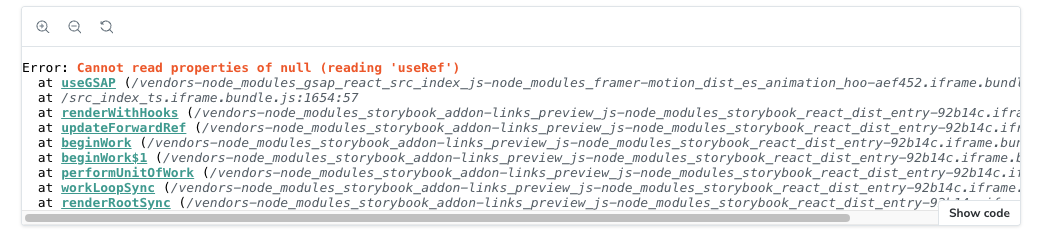
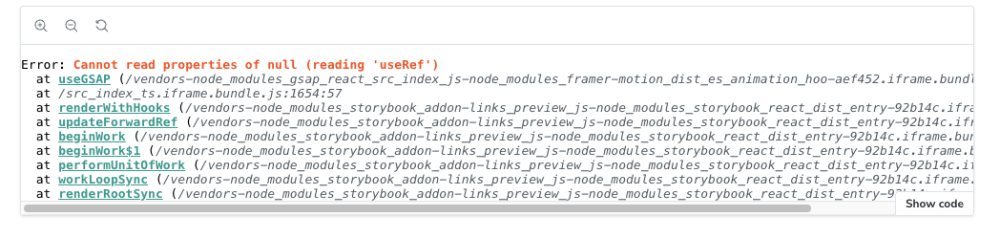
I'm just starting out with React and `useGSAP` and I'm running into an issue with out what appears to be the hook registering: react.development.js:1630 Uncaught TypeError: Cannot read properties of null (reading 'useRef') at useRef (react.development.js:1630:1) at useGSAP (index.js:32:1) However, despite this error - I can console.log the `useGSAP` hook, and also the `gsap` package and both are successfully loaded. This error message happens when I try to use useGSAP. This is the error message i'm getting: Segment.tsx:39 Warning: Invalid hook call. Hooks can only be called inside of the body of a function component. This could happen for one of the following reasons: 1. You might have mismatching versions of React and the renderer (such as React DOM) 2. You might be breaking the Rules of Hooks 3. You might have more than one copy of React in the same app See https://reactjs.org/link/invalid-hook-call for tips about how to debug and fix this problem. printWarning @ react.development.js:209 error @ react.development.js:183 resolveDispatcher @ react.development.js:1592 useRef @ react.development.js:1629 useGSAP @ index.js:32 (anonymous) @ Segment.tsx:39 react.development.js:1630 Uncaught TypeError: Cannot read properties of null (reading 'useRef') at useRef (react.development.js:1630:1) at useGSAP (index.js:32:1) at Segment.tsx:39:1 at renderWithHooks (react-dom.development.js:16305:1) at updateForwardRef (react-dom.development.js:19226:1) at beginWork (react-dom.development.js:21636:1) at HTMLUnknownElement.callCallback (react-dom.development.js:4164:1) at Object.invokeGuardedCallbackDev (react-dom.development.js:4213:1) at invokeGuardedCallback (react-dom.development.js:4277:1) at beginWork$1 (react-dom.development.js:27451:1) here's what i have so far: import React, { forwardRef, useEffect, useCallback, useRef } from "react"; import { useActiveSegment, BkExpeditionContextValues, } from "src/BkExpedition/index"; import { mergeRefs } from "src/util/mergRefs"; import clsx from "clsx"; import gsap from "gsap/dist/gsap"; import { useGSAP } from "@gsap/react"; gsap.registerPlugin(useGSAP); export type SegmentProps = Omit< React.ComponentPropsWithoutRef<"section">, "onAnimationStart" | "onDragStart" | "onDragEnd" | "onDrag" | "onDragOver" > & { segmentKey: BkExpeditionContextValues["activeSegment"]; }; export const Segment = forwardRef<HTMLDivElement, SegmentProps>( (props, ref) => { const { segmentKey, className, children, ...restOfHtmlAttrs } = props; const { activeSegment, previousSegment } = useActiveSegment(); const isActive = activeSegment === segmentKey; const sectionRef = useRef<HTMLDivElement>(null); const animateInTL = useRef<gsap.core.Timeline>(); const animateOutTL = useRef<gsap.core.Timeline>(); useGSAP(() => { // console.log("sectionRef", sectionRef.current); // if (sectionRef.current === null) return; // // animateInTL.current = gsap // .timeline({ paused: true }) // .fromTo(sectionRef?.current, { x: "100%" }, { x: "0%" }); // animateOutTL.current = gsap // .timeline({ paused: true }) // .fromTo(sectionRef?.current, { x: "0%" }, { x: "-100%" }); }); useEffect(() => { if (previousSegment === null) { return; } if (activeSegment === segmentKey) { animateInTL?.current?.play(); return; } if (previousSegment === segmentKey) { animateOutTL?.current?.play(); return; } }, [activeSegment, previousSegment, segmentKey]); return ( <section ref={mergeRefs(ref, sectionRef)} {...restOfHtmlAttrs} aria-hidden={!isActive} className={clsx(className, styles.segment, isActive && styles.isActive)} style={{ transform: isActive ? "translateX(0%)" : "translateX(100%)", }} > {children} </section> ); }, ); Segment.displayName = "Segment"; Am i not registering the book in the right place? Should it be registered inside the function component? FWIW - I plan to use this component in Next.js. Any help would be really appreciated -Gabriel
-
Hi everyone. I'd like to create an animation that plays in a loop and also plays when I scroll. Animation: animates the css clip-path property of the images according to the current index. Currently, when the component is mounted, the animation plays correctly but remains stuck on the last image of the array. And when I scroll, nothing happens. Does anyone have a solution or know where to find the bug ? Thank you in advance Demo link : https://stackblitz.com/edit/gsap-react-basic-f48716-ebgh4d?file=src%2FApp.js I was inspired by the following examples: https://codepen.io/GreenSock/pen/wvZjeGN?editors=1010 https://codepen.io/GreenSock/pen/XWzRraJ?editors=1010
-
 Hello! I encountered a problem when I was using the useGSAP hook for React, scrollTrigger, and content with dynamic height. The situation is as follows: somewhere on the page, we have a component with dynamic height, in this particular case we have tabs with their own content. Just below, there are expanding accordions. The height of the content in the tabs and accordions can vary. Further down the page, there is a block with GSAP animations (there will be several of them), which uses the React useGSAP hook. I have encountered 2 problems. The first problem is that, for example, the block with animation is not updated while opening an accordion. This can be clearly seen in this example - it contains the necessary minimum to see the error. When clicking on the accordion toggler, the animation start label remains in the same place. When scrolling to it with the accordion open, the animation fails. https://codepen.io/tis-cake/pen/OJGxdVG The second issue is related to passing dependencies into the useGSAP hook. If I understand correctly, one of the solutions to my problem is to pass the height of, for instance, the body tag as a dependency. When the accordion is expanded, the height of the body changes - and at this stage, do I need to update the animation? When passing this value into the dependencies array, the animation fails even with the accordion closed. Would u mind helping me with the understanding of the direction in order to solve this problem? I'm convinced I'm doing something wrong?
 -
 Hi everyone, I'm experiencing an issue with my animation. I've searched through existing topics, but couldn't find a solution that matches my problem. To provide some context, I've created a dynamic page for displaying project details. It consists of a description section on the left and an image section on the right. The description is scrollable, and the image changes based on the current description. The issue like i start from project/1 i show all there descriptions all good but when i go to the project/2 or project/^n the scroll still in the register or some where that affect to my animation (the scroll affect to the first image because the scroll still ) ,However, everything works fine if I refresh the page like what i want , So, I'm looking for a solution to reset the ScrollTrigger and resizing functionality dynamically. (methods or props in the useGSAP) Thanks for your help, and I apologize for the lengthy explanation. I just wanted to ensure the context is clear. gsap.registerPlugin(ScrollTrigger); const workInfoItemsRef = useRef(); let imageRefs = useRef([]); const ParrentRef = useRef(); useGSAP( () => { // initialise the imageRefs if ( workInfoItemsRef.current && imageRefs.current.length > 0 && NumberOfFeature > 1 ) { // N2aficti ZIndex directly lrefs: imageRefs.current.forEach((item, index) => { item.style.zIndex = imageRefs.current.length - index; }); // nInitialiser clip-path b refs: gsap.set(imageRefs.current, { clipPath: function () { return "inset(0px)"; }, }); // nCriyi l'animation : const animation = gsap.to( imageRefs.current, // fiha ta last child ! rd lball { clipPath: function (i) { return i != imageRefs.current.length - 1 ? "inset(0px 0px 100% 0px)" : "inset(0px)"; }, stagger: 2, ease: "none", } ); // nCriyi ScrollTrigger l Parrent ref: ScrollTrigger.create({ trigger: ParrentRef.current, start: "top bottom", // markers:true, animation: animation, scrub: 1, }); } }, { dependencies: [CurrentProject], scope: ParrentRef, revertOnUpdate: true } );
-
Hello dear GSAP community. I face a challenge, trying to use "useGSAP" hook and define one reference to main element as scope. I would like to call functions from useGSAP hook but... i still want to respect scope for element selectors. When i target any element to perform .to(), i would like to search that element inside my scope. Currently i feel like i am breaking the code with given approach and once i call functions outside useGSAP then scope is also lost. Can someone aid me with this logic to make right decisions. Thank you to all great professionals out there 🙏 const Home = () => { const mainRef = useRef(null); ... // example of usage const func1 = (tl: Timeline, mainRef: MainRefType) => { const homeIntroSubTitle = `${mainRef.current} .home__intro h2`; const homeIntroButton = `${mainRef.current} .home__intro-button`; const homeFeatureItem = `${mainRef.current} .home__feature-item`; gsap.set([homeIntroSubTitle, homeIntroButton, homeFeatureItem], { y: -10, opacity: 0 }); tl.to(homeIntroSubTitle, { y: 0, opacity: 1, duration: 1 }, 0); tl.to(homeIntroButton, { y: 0, opacity: 1, duration: 1 }, 0); tl.to(homeFeatureItem, { y: 0, opacity: 1, duration: 1, stagger: 0.3 }, 0); } useGSAP(() => { const tl = gsap.timeline(); func1(tl, mainRef); func2(mainRef); func3(mainRef); }, { scope: mainRef }); return ( <main className='home' ref={mainRef}> ... ) }
-
Hello! I think I got trouble understanding how should I use GSAP in my Next.js project, in particular, ScrollTriggers, how to initialize and kill them on resize and pathname change. Let me share you my component (it's a Prismic slice in case you wonder about the syntax). I removed some parts which are irrelevant. The aim of this code is to pin the smaller "intro" div, until we scroll through the whole container. Then it sticks to the bottom of it. This code actually works, but I've got a couple problems with it. 1. Resizing works really slow. It feels like a lot of stuff is happening in the background and it feels wrong. But it still kinda works. 2. Second issue is major and it's blocking me from going further. The line that kills ScrollTriggers applies to all the ScrollTriggers across the projects, including those from other components! How should I set it up properly? I will appreciate any advice! 'use client'; import { useRef } from 'react'; import gsap from 'gsap'; import ScrollTrigger from 'gsap/dist/ScrollTrigger'; import { useGSAP } from '@gsap/react'; const Values = ({ slice }: ValuesProps): JSX.Element => { const container = useRef<HTMLDivElement>(null); const intro = useRef<HTMLDivElement>(null); const setupSTs = (offset: number) => { // I don't need a pin on mobile screens <= 768 if (window.innerWidth > 768) { ScrollTrigger.create({ trigger: container.current, start: 'top top', end: `bottom bottom-=${offset}`, pin: intro.current, }); } }; const initSTs = () => { // This line breaks my other components, but if I disable it, resizing for this component doesn't work anymore ScrollTrigger.getAll().forEach((ST) => ST.kill()); if (intro.current) { let introHeight = intro.current.clientHeight; let offset = window.innerHeight - introHeight; setupSTs(offset); } }; // Is it a correct use of useGSAP? useGSAP( () => { gsap.registerPlugin(ScrollTrigger); initSTs(); ScrollTrigger.addEventListener('refreshInit', initSTs); }, { scope: container } ); return ( <section ref={container} > <div className={styles.values__wrapper}> <div ref={intro} className={styles.values__intro}> (...) </div> <div className={styles.values__container}> (...) </div> </div> </section> ); }; export default Values;
-
I'm new to GSAP and try to use it with Next.js (React.js). I understand Tween and Timeline, but still can't get my head around Flip. I want to make Grid item view just like the example, but with useGSAP in React. I still can't make it flip. Is there any similar example I can follow?
-
Hi all, I'm trying to apply an animation to a certain scope only, using useGSAPs scope option. The weird thing is, on my local react project it only works, if I add ".current" in {scope: ref.current}. Then, however, it also affects elements outside of the scope. If I only write {scope: ref}, the elements outside the scope aren't affected, but neither are the ones inside the scope. I tried recreating the issue in this stackblitz, but here's it's working as intended 🤯😩 https://stackblitz.com/edit/react-avrbpg?file=src%2FApp.js Any idea, what I could be doing wrong locally? I checked a million times that the ref is on the right div...