Search the Community
Showing results for tags 'cubic'.
Found 4 results
-
Hi GSAP Team & Contributors, I've had hard times to make "1D cubic path" working. According to the following codepen, simply extracting the y property of a working curve data doesn't produce the same tween : let points = [{x:0,y:0},{x:50,y:0},{x:100,y:50},{x:100,y:100}]; // Reference Y let yValues= [{y:0} ,{y:0} ,{y:50} ,{y:100}]; // Not the same tween/smoothing GreenBall is 2D cubic path, as BlueRect is 1D cubic path using the same values https://codepen.io/swingingTom/pen/qBPBQQP A workaround a could have imagine is to tween another fake property in order to have a two-dimensional properties let points = [{x:0,y:0} ,{x:50,y:0} ,{x:100,y:50} ,{x:100,y:100}]; // Reference Y let yValues= [{y:0,foo:0},{y:0,foo:50},{y:50,foo:100},{y:100,foo:100}]; // Not the same tween/smoothing But according to this codepen, it won't work : https://codepen.io/swingingTom/pen/NWaWOXX I start to believe that `type:cubic` require both `x` and `y` property to produce the cubic smoothing. For now, my only working workaround is to animate a proxy target, that only reports "y" property on the real target to be animated. https://codepen.io/swingingTom/pen/GRMRYav gsap.to(proxyTarget, { duration: 3, ease: "none", repeat: -1, yoyo: true, motionPath: { path: cubicPoints2D, type: "cubic" }, onUpdate: function () { gsap.set(realDisplayTarget, { y: proxyY.y }); } }), I know that looks more like I should use CustomEase for the prodived cases, but I would like to know better the cubic motionpath features and its limitations.
-
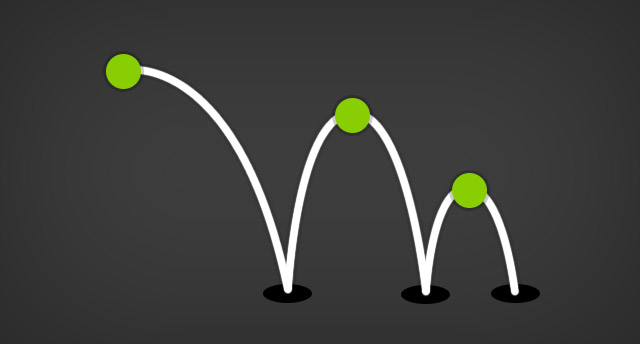 Note: This plugin was replaced with MotionPathPlugin in GSAP 3. Please see the GSAP 3 release notes for details. Animate virtually any property (or properties) along a curved Bezier path which you define as an array of points/values that can be interpreted 4 different ways (described as the Bezier's "type", like type:"soft"? "thru" (the default) - the plugin figures out how to draw the Bezier naturally through the supplied values using a proprietary algorithm. The values you provide in the array are essentially treated as anchors on the Bezier and the plugin calculates the control points. The target's current/starting values are used as the initial anchor. You can define a curviness special property that allows you to adjust the tension on the Bezier where 0 has no curviness (straight lines), 1 is normal curviness, 2 is twice the normal curviness, etc. Since "thru" is the default Bezier type, you don't need to define a type at all if this is the one you want. "soft" - the values that you provide in the array act almost like magnets that attract the curve towards them, but the Bezier doesn't typically travel through them. They are treated as control points on a Quadratic Bezier and the plugin creates the necessary intermediate anchors. The target's current/starting values are used as the initial anchor. "quadratic" - allows you to define standard Quadratic Bezier data (Quadratic Beziers have 1 control point between each anchor). The array should start with the first anchor, then control point, then anchor, control point, etc. for as many iterations as you want, but obviously make sure that it starts and ends with anchors. "cubic" - allows you to define standard Cubic Bezier data (Cubic Beziers have 2 control points between each anchor). The array should start with the first anchor, then 2 control points, then anchor, 2 control points, anchor, etc. for as many iterations as you want, but obviously make sure that it starts and ends with anchors. For full details please consult the BezierPlugin documentation.
 -
Hi, First I want to say how impressed I am from GASP! My question is: How can I make a cubic bezier type rotate? In this codepen an object is animated on a bezier cubic path, where each leg of the path has it's own time length, color and size, but I cannot find a way to set the rotation. How can I do that?... I need a cubic type because I want a different timing for each leg, so I must first create the entire path via bezierThrough() and then animate each leg separately. Thanks, Elior.
-
Hi Jack, For years I looked at this in .as and never dove in, but now in just signed up corporate just so I can use .js version (not interested in flash no more). I need help w/ cubic css3 transform, possibly some consulting for the ticket. When I say cubic, here is an example: <click cubic> http://moobilejs.com/demos/latest/moobile-simulator/index.html He does this w/ very complex css3 and I can't follow, and he does it for the entire page and I just need the form to 'cubic'. Here is his css3: https://github.com/jpdery/moobile-core/tree/master/Styles Can I get some help to get a simple version that just does a 'cubic' of a form? So I can go next, next, next for 15 steps on mobile. thx, Vic