Search the Community
Showing results for tags 'morphsvg'.
Found 124 results


-
I have an animation that shows outlines of areas for few dates over years. As I move the slider I want to display an estimated date for each of the tweens. Meaning, if I have shape data for March 2010 and it's tweening to shape data September 2010 then as I move the slider I want to display the dates like March, April, May, June, July, August, September to show up as I slide. It seems like labels might be the answer but I don't know how to attached to each tween. Or maybe it's with the time property? ideas? Here is my code: var tl = new TimelineMax({onUpdate:updateSlider}); tl.to("#March_2010_small", 1, {morphSVG:"#September_2010_small"}, 0) .to("#March_2010_large", 1, {morphSVG:"#September_2010_large"}, 0) .add("scene2") .to("#March_2010_small", 1, {morphSVG:"#September_2011_small"}, "scene2") .to("#March_2010_large", 1, {morphSVG:"#September_2011_large"}, "scene2"); $("#slider").slider({ range: false, min: 0, max: 1, step:.001, slide: function ( event, ui ) { tl.progress( ui.value ).pause(); }, stop: function () { tl.play(); } }); function updateSlider() { $("#slider").slider("value", tl.progress()); $("#date").text(tl.time()); }
-
First off let me say that I love GSAP! This is a great plugin and I'm having a lot of fun with it. Now onto my issue I'm having an issue when I try to morph multiple paths that are separated by groups. The morph seems to be working ok, but the scale of the resulting image is very small. I'm thinking it has something to do with the svg itself but for the life of me I can't find the issue. Any help would be greatly appreciated. Thanks! http://codepen.io/rmarquardt/pen/JbOVWM
-
Hi everyone, do you want feel magic of GSAP's morphSVG? Or if you think about buy membership, but not sure, i sure, after see it you buy it in anyway. http://codepen.io/dalisoft/full/yVmLVO/ If you like it, please Like it. Thanks to @GreenSock for amazing library and all of helpers for fast reply
-
Ran into an interesting bug the other week. I was using DrawSVG to make an element follow an SVG path (technically a polyline), and Morph SVG's pathDataToBezier feature to grab and convert the polyline to path data. I found that if I named my polyline with a specific naming convention, MorphSVG broke. The ID name I used was path_1_1_1 and for some reason the specific sequence of a repeated underscore and a number broke the plugin. The console log reports "ERROR: malformed path data" but the path is fine; it's the _#_#_# name that breaks things. Please see attached Codepen for a demo. Changing my ID name fixed everything but it took a few hours of QA (and baffled coworkers) to resolve. Since I didn't see any online reports of this issue, I figured I'd post here to bring attention to it.
-
I'm playing around with a whiteboard drawing idea where a hand with a pen draws in the SVG. (i know it's not really a new idea - just playing around with it) I've got it working but when the hand jumps to start drawing in a new line, it's immediate. Wondered what the best way to tween the hand to the first coordinate of a bezier curve would be. Is there some built-in GSAP magic or should I create a bezier from the current point of the hand to the first point of the next line? Any ideas?
-
Hi I have an animation where I want the path data to change at a certain point so I'm using morphSVG. codepen link: http://codepen.io/pauljohnknight/pen/qNNMMz Am I correct in thinking if I want to reverse a morphSVG tween I have to do {repeat: 1, yoyo: true} within the object vars like i have done in the above pen? Normally I would just reverse an animation that is part of a timeline by doing the opposite of from / to etc on the next part of the timeline, but I can't do this with morphSVG because it would mean having the visiblity:hidden css on both compound paths which would then obviously make the animation invisible. I just want to make sure what I've done is the best way to achieve a reverse on a morphSVG tween incase there is a different / preferable way of doing this. It's going to be part of a larger more complex animation where there will be multiple compound paths I'll need to morph to a new shape and then back again. From what I gather I shouldn't use the reverse() method on an individual part of timeline because of where the playhead will start? And if I did, it could get very complicated very quickly doing it that way? Any thoughts / corrections would most welcome. Paul.
-
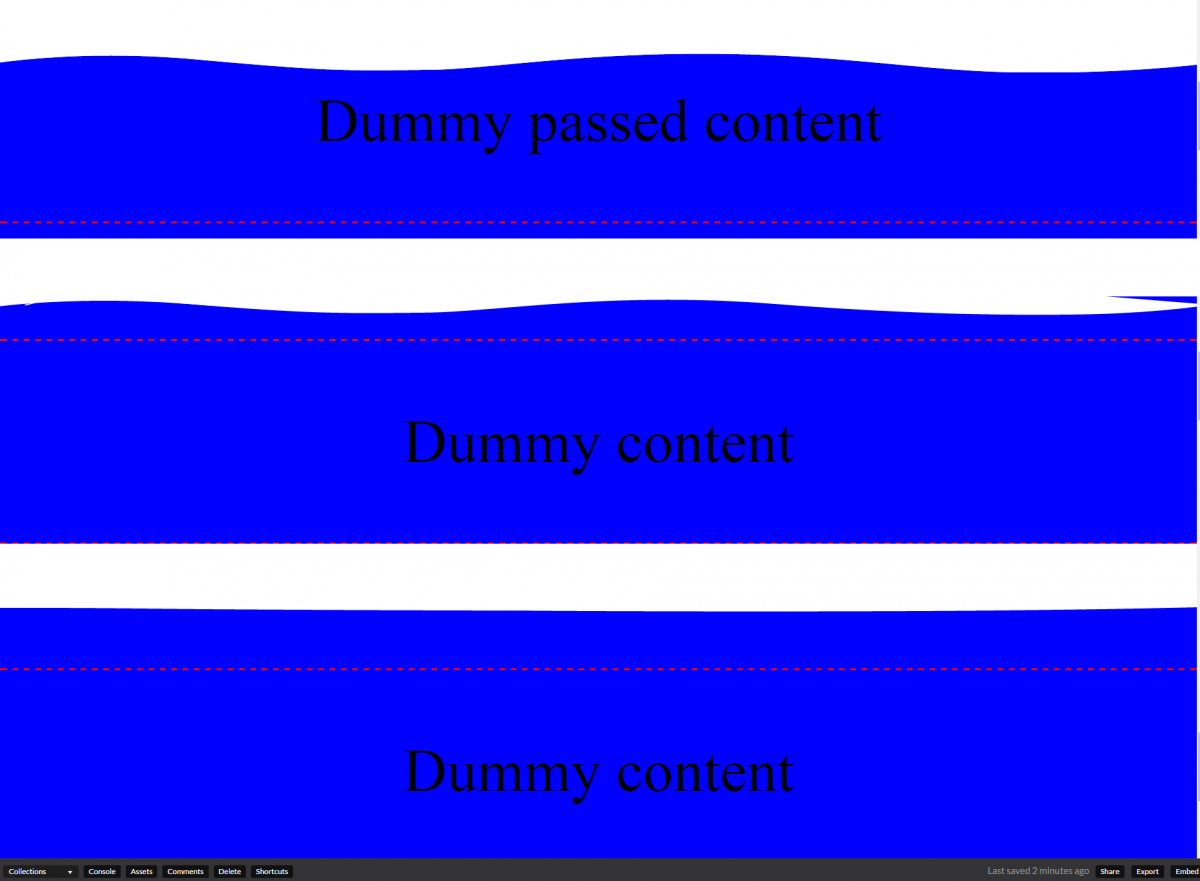
I'm trying to create a wave smoothing effect, where I morphSVG 2 paths together if you have scrolled passed a certain point. How can I make it animate from the bottom only? http://codepen.io/gizmojo/pen/QGMVLE See the issue here during animating between the 2 paths.
-
Hello guys, I recently started developing with GSAP and i love it so far, its really great but my problem is that i am not able to change the anchor point of the circle... even if we assign a top, left and bottom anchor point to it it just takes the default anchor point on the circle due to this issue the animation isn't the same on both sides and it looks really weird. does someone know how to fix this issue? i also saw a solution over here from OSUblake, but i am not able to figure out how to make that work http://greensock.com/forums/topic/14129-morphsvg-change-start-and-end-point/ kind regards
-
Hello there, I'm a complete newbie: I animate this logo: https://codepen.io/silverdesk/pen/ORromA The code is a mess, I had to create 6 timelines to do the same. How can I make it a function, I figure StaggerTo() will do it, but I can't find way to chain multiple morphSVG ... Is this possible? Thanks in advance.
-
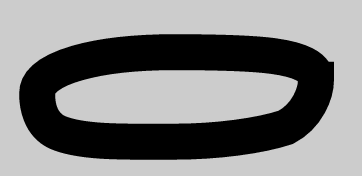
For some reasons, the MorphSVG plugin is producing a strange little edge on the right corner of the SVG. Does someone of the pros have an idea how to fix this? Thank you!


-
 I'm trying to come up with a "better" way to write these morphSVG animations. The issue is that I have about 100+ paths I want to animated all at once. Everything works fine but I'm assuming there must be a more efficient way to do this, maybe with some sort of loop and an array? Then a function that gets called each time it loops? As of right now my project has like 2000 lines of JavaScript and I'm not even finished! In the codepenn you will find a small example with six different elements I'm morphing at the same trigger point. Thanks in advance and have a great day everyone! Kind regards, -Bruno
 -
Hi There, Does anyone have a recommended workflow for using Club Greensock plugins ( e.g. MorphSVG ) alongside the NPM package within a package manager ( notably JSPM )? Should one just brute force the plugins into the build and manually download/unpack/copy updates as needed? Using something more manual like Grunt + Bower, this isn't as much of an issue, but moving off of bower in favor of NPM / JSPM ES6 module-based workflow, it gets a little tricky. Looking for any advice to help keep the project and its dependencies nice and clean. Thanks in advance for your help! J *Edit: similar question here: http://greensock.com/forums/topic/13556-how-do-i-access-pluginsother-packages-from-npm-gsap-package/?hl=es6 This sorta answers my question, but searching deeper into the forums now it seems something like NPM/ES6/JSPM compatibility is a work in progress, with the special plugins having to be manually added and mapped accordingly. Will start the trial and error process....
-
Hello, I am completely new to Javascript and GSAP so my questions might be really stupid...I've played around with it for a few days but have not been able to figure out. I created these paths in AI so that the word "DECONSTRUCTED" will morph into lines - which I have been able to do in the codepen URL. However, I want it to YOYO back and stop when it gets to "c" and then have the "E" and "D" morph to a red (Or whatever color) "E" and a red "R" - so spelling out "RECONSTRUCTED". http://codepen.io/Karenhuang/pen/XKPqWo Any help would be much appreciated. And I am a Javascript newbie so I really don't understand any of the syntax. Everything I have done is through forking and trial/error. Thank you.
-
morphsvg is amazing... I'm trying to get my code to do the following. I will eventually have 40 keyframes/paths inside my svg and I need to tween and use a slider to go through the animation. right now in my codepen example I have 8 keyframes. 4 pairs. the first two pairs are added at time zero and work well. but then the next ones don't fire off. what am I doing wrong? Thanks!
-
Hi, during my first project with GSAP I struggle trying to have tweens dynamically added to a main timeline. There’s a main timeline that gets a new randomized morphing animation based on SVG shapes. After the first keyframe in this child timeline I want to start a new concurrent animation on the main timeline. Unfortunately, the new animations aren’t visible. Also, I don’t know how to remove the completed child animations (kill, clear, remove?), as they are not needed anymore. Is this even a good way to do it? Simplified CodePen: http://codepen.io/rzschoch/pen/RRrmBB?editors=0010 Original CodePen: http://codepen.io/rzschoch/pen/jrWJNW?editors=1010 Thanks for helping out René
-
I'm trying to morph an SVG with a plugin and I'm getting pixel loss issues when previewing out of IE and Edge. Here's a screen capture of whats happening - https://www.dropbox.com/sc/xpqj3ggo2lavxbu/AAAgLnFAG-u4r-WfGf3urznla Anyone encounter this issue before? Thanks!

-
Hey, i'm curious if i am not getting something. I recently tried a SVG animation using the MorphSVG plugin. I grabbed the path data with jQuery like so: var myPath = $('#myPath'). When i used the variable in the MorphSVG plugin (.to("#circle", 1, {morphSVG: myPath})), i got the following error in the console: "WARNING: invalid morph to:" but when i grabbed the variable with document.getElementbyID it worked. Now, did i miss something, or is this an error?
-
Hi! I have a lot of tweens I want to start and complete at the same time. Is there an easier way to do that than this code?: TweenMax.to('#charmander_path11', 2, {morphSVG:'#charmeleon_path8'}); TweenMax.to('#charmander_path1', 2, {morphSVG:'#charmeleon_path1'}); TweenMax.to('#charmander_path7', 2, {morphSVG:'#charmeleon_path7'}); TweenMax.to('#charmander_path3', 2, {morphSVG:'#charmeleon_path4'}); TweenMax.to('#charmander_path2', 2, {morphSVG:'#charmeleon_path2'}); TweenMax.to('#charmander_path4', 2, {morphSVG:'#charmeleon_path3'}); TweenMax.to('#charmander_path5', 2, {morphSVG:'#charmeleon_path6'}); TweenMax.to('#charmander_path10', 2, {morphSVG:'#charmeleon_path9'}); TweenMax.to('#charmander_path8', 2, {morphSVG:'#charmeleon_path13'}); TweenMax.to('#charmander_path9', 2, {morphSVG:'#charmeleon_path10'}); TweenMax.to('#charmander_path6', 2, {morphSVG:'#charmeleon_path11'}); TweenMax.to('#charmander_path12', 2, {morphSVG:'#charmeleon_path5', fill:'#CBD4DD'}); TweenMax.to('#charmander_path13', 2, {morphSVG:'#charmeleon_path12'}); I know you can make a timeline, but then all the tweens will happen after each other. Also, how would i repeat all those tweens without copying myself? Thanks
-
Hello.. GreenSocked friends.. I just wanted to share this PEN CSS Mask / SVG Shape / GSAP / morphSVG http://codepen.io/HaunGO/full/ONYwBP/ Enoy
- 4 replies
-
- 3
-

-
- css mask
- css blendmode
- (and 2 more)
-
Hi, I was just playing with MorphSVG on Codepen. The findShapeIndex() utility is awesome, but I seem to only be able to change the starting point of one shape, and I can’t figure out how to change the starting point of my second shape (a simple circle). The circle’s starting point seems to be stuck on the right side. Is there a way that I could change it to the top or bottom of the circle, so that both shapes have aligning starting points? Here is a rough example to illustrate my issue: http://codepen.io/ohem/pen/BKEaMp Any help is appreciated; this is my first time playing with MorphSVG so I might be missing something very obvious. Thanks!
-
Hi there, Actually I am trying to achieve an animation using morphSVG plugin which is a scroll down indicator, as you can see in this pen which I prepared what happens is that the two SVG rectangles morph from top to bottom and that is fine but what I exactly trying to do is that after this step I want them to morph back again from top to bottom and not from bottom to top! Please advice, PS. I could not add the morphSVG plugin to this pen. Regards.
-
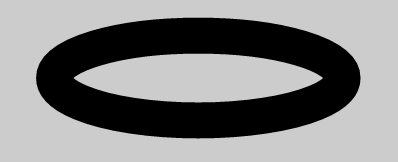
Hi there, I've got a problem with MorphSVG. I'm trying to morph a circle into some kind of flower. Basically it works, but due to weird starting and endpoints of my path the animation is a bit quirky. I've already tried to use the findShapeIndex() utility, but it doesn't really help me as it only allows to change the starting point of my circle, but not the starting point of my flower. How can I set both - the circle and the flower - to use the top center point as anchor for the animations?
-
Hi There, I'm new to Greensock and i have been playing a little with the plugin, especially the MorphSVG plugin. For my current project i'm using Greensock to animate some elements on the site but i'm also trying to achieve animated icons. Now i'm been searching to create a simple tween between 2 groups <g> but i read in old topics that it's just possible to do a one on one path morph. As i already include this library, and try to avoid including more, i would like to use MorphSVG for this without recreating available SVG icons with a seperated animation. Am i overlooking something, is there a workaround for this or should i look at some other library? With kind regards, Gerjo
-
Hi, thanks for your input and engagement in advance. Part 01: http://codepen.io/mikeK/pen/jqWJYj ok., but no random time. Part 03: http://codepen.io/mikeK/pen/yOerpb?editors=1010 random time super, but no animation of the tongue Next: I want to synchronize the arm and the signs (part of svg). What´s the best way to handle the animations? Just for fun and an example that I love GreenSock: http://codepen.io/mikeK/pen/qZbzdN?editors=1000 Best regards from Hamburg Manfred