Search the Community
Showing results for tags 'morphsvgplugin'.
Found 31 results


-
Hi, I have an SVG and I would like to morph between the letters and the icon in the SVG. What I've noticed is that I can morph the letter paths to other letter paths and I can morph the icon paths to other icon paths. However, when I try to morph the icon paths to letter paths, the icon paths appear to scale down and / or move and disappear. What is happening and how do I fix this please ? Thanks Justin
-
Hi to all, Formula 1 2021 season will soon start so I've thought it would be nice to share my animation. It was for a contest and I still believe it was the best but the client is always right (only when he's not ? - remember Steve Jobs?). Undercutting in F1 is going to pit earlier, do some fast laps (with fresh tyres - filling a fuel not an action here) and get in front of the car previously leading. Maybe the text caption for driving fast lap(s) would be good to add (you can see in the code the red car is driving faster after a pit stop). I would love to see the code updated to GSAP 3 if anyone has time to do it - I haven't succeeded in the zeitnot. And for real F1 fans here's the schedule for 2021 (I don't remember but maybe there are all tracks available as vector shapes somewhere on the web): https://www.formula1.com/en/racing/2021.html ?
-
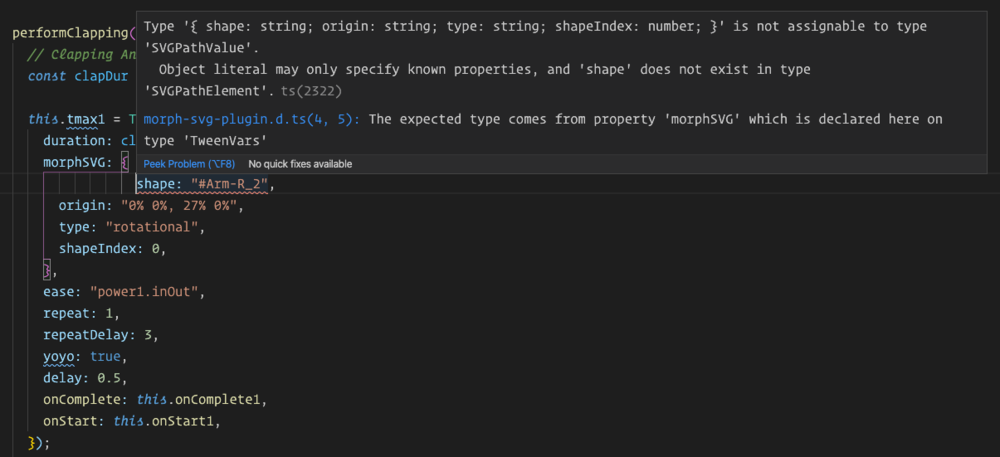
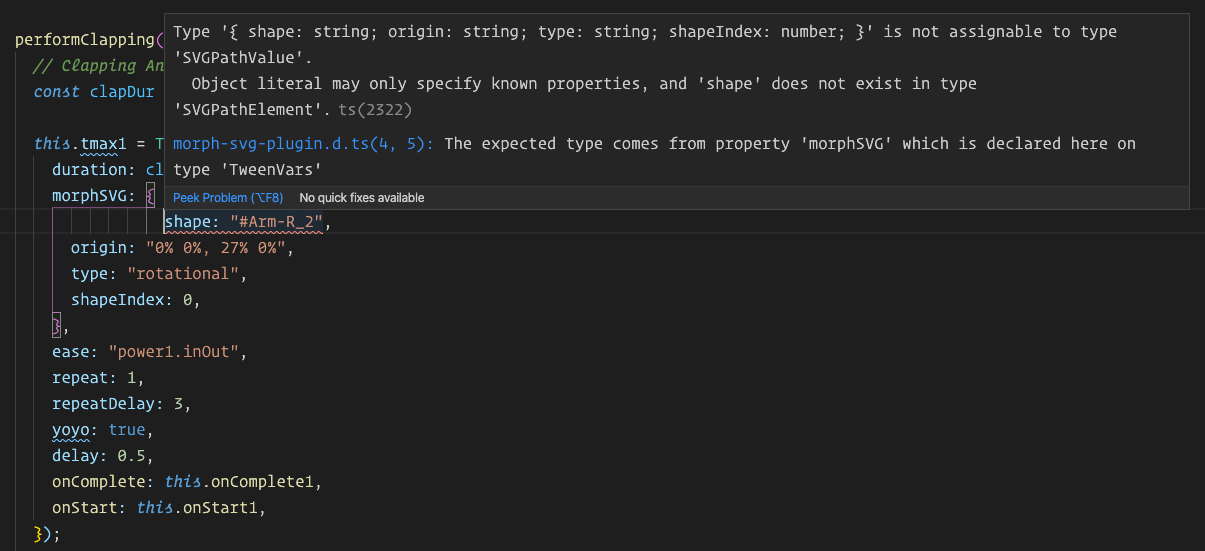
There may be some typings errors with the MorphSVG Plugin when used in Angular 9. When structuring a tween with morphSVG {} object parameters, a type error occurs on the shape parameter (see image). Note, this works fine in CodePen. this.tmax1 = TweenMax.to("#Arm-R_1", { duration: clapDur, morphSVG: { shape: "#Arm-R_2", // <-- shape parameter error origin: "0% 0%, 27% 0%", type: "rotational", shapeIndex: 0, }, ease: "power1.inOut", repeat: 1, repeatDelay: 3, yoyo: true, delay: 0.5, onComplete: this.onComplete1, onStart: this.onStart1, }); Here's the full type error: ERROR in src/app/components/qast-session/fan-stage/fan/fan-sets/yogi/yogi.component.ts:34:9 - error TS2322: Type '{ shape: string; origin: string; type: string; shapeIndex: number; }' is not assignable to type 'SVGPathValue'. Object literal may only specify known properties, and 'shape' does not exist in type 'SVGPathElement'. 34 shape: "#Arm-R_2", ~~~~~~~~~~~~~~~~~ node_modules/gsap/types/morph-svg-plugin.d.ts:4:5 4 morphSVG?: SVGPathValue; ~~~~~~~~ The expected type comes from property 'morphSVG' which is declared here on type 'TweenVars' I can get it work in Angular if I do NOT use a morphSvg parameter object, but I need to pass the additional parameters: this.tmax3 = TweenMax.to("#Arm-R_1", { duration: clapDur, morphSVG: "#Arm-R_2", xPercent: xPct, ease: Power1.easeIn, repeat: -1, yoyo: true, }); Thanks for your assistance in advance. Jeff Boothe
-
Hi! I just started using the MorphSVGPlugin and I was wondering if I can change the transform value of the path. This is because the viewBox normally is not the same. But to use the plugin I thought I needed the paths to be inside the same SVG tag. Is there any way to change the transform value or the viewBox? For your information I am using ReactJs for this project.
-
Hi. Amazing lib, just became a club member and i'm having a lot of fun trying it out. I am trying to recreate this pen on a create-react-app product. I would like to know if there is an analogous function in the motionPathPlugin that would return the array of objects i need (that was provided by MorphSVGPlugin.pathDataToBezier) in the pen attached.
-
Has anyone encountered the issue, today I was work on a new project and I was using new updated GSAP and MorphSVGPlugin for this one. I had to do some motion along a path. So first this I wan creating variables like below: var motionPath_1 = MorphSVGPlugin.pathDataToBezier("#motionPath-1", {align:"#connecting-dot"}); But this is throwing an error as below: Uncaught TypeError: MorphSVGPlugin.pathDataToBezier is not a function This is the same thing I've been using and on the new update this has no change as I can think of. When using old GSAP and MorphSVGPlugin it is work fine. Has anyone encountered this? Does anyone know what is the issue?
-
Hi Guys, I'm trying to make this simple planet orbits animation but I finally hit the wall achieving this astronomical mess. I know I need to somehow make the planet a child of the orbit animation but I'm not sure how. Thank you in advance Gp
-
I'm trying my hand at animating SVGs with gsap and having a very rocky start. My ultimate goal is to be able to just animate an arrow to follow a specific path and to autorotate along the path (so that the tip of the arrow is always centered on the line). I figured an easy start to understanding this would be to take the gsap demo code and just make minor changes to it. In this case, I simply replaced the balloon path with an arrow tip and made sure the ids were matching in the js. The problem is that the arrow seems to be all over the place in regard to the line it's supposed to be following. I've tried some minor changes in the code (adding transforOrigin properties, changing the x and y percentages on the set method) but I feel like I'm sort of throwing darts here and not seeing any real progress. If anyone could clue me in as to what I'm missing here, that would be fantastic (hopefully this exposes a fundamental misunderstanding I have of SVGs and animating them).
-
Hi GSAP community! :) I was playing around with a logo for fun when I ran into this strange misalignment issue, it's quite apparent when you see the demo on codepen. I think it what comes down to is when the moons are animated separately everything works fine, but then if I add the rotating animation of the entire object (svg group holding all the pieces) the 'align' property of the `MorphSVGPlugin.pathDataToBezier` settings does not align correctly. When the global rotating animation is done you can see the objects 'snap' into place correctly. Is there any way to make this work? Am I missing something, maybe I should set that 'align' property to something else? Let me know what you think :) Thanks, Gleb
-
Hello, I'm facing some issues with MorphSVGPlugin. I want to use it on the index.html file of my Angular 6 project. The problem is that if I import the file in the script section of my angular.json it breaks the other scripts. I have tried to import it directly on the file with the <script> tag but Angular is not able to find it. Is there any way to use it on index.html? Thanks!!!
-
Hello, I'm very new to GSAP and also very new to coding. I recently became a Club Greensock member, because I wanted to use the MorphSVGPlugin in Adobe Animate. However, after reading through the forums a bit I learned that MorphSVG doesn't work with Canvas (or something like that)? So now I'm trying to see if it's possible to use MorphSVG directly with Adobe Captivate (I usually build things in Animate then add them into Captivate as a web object). I can't, however, seem to get MorphSVG to work this way either. I've created an external javascript file called 'My.js' and I've loaded that, along with TweenMax, MorphSVGPlugin, and findShapeIndex.js, into my Captivate project on the first few slides. This is the code I use to load the files - function addScript(src){ var s = document.createElement ('script'); s.setAttribute('src', src); document.body.appendChild(s); } addScript('https://s3-us-west-2.amazonaws.com/s.cdpn.io/16327/findShapeIndex.js'); (I did this on a separate slide for each file to load, loading MorphSVGPlugin.min.js first, then TweenMax.min.js, then My.js, then findShapeIndex.js). Then, on the 5th slide of my Captivate project I added two SVG icons that I made in Adobe Illustrator. In Captivate I named them 'back' and 'next'. In my external 'My.js' file I gave them variables and created a function to tween them. I call the function on the 'on enter' action of the 5th slide of my Captivate project where the SVG icons are - var next = window.cpAPIInterface.getVariableValue("next"); var back = window.cpAPIInterface.getVariableValue("back"); MorphSVGPlugin.convertToPath("#nextc"); MorphSVGPlugin.convertToPath("#backc"); function myMorph(){ TweenMax.to("#nextc", 1, {morphSVG:"#backc"}); } I used the identifier "#nextc" and "#backc" because when I inspect the published html file, their div id's are nextc and backc. When I try it this way, I get this error: WARNING: cannot morph a <DIV> SVG element. Use MorphSVGPlugin.convertToPath(elementOrSelectorText) to convert to a path before morphing. So then I have also tried to just use their variable names I gave them - MorphSVGPlugin.convertToPath(next); MorphSVGPlugin.convertToPath(back); function myMorph(){ TweenMax.to(next, 1, {morphSVG:back}); } but with this method I get an error that it 'Cannot tween a null target' I've added alerts to the beginning of each of the js files (besides from findShapeIndex) so I know they are all loading. Needless to say, I'm pretty confused and not sure what to try at this point. I wasn't sure if this post was better suited for the GSAP forums or the Captivate forums. Any help or advice would be very much appreciated! Thanks.
-
Hi All, I am using ScrambleTextPlugin and MorphSVGPlugin in component: import ScrambleTextPlugin from 'gsap/ScrambleTextPlugin'; import MorphSVGPlugin from 'gsap/MorphSVGPlugin'; Problem 1: The animation only happens if I console.log the versions of plugins in ngOnInit console.log(ScrambleTextPlugin.version, MorphSVGPlugin.version); Problem 2: After deploying the app to firebase, it throws TypeError: Uncaught TypeError: Cannot set property '_autoActivated' of undefined at Object.zUnb (main.1c91b1d089cbaf940e97.js:formatted:34594) /* In the bundled file (formatted), I found following lines related to _autoActivated : 34135: qh = Yc.f.TweenMax 34593: cp = qh 34594: cp._autoActivated = [Vh, jh, Bh, zh, ap, Uh, Yh, Yc.f.Back, lp, Yc.f.Bounce, Yc.f.RoughEase, Yc.f.SlowMo, Yc.f.SteppedEase, Yc.f.Circ, Yc.f.Expo, up, Yc.f.ExpoScaleEase]; */ This is the link to app on Firebase. The project runs fine on localhost. Typical Developer Life. gsap: ^2.0.0 firebase: ^5.0.4 angularfire2: ^5.0.0-rc.10 @angular/core: ^6.0.3
-
I've been using MorphSVGPlugin.pathDataToBezier to get the arc's path and all have been good, but I just can't make the first "handle" (and the other handles that aren't just simple circles) rotate and move correctly. any ideas? Also need a nice way to move the svg dots randomly inside the half circle. Thanks in advance
-
Ive made this blue monster SVG and I'm trying to get these horns to animate out like they are growing. So far Ive been animating the x and y values of all the segments that make up the horns with staggerTo to make them appear to grow, but I would like them to appear curved - is there a way to do this by animating each segment along the same path with morphSVG? blueHorn.svg
-
Hello everyone. I have been trying to use MorphSVGPlugin for the last 24 hours and I don't fine my way out. I'm writing a react App, using rekit which is based on create-react-app. It includes Babel, Webpack 3 for bundling, React hot loader for hot module replacement and so on. So following other threads from this forum, I installed gsap by npm and then copied the membership plugins for npm users into node_modules/gsap, and then I can write import { TweenLite, TweenMax, MorphSVGPlugin } from 'gsap' ... TweenMax.to("#start", 0.5, {morphSVG:"#end"}) When I try to use it I get "invalid morphSVG tween value: #end" From what I've read it means MorphSVGPlugin is actually not added. To confirm I tried: console.log(TweenLite) console.log(TweenMax) console.log(MorphSVGPlugin) An only the last one shows undefined The problem I think it's that MorphSVGPlugin is marked as unused and not added to bundle.js. As I'm not familiar with the bundling process, I've trying to Google how to change the webpack config file or forcing the compiler to add it, but no luck so far. I hosted it in https://s3.amazonaws.com/gsap-forum/index.html just for reference, but I think it's not necessary. Can you please help? Thanks in advance. build.js package.json
-
First, I want to say thanks for all the hard work put into the greensock tools. It's fantastic. It might be a stretch, but I was wondering if the MorphSVGPlugin might have some method for calculating the difference between 2 svg paths. Essentially, I want to calculate how closely 2 shapes match. Say for example I have a 200x200 square, 300x200 rectangle, and 300x300 star. Comparing the square and rectangle would return a higher accuracy value than comparing the square and star, since the square and rectangle paths match more closely, so to speak. Currently, im just comparing the area of the shapes, but it can only get me so far and I feel a path comparison would be more accurate. Perhaps there are methods in the precompiler that I can utilize? Any way to measure the total offset of the path after it morphs? Any pointers are much appreciated!
-
Hi, fellow GreenSock (forum) members. I'm stuck with animating an object over path, more like generally how to center say rectangle or any path to move smoothly on a path with autorotating. The Codepen pen is a part from what I would like to do but can't center the green "car" e.g. so that its center (midpoint X and Y or centroid if you wish) would move on the path. This year I have created complex animation of a cube moving along the "infinite" path with calculating shadows per rotation angle - with callback function - yet cannot do this simple animation well. Gray path is a rectangle, red one is nearly completed rounded rectangle with Bezier curves. The latter would be perfect but I cannot script the green rectangle to be centered on path at all times. So in general how to draw, position and/or offset an object so that it will move along the path by its center (centroid)? Having a group with invisible rectangle boundaries and then animating a group along the path? And yes, I have watched the excellent Note: I'm using svg.js for some easy creation of SVG elements. Intention is to script all to have rule base path creation and then animating objects over paths. Sure, the path rounded corners will be redone with arc commands :-).
-
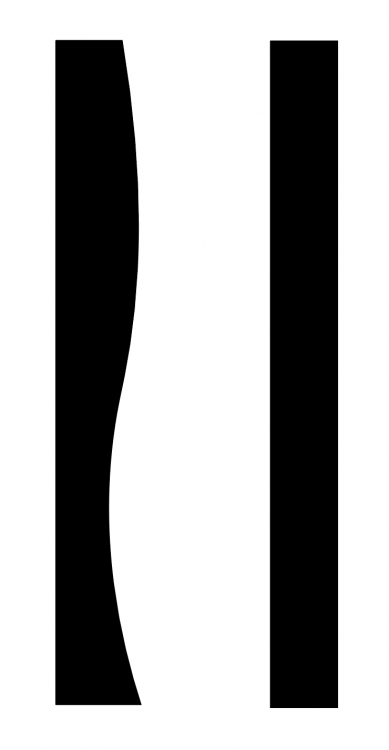
I just started trying to work with the MorphSVG plugin and feeling like I must be missing something. Not working out quite as simply as expected. I have a basic S curve type shape that I want to animate into a straight edged rectangle. I'd like it to just smoothly iron out the curves until it goes straight but when I try this out it does a weird flip animation from one shape to the other. I'm exporting my SVG paths from Adobe Illustrator since it gives me a lot of control over how the path is drawn but I don't work with SVG much so this might be part of the problem. Any help to push me in the right direction to achieve this is greatly appreciated!
-
I tried to set up a Codepen for this but can't get it to let me set up the javascript files in the header. I can't make the ball follow the path. I've verified that MorphSVGPlugin is making the path but the tween is choking. I can't figure out why. The error I'm getting in the console is: "Unable to set property 'vars' of undefined or null reference" I paid for the use of MorphSVGPlugin but so far I can't get what I need. I've attached the file. The javascript file url for MorphSVGPlugin is relative for obvious reasons. If you test it you'll need to fix that url. index.php
-
I have an SVG I'm trying to align to a path using pathDataToBezier(). When I do not include an align parameter the animation plays normally with code below. ferry_motionPath = MorphSVGPlugin.pathDataToBezier("#shep_path"); $("#test_ferry").click(function(){ tween=TweenLite.to("#shep_ferry",60,{bezier:{values:shep_motionPath, type:"cubic"}, ease: Power1.easeIn}); }); when I change this to align to the object as below: ferry_motionPath = MorphSVGPlugin.pathDataToBezier("#shep_path", {align:"#shep_ferry"}); I'm getting the error: jQuery.Deferred exception: k[0].getBBox is not a function K.pathDataToBezier@***********/js/gsap/plugins/MorphSVGPlugin.min.js:13:12096 TypeError: k[0].getBBox is not a function I am loading TweenMax and the MorphSVGPlugin, is there another dependancy I am missing?
-
I'm using the pathDataToBezier to create a path for my tween to follow. All is good... ...except I would like to be able to scale the path for responsive screen sizes. I have not figured out a way to do this. I've tried to scale the path smaller before calling "var path = MorphSVGPlugin.pathDataToBezier", but there seems to be no effect. Any ideas? Am I missing something?
-
Carl brought up this canvas morphing demo I made... http://codepen.io/osublake/pen/RWeOWX But it's kind of old, so I told him I would make an updated version because doing canvas morphing is much easier now. You no longer have to use an actual SVG path as a proxy to get the transformed path strings. There's an undocumented method that the precompile option uses (pathFilter), so you a can tap into that to get the transformed path strings. // Path strings var path1 = "M300,25l86.6,150H213.4Z" var path2 = "M500,23.92L524.72,74,580,82l-40,39,9.44,55.05-49.44-26-49.44,26L460,121,420,82l55.28-8Z"; // Data for the start and end paths var pathData = [path1, path2]; // Run it through the MorphSVGPlugin MorphSVGPlugin.pathFilter(pathData); Using the pathFilter method might seem awkward at first because it doesn't return anything. It mutates the array you pass into it with the transformed path strings... http://codepen.io/osublake/pen/1754cdf8805e7061094036125958200d?editors=0011 There are also some other things you can pass in the pathFilter method, like a shapeIndex and map type... MorphSVGPlugin.pathFilter(pathData, 6, "complexity"); The next step is to decide on how you want to tween the pathData. In the past I would convert the pathData strings into a bunch of arrays of numbers, and tween the arrays using the EndArrayPlugin, kind of like in this demo I made before the MorphSVGPlugin came out... http://codepen.io/osublake/pen/RPKdQz?editors=0010 But that can get messy, and there's a much better solution with modern browsers, the Path2D object. It will allow you to use SVG paths directly inside of canvas. var path = new Path2D("M10 10 h 80 v 80 h -80 Z"); context.fill(path); And since GSAP can tween complex strings, we now have a pretty straightforward way to do morphing inside canvas! http://codepen.io/osublake/pen/EZNMEZ/?editors=0010 However, there is one issue. There won't be any IE support for this, and the SVG constructor feature is currently broken in Edge. Hopefully that will get resolved soon. https://developer.microsoft.com/en-us/microsoft-edge/platform/issues/8438884/ So there you go. High-performance morphing using GSAP and canvas. Morphing 50 different shapes while using a blend mode. http://codepen.io/osublake/pen/pRNYRM/?editors=0010 .
-
Hi, all. I just started to learn GSAP, and I got a problem with the connection MorphSVGPlugin library. I use these plugins <script type="text/javascript" src="https://s3-us-west-2.amazonaws.com/s.cdpn.io/16327/MorphSVGPlugin.min.js"></script> <script type="text/javascript" src="https://s3-us-west-2.amazonaws.com/s.cdpn.io/16327/DrawSVGPlugin.js"></script> But when I watching moving about MorphSVG I could not connect properly library. Can you help me to fix this problem?
-
 I am currently working on a project where an animation along the line is implemented, i.e. a chosen SVG element (in this particular case a <g> ) is moved along a <path>. Previously, I have implemented this using Snap.SVG and it worked fine, however, having to also do some "morphing" on the elements, I decided to give MorphSVGPlugin a go to save resources. However, so far it has not been a smooth ride... Stepping through the code, I observe the following: 1. The object is rendered in a starting position (the correct starting position). 2. The line path is rendered (I used fill="blue" just to demonstrate the position of the line) - the starting point is supposed to be the top "corner", however, it is an invisible "looped" line. 2. The animation kicks in, and the object is instantly positioned somewhere else! This is the actual problem for me right now. 3. The object is animated along a correct curve! This makes me think that MorphSVGPlugin.pathDataToBezier method is working as intended and provides x-y array of movement points. However, TweenMax.to() method seems to disturb the intended starting point for the animation, I really can't put a finger on it right now. There is very little control I have over the artwork, which has been designed in AI and exported to SVG format. Hoping to find the resolution to this problem as soon as possible.
 -
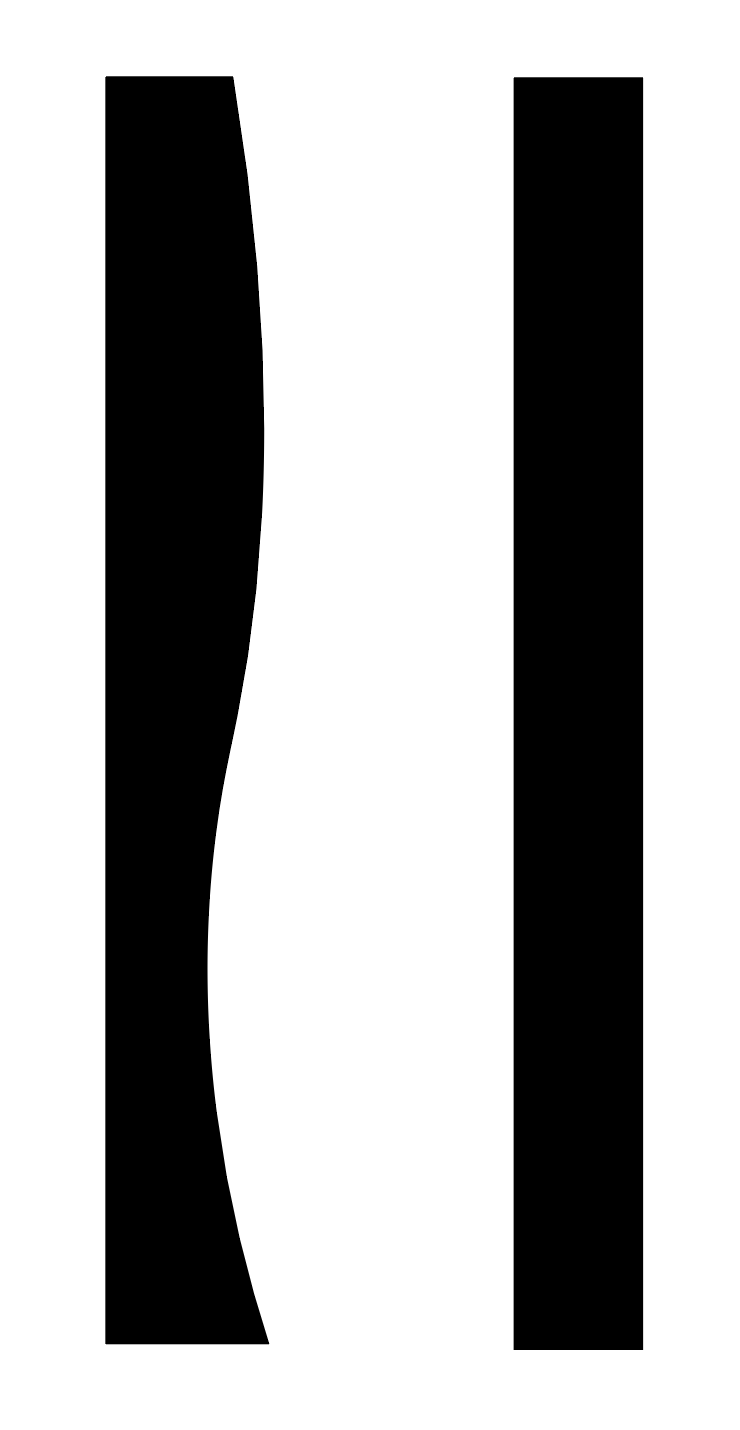
 I'm trying to make an element appear as if it's drawing a path as you scroll down the page. I have it mostly working fine, but the the object doing the following slowly drafts away from the intended path the further into the animation it gets. Unsure why this is. There's an additional problem where it completely misses the path data for the last "hump" too, you'll see what I mean towards the very end of the line (maybe this is related?) To draw the path I'm revealing the line by animating a duplicate path with a white stroke above it. The pathDataToBezier function is fed the original path data though. Open to alternative ways of doing it if I can't find a solution. You may have to maximise the preview window to see it draw properly. Thank you





-min.thumb.png.e9b9ff661954360c5f1ce15c7f44e077.png)









.thumb.jpg.45ad1f0654d8c8cd759c47599fe1796d.jpg)