Search the Community
Showing results for tags 'border'.
Found 5 results
-
Hi all, Wondering if I can animate the border of a div separately somehow, or if it's better to nest it (ie: animate border of parent, then text of child). Dealing with SVGs seems like a pain in terms of alignment. Here's my CodeSandBox Thanks!
-
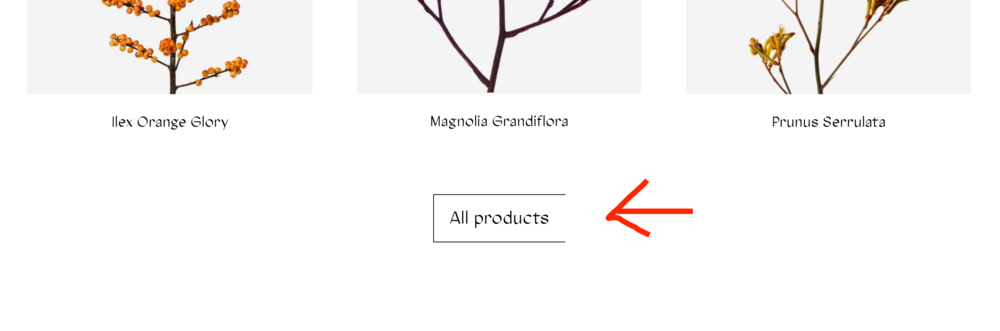
 Hi, I have had this issue in multiple sites where I am using scrolltrigger and animating the y property. This is what happens on an <a> tag for example (see screenshot). I have had this issue also appear on normal <div> that have border properties. I have also tried to replace the border with outline for example but same thing happens. When I hover over it, the border corrects itself and looks fine after that. Also when you change some properties through "inspect element" in chrome for example. The error also occurs in Microsoft EDGE, but have not seen it in firefox or safari. One fix that seems to work is to not use the transform property Y but the basic TOP property. I prefer to use the Y property however. Does anyone know how to fix this issue? This is my code: JS gsap.registerPlugin(ScrollTrigger); setTimeout(function(){ ScrollTrigger.batch('.animate-in', { onEnter: batch => gsap.to(batch, {autoAlpha: 1, y: 0, ease: "power2.out", duration: 1.6, delay: 0.15}), }); }, 100); CSS animation: .animate-in { opacity: 0; transform: translateY(80px); } CSS button: .button { border: 1px solid $black; background-color: transparent; display: inline-flex; align-self: center; transition: all ease-out 300ms; padding-top: 15px; padding-bottom: 16px; padding-left: 22px; padding-right: 22px; }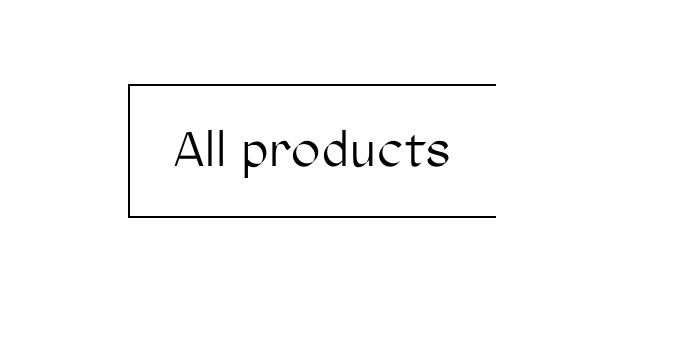
-
Hello, i have 1 element. He must grow in width, height and border, and he do this. But have problem after when i did reverse (i showed two case) 1-case(icon-cursor-1): When click start and after complete animation click reverse() (after complete animation reverse) and again click start we see: border width jumping 2-case(icon-cursor-2): When click start and after complete animation click reverse() (after complete animation reverse) , he don't return primary value for border width (default border width 3px) P.S. if i write position 0(=0.75) for tweens, he return true value. Please help understand what i doing wrong, and how this work ? Sorry for my English =)
-
Hello friends of gsap! This is my first post here but i suspect i will return since gsap is awsome! I'm trying to make a rotating circle with arrows pointing at each word. Here is an image that shows what I'm trying to do. http://boxesandarrows.com/files/banda/prototyping-with/iterative_prototyping-small.gif How can i achieve this? I tried using css border and images but I don't know how to apply it the correct way so the arrows rotate with the boxes as seen in the codepen. I want the arrows to basically point on each box. Thank you for your time and keep up the good work!
-
Hey again Greensock guys , I've got a brainteaser for y'all, hopefully it's an easy one. I did do a search around before asking, but the forum search won't include the word 'border' as a keyword, it's restricted, and Google only answered so much of what I needed to know. Okay, so I'm trying to recreate this pen from CSS to JS (GSAP): http://codepen.io/joelrodelo/pen/uHjvi Assumed it would be simple enough but it's proving trickier than I thought. I've been trying to do it with an image on a page, have a quick sample here for reference (you can thank me for the working image later ) : http://webslinger.com.au/dev/gs_border_animation/index.html Some of my attempts or JS fiddles are still in the scripts.js page, just commented out, but they're there for reference. I've just been starting with the left side of the image to begin with. The problem I run in to is that the border appears from the outside in, and any method I've tried to have the border appear from any other direction - either by 'y:' or 'height:' - has failed, moved the entire image with it, or nothing's happened at all (you can see some of my other attempts in the js file). I figured the most logical thing to do would be to nest it, to create a new Tween variable that adds the className and then animate the variable in a new TweenMax line, but I think I've gone wrong somewhere with that approach (read back through the documentation, can we only nest new Timeline's, not new TweenMax's?). Anyway, maybe someone's already figured out an approach to this and I've missed it, or maybe the solution's just too obvious for me to see, cause' surely it wouldn't come to having to actually draw a border line around the image would it? Appreciate any feedback in advance.